Edit an Issue and Associate a Branch with a Merge Request
You can create a branch of the code directly from an issue and associate the two, clearly indicating which code changes relate to the specific issue.
Here’s how you create, view, and link/unlink MRs from the Edit Issue page:
-
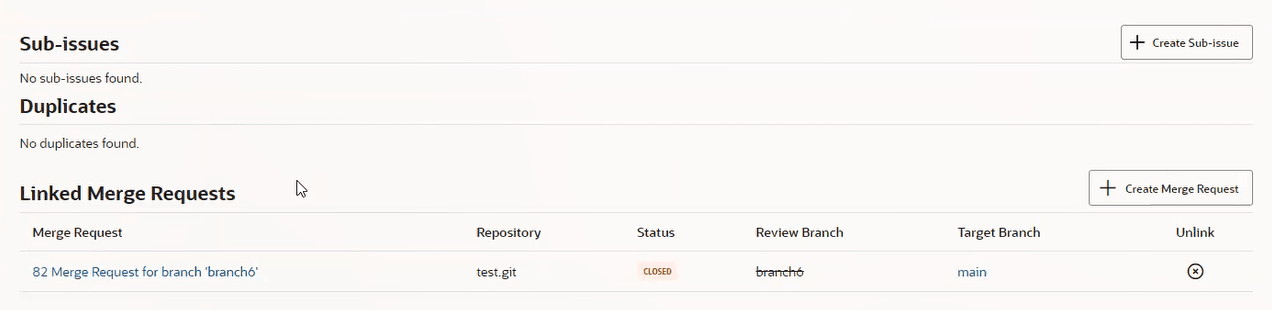
In the Issues page, scroll down to the Linked Merge Requests section.
-
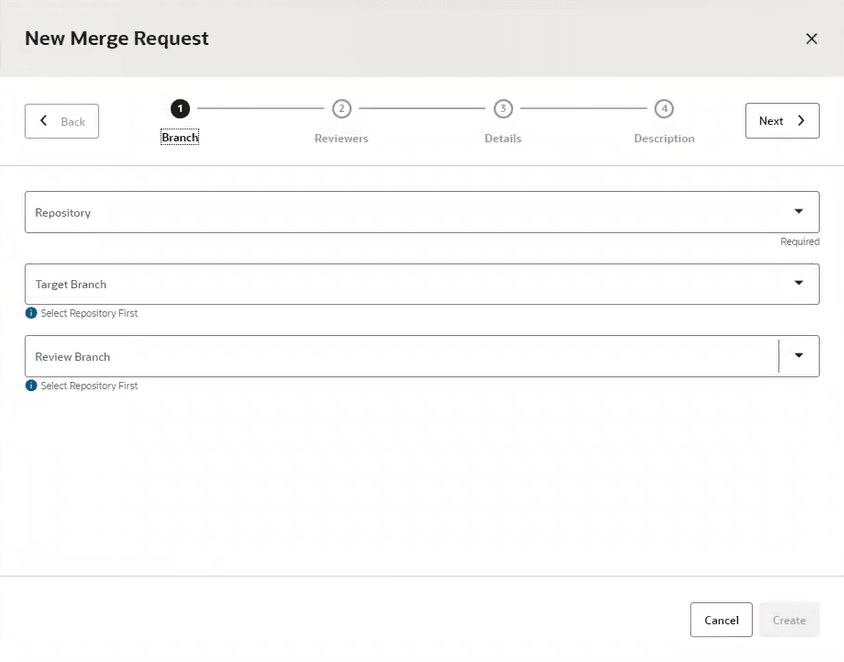
Click the + Create Merge Request button and display the New Merge Request wizard.
The Branch page is where you start.
-
Select the repository and the target branch, then click the Review Branch dropdown and select an existing branch or create a new review branch. If you need to create a new branch, type the name of this new branch in the field.
Let’s create a new branch, say newbranch, so we’ll type it in the Review Branch field. Notice the message that is displayed under the field:
Branch 'newbranch' will be created from 'main'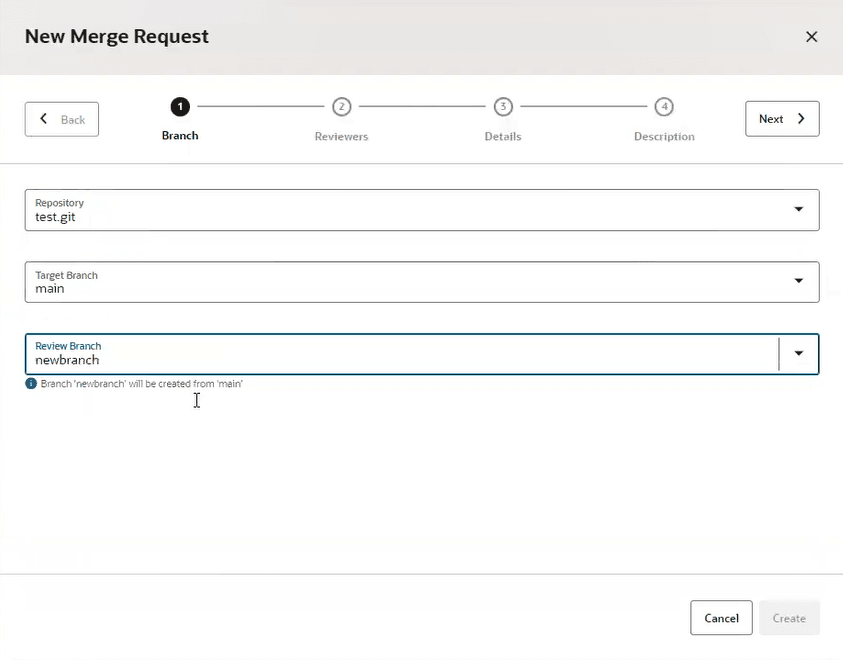
-
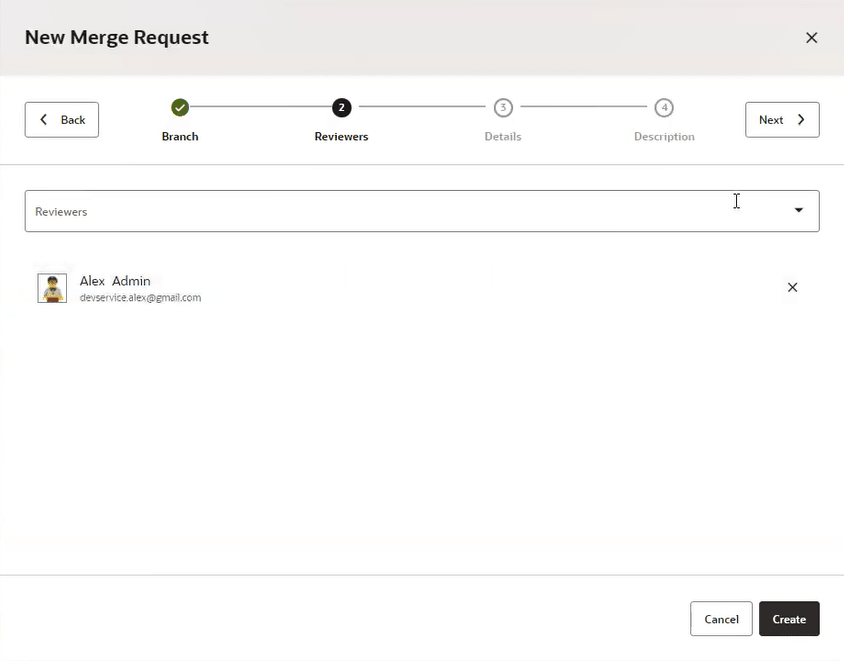
Click Next to go to the Reviewers page.
Notice that the current user is automatically added as a reviewer.
-
Add more reviewers, as needed, and click Next to go to the Details page.
The current issue is automatically linked to the MR and is added to the Linked Issues field.
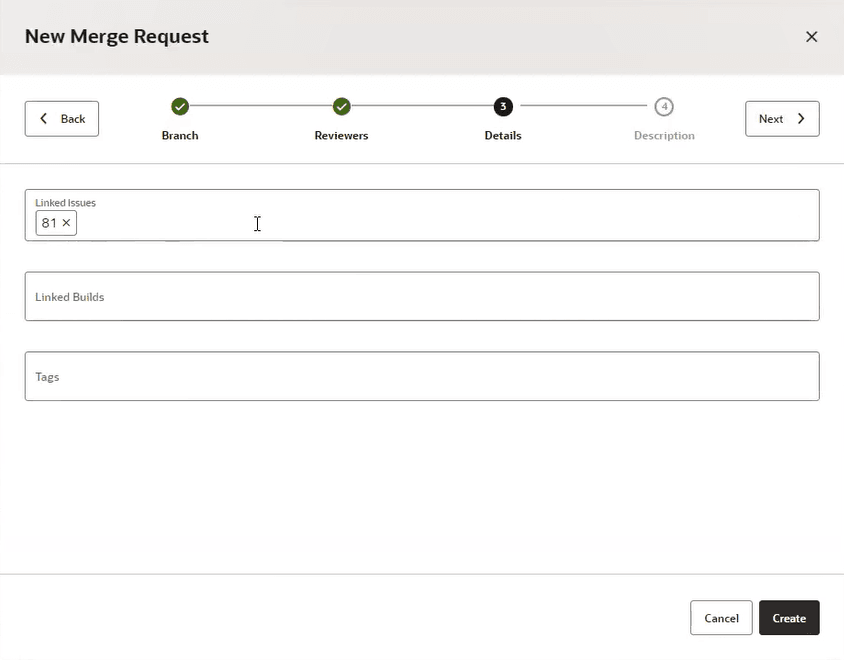
-
Click Next to go to the Description page.
-
Enter a summary and optionally a description, then click Create.
The linked MR you created appears under the Linked Merge Requests section on the Issues page, where you can see the new MR name (link), repository, status, review and target branches, and the unlink
 action icon.
-
Click the MR name link to go directly to the merge request.

-
Expand “Linked Issues” to return to the Issues page.
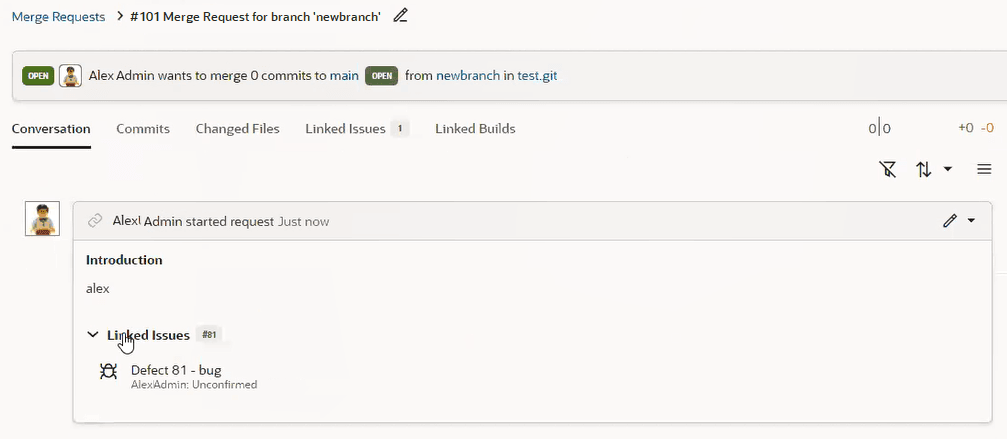
-
Click the branch link.

The Branches page displays.
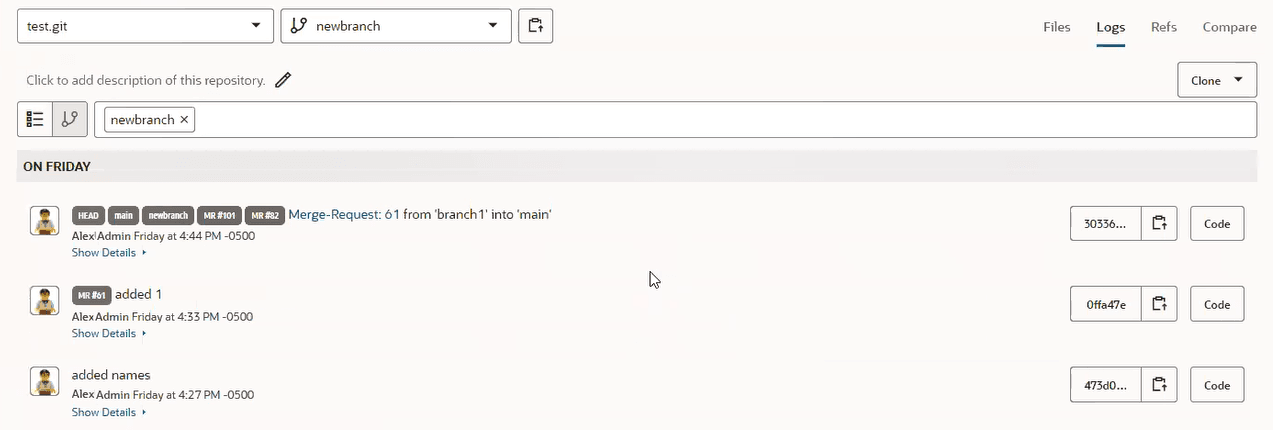
-
Return to the Linked Merge Request section on the Issue page and mouse over the branch6 item in the Review Branch column.

Notice that if a branch is remote or was deleted, you’ll see a line through its name and you’ll see the message like the one shown here.
-
Click the Unlink
icon and unlink the merge request from the issue.
Unlinking breaks the association between the MR and the issue, but nothing is deleted. The MR is still there after unlinking.
So, you can now show and create the association from both sides, from a merge request as well as from an issue.