Create a Security Zone for Your Instance Compartment
Enforce Security Zone policies on the compartments and resources for your Oracle Fusion Data Intelligence instances to comply with your security policies and prevent potential configuration issues.
A security zone is associated with one or more compartments and a security zone recipe. When you create and update resources in a security zone, Oracle Cloud Infrastructure Identity
and Access Management validates these operations against the list of policies that are defined in the security zone recipe. If any security zone policy is violated, then the operation is denied.
For more information, see Overview of Security Zones.
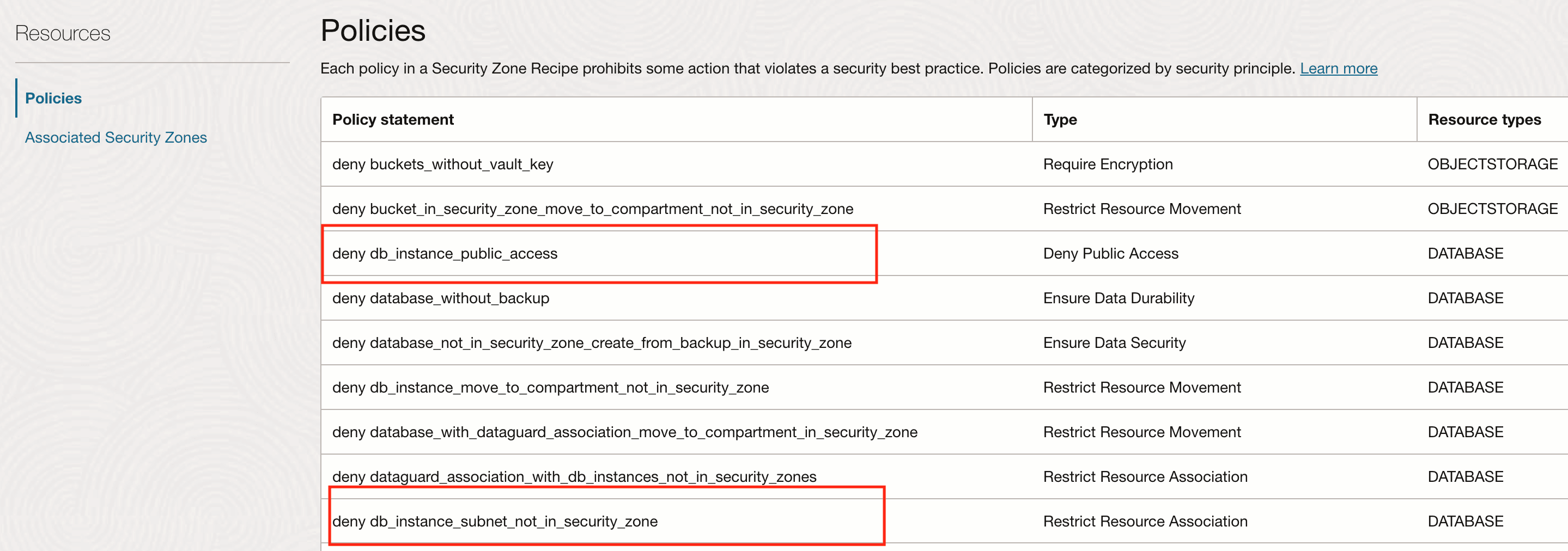
You can't modify the default Oracle-managed recipe for a security zone. The default recipe is associated with a policy that doesn’t enable you to create:
- Public Oracle Fusion Data Intelligence instances using the default-Oracle managed policy.
- Security zones that aren’t in the same VCN and subnet as the compartment for the Oracle Fusion Data Intelligence instance.
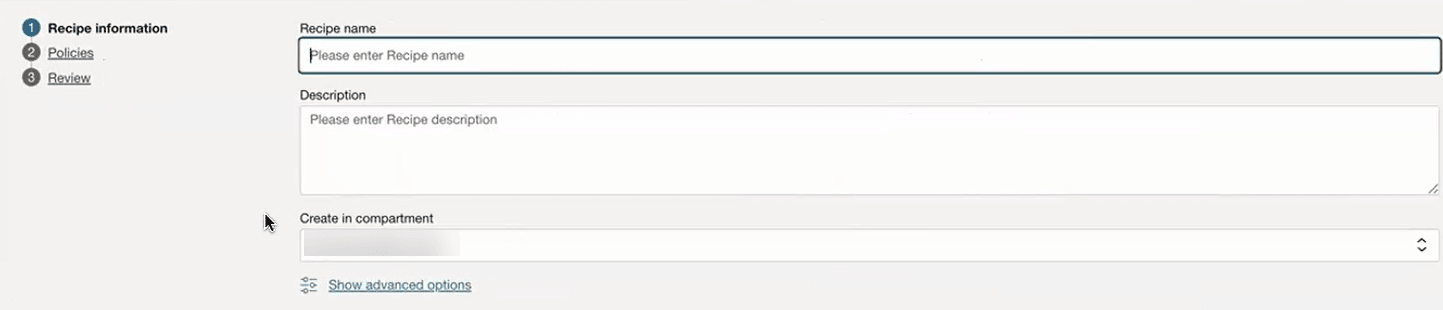
You can determine which policies are appropriate for your needs by defining custom security zone policy sets. Create a security zone with a new recipe for your compartment and configure a custom policy in the recipe that doesn’t violate security zone policies.
To configure prerequisites, see Getting Started with Security Zones.
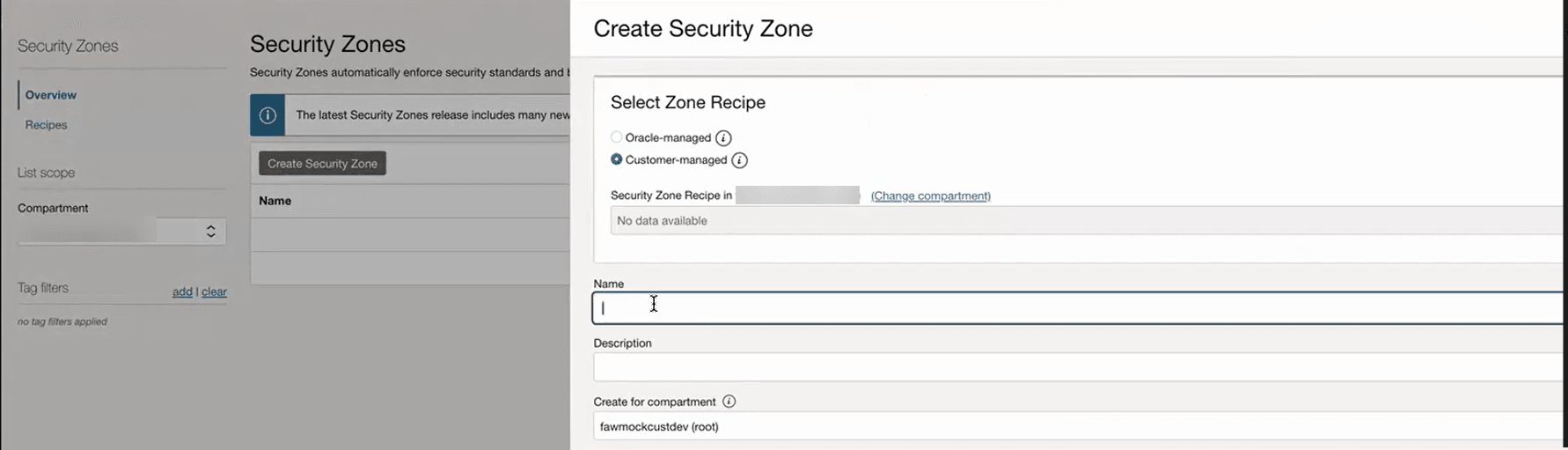
- Create a security zone for the Oracle Fusion Data Intelligence instance. On the Security Zones list page, select the compartment to create the security zone in.If the selected compartment is already associated with a security zone, this button is disabled.
- In Create Security Zone, under Select Zone Recipe, select Customer-managed. If the recipe is in a different compartment, select Change compartment.The newly created security zone is associated with the recipe policy settings for the Oracle-managed security zone. Create a security zone recipe by cloning an existing one.
- Clone the recipe you want to work with.
- Click Policies.