View Alerts
View the warnings and informational alerts for your Oracle Fusion Data Intelligence instance.
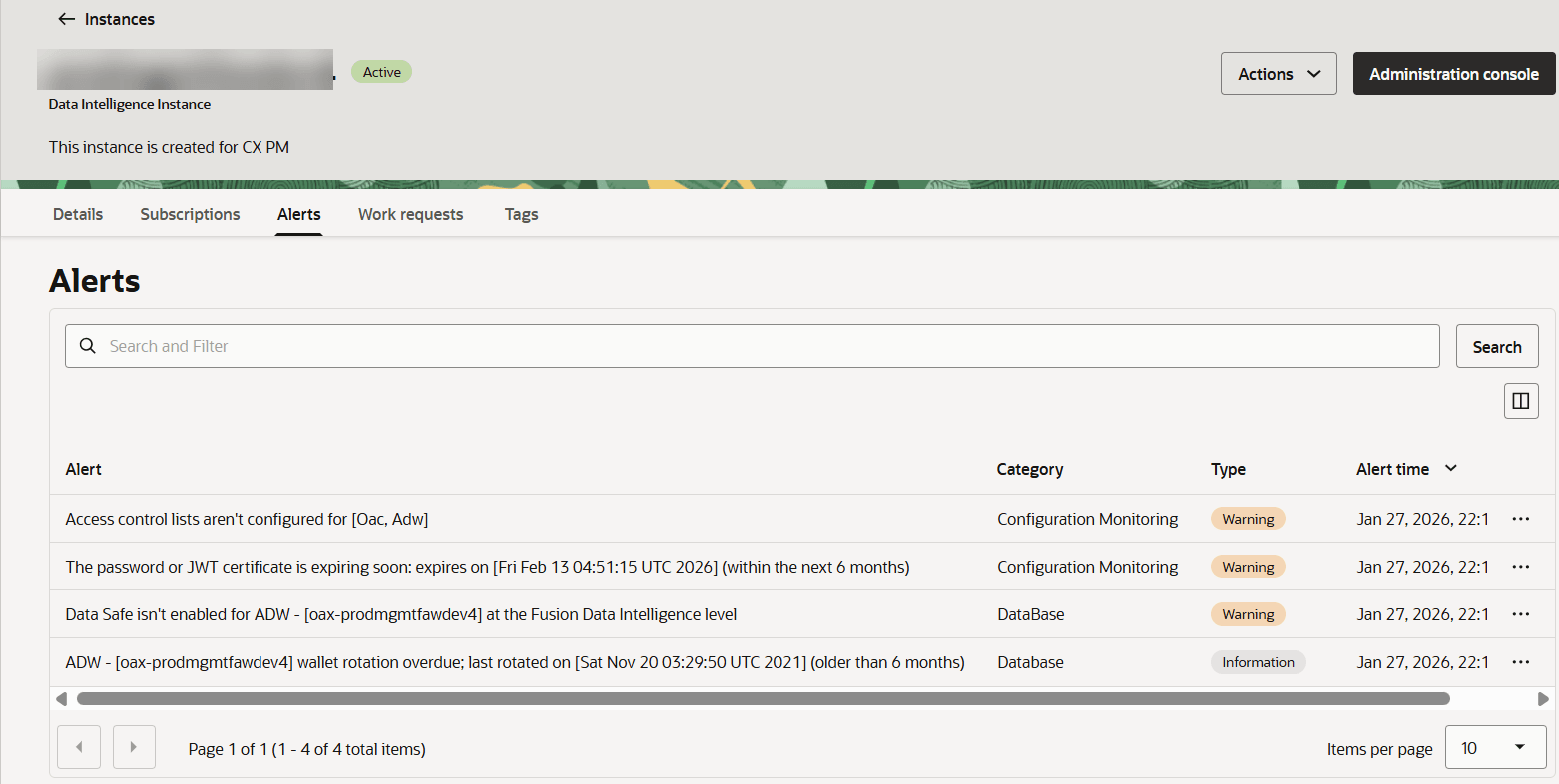
You can monitor activity in your Oracle Fusion Data Intelligence instance from the Alerts tab on the instance Details page. Alerts help you notify affected users about issues, respond promptly to events, and ensure your instance continues to run smoothly.
Oracle Fusion Data Intelligence alerts are of the Type Information and Warning.
- Click Alerts.
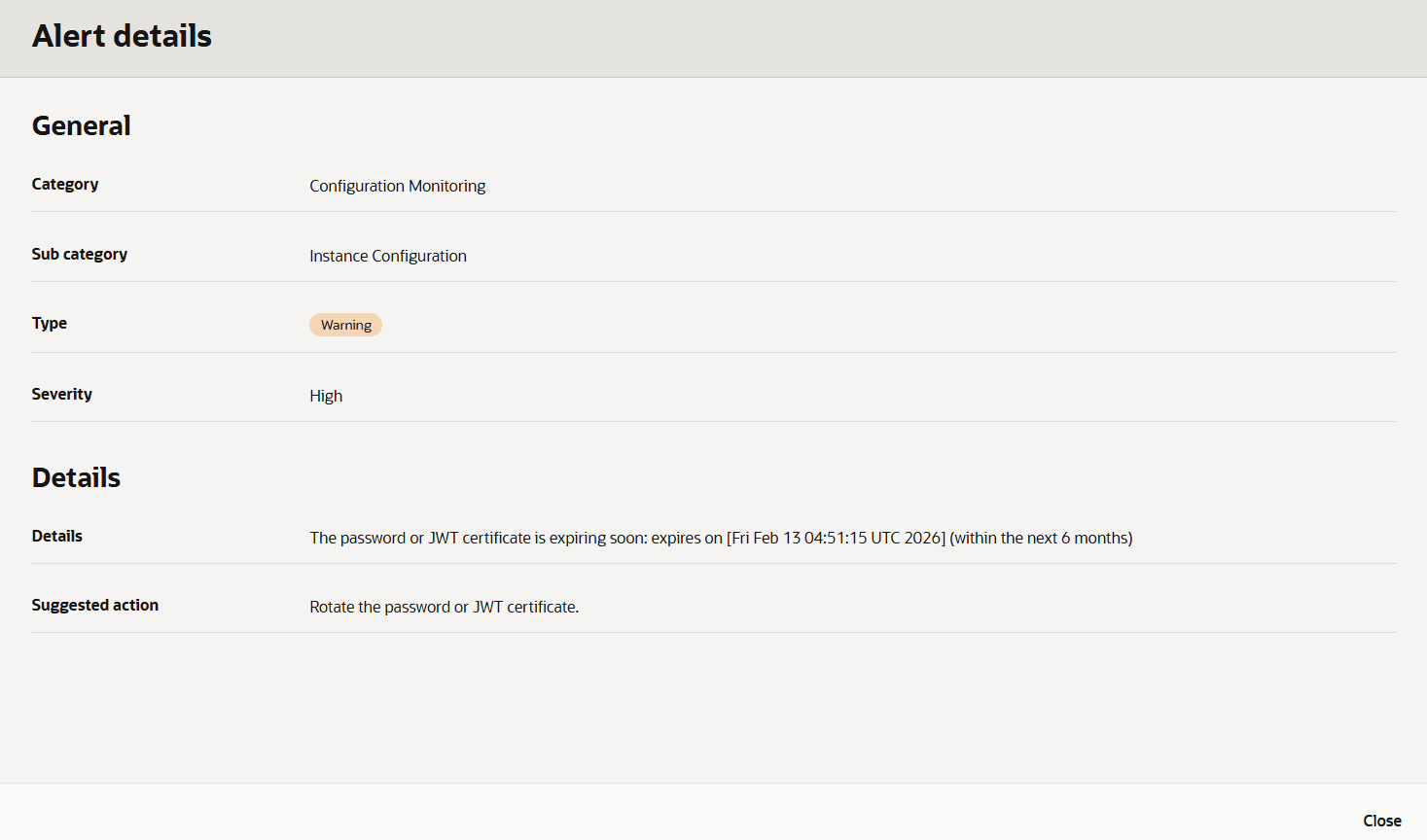
- Select the icon next to the alert to view more information, then click View Details.
When the issue causing the warning or informational alert is resolved, the alert no longer appears when you click Refresh.