Import and Deploy People Leader Workbench Bundles
In order to use People Leader Workbench, you need to import and deploy the data bundle so that the People Leader Workbench is deploys in Oracle Fusion Data Intelligence.
- From the Oracle Fusion Data Intelligence Console, click Enable Features.
- In the Preview Features tab, under Application Settings, ensure Bundle Repository is enabled.
- Navigate back to the Console and under Application Administration, select Bundle Repository.
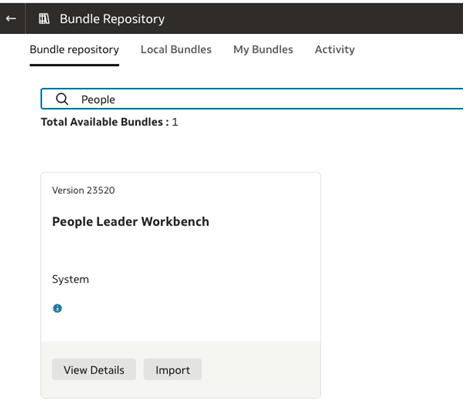
- In the search field, type People Leader Workbench. The People Leader Workbench tile shows.
- Click View Details to review the shared details, and click Import to install the bundle in your instance.
- In the Import Bundle dialog, review the terms of use, select the I Agree to the terms check box, and click Submit.
- Verify the status of the import process on the Activity page and then verify that the shared bundle is visible under the Local Bundles tab.
- Deploy the bundle. See Deploy a Shared Bundle.