Deploy the Imported Bundles
After successfully importing the Oracle E-Business Suite Data Intelligence Application bundles from the Bundle Repository, deploy them in the same order that you imported them.
Note these instructions for deployment:
- For EBS Configurations Data Config Bundle and EBS Common Data Config Bundle: In the Deploy Bundle dialog, select Import the data pipelines, but do not activate and clear the Perform Validation checkbox before proceeding with the deployment. This imports the data pipelines without activating them. Ensure to activate and deploy the DA Script applications in the specified sequence. See Deploy the Data Augmentation Script Applications.
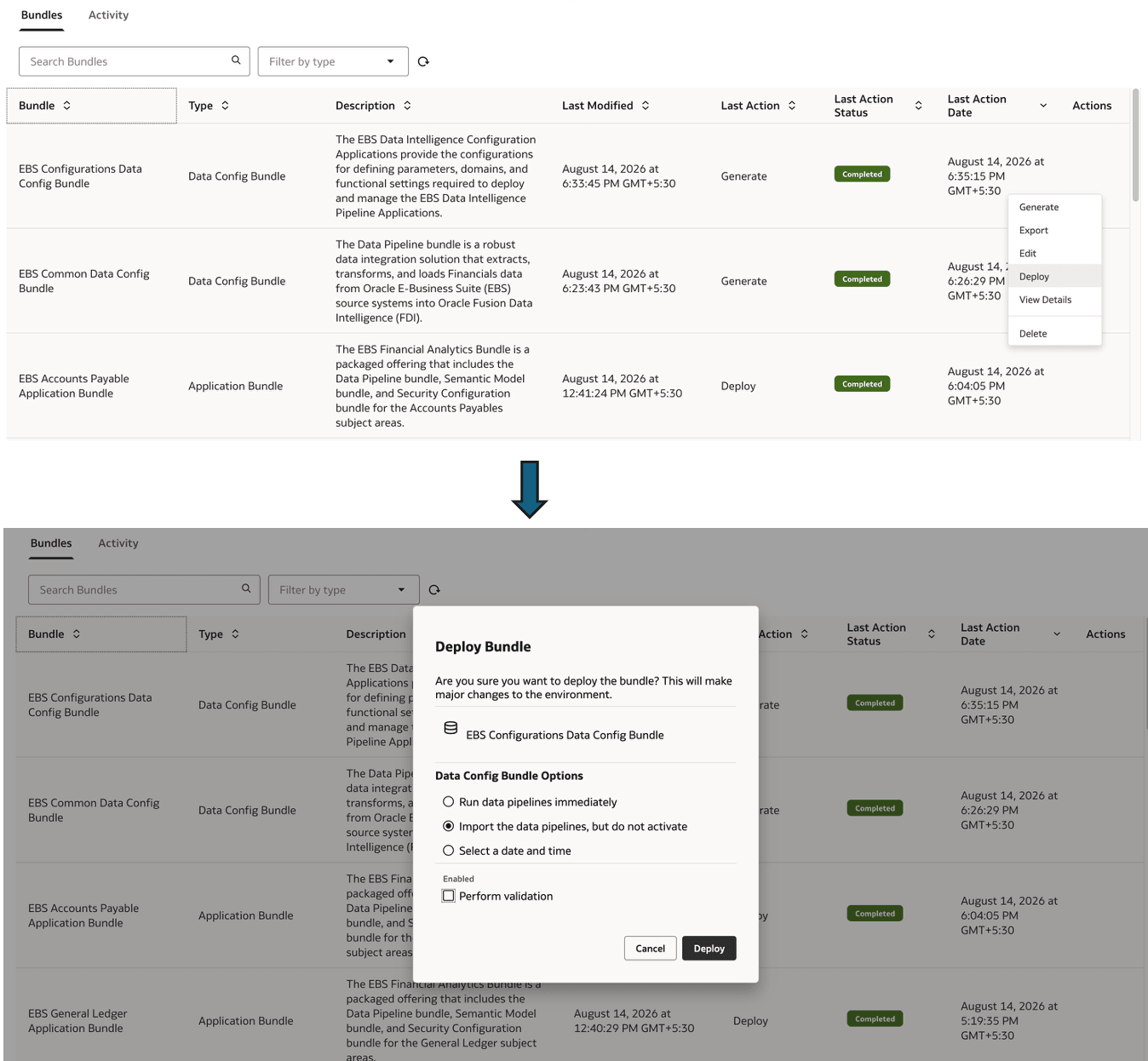
- For individual Application bundles: Select Import the data pipelines but do not activate, and clear the Perform validation checkbox. This imports the data pipelines without activating them.