Update the Functional Configurations
After the bundles have been successfully deployed, update the functional configurations of the data application based on your business requirement.
Complete these:
- In Oracle Fusion Data Intelligence, navigate to the Data Applications page.
-
Open EBS Data Intelligence Configurations Application (EBS_CONFIG) and navigate to Functional_configurations.hrf to update the following inline datasets:
- FILE_BUSINESS_LOCATION_CONFIG_ORA
- FILE_MCAL_CONFIG_G
- FILE_GL_ACCT_SEG_CFG_ORA
- FILE_GROUP_ACCT_NUM
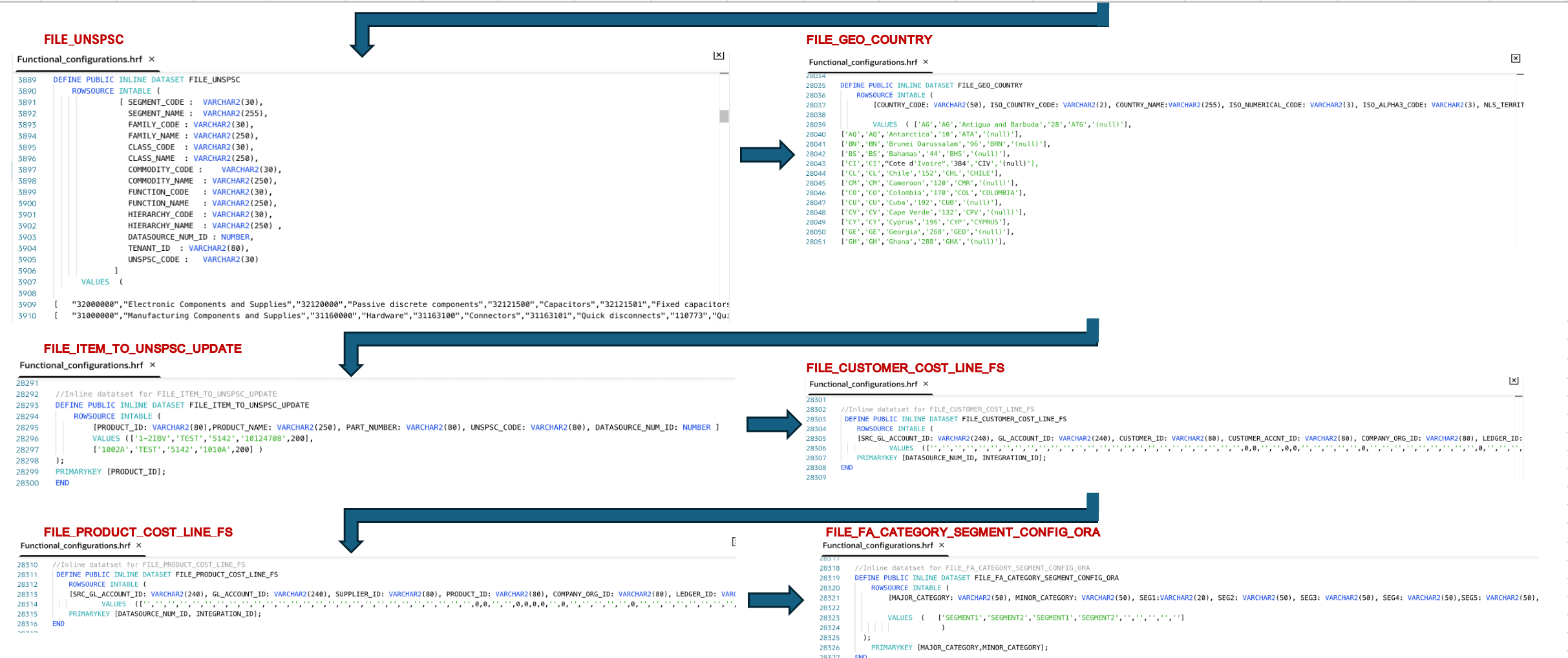
- FILE_UNSPSC
- FILE_GEO_COUNTRY
- FILE_ITEM_TO_UNSPSC_UPDATE
- FILE_CUSTOMER_COST_LINE_FS
- FILE_PRODUCT_COST_LINE_FS
- FILE_FA_CATEGORY_SEGMENT_CONFIG_ORA
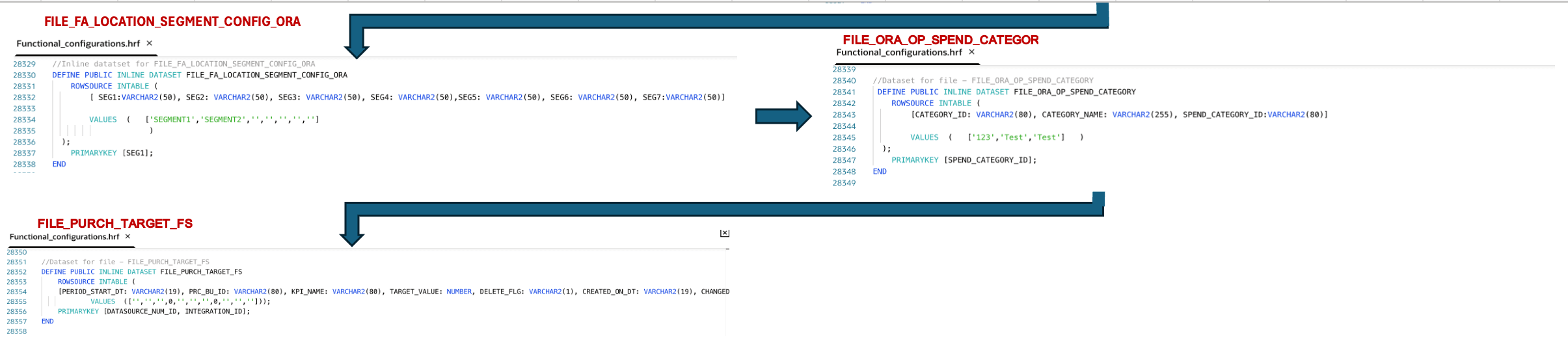
- FILE_FA_LOCATION_SEGMENT_CONFIG_ORA
- FILE_ORA_OP_SPEND_CATEGORY
- FILE_PURCH_TARGET_FS
See Review and Update the Functional Configurations for more information on functional configurations.
Functional_configurations.hrf in the EBS_CONFIG application
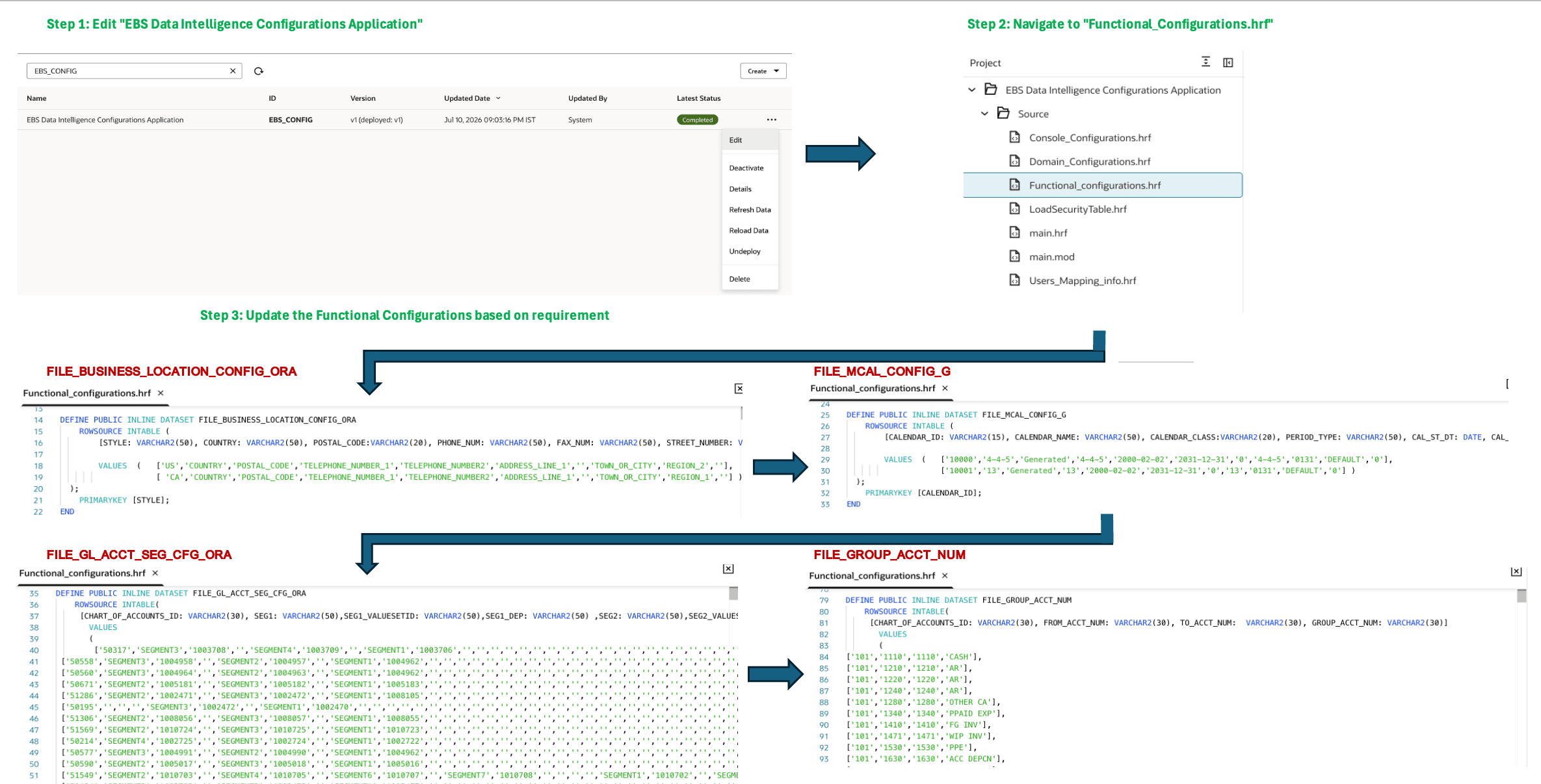
Examples of inline datasets in Functional_configurations.hrf
Console_Configurations.hrf with inline datasets for configuration
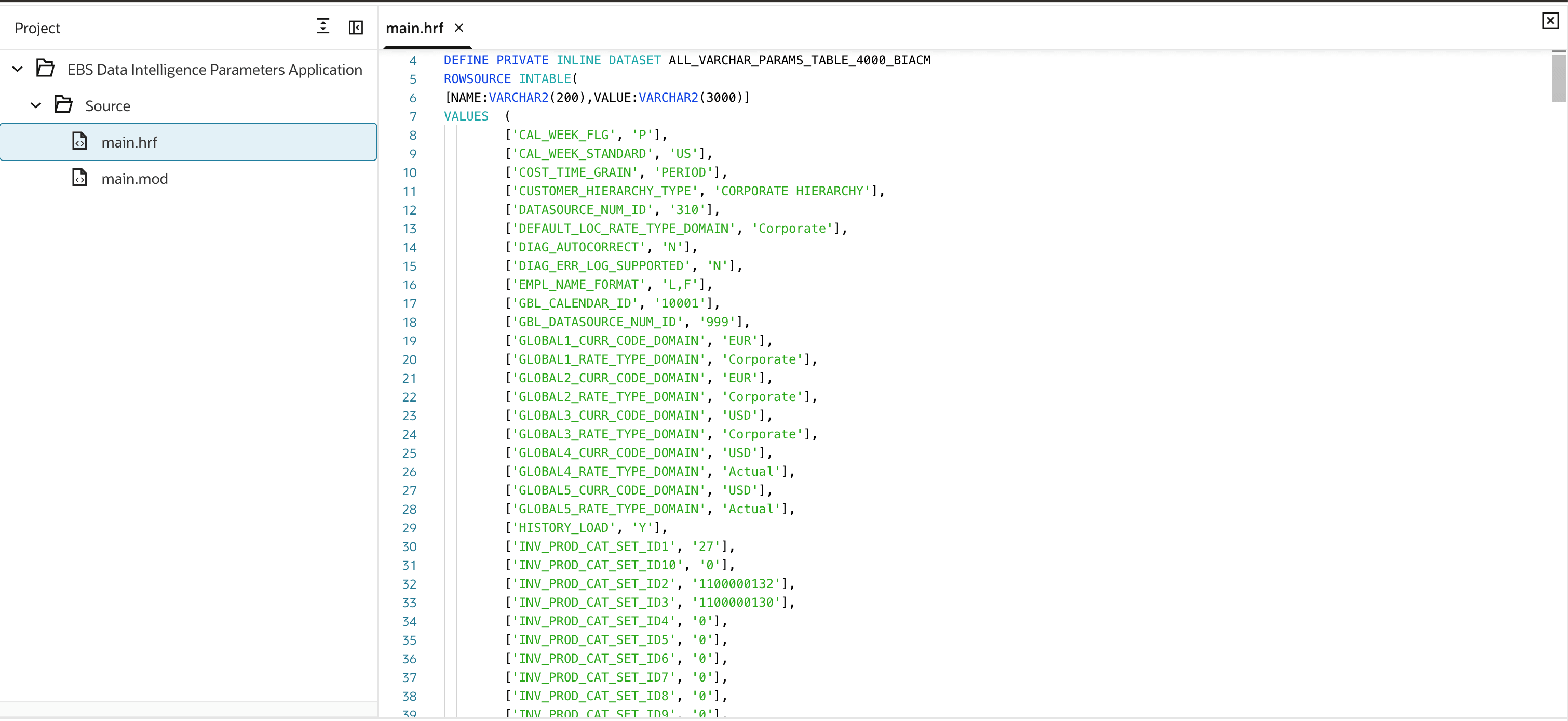
- In the EBS_CONFIG DA Script application, navigate to Console_Configurations.hrf. In the C_DWGLOBAL_PARAMS_VL_DS_IN inline dataset, update the Global Currencies/Rate Types according to the required configuration.
- Review the parameters in the C_PARAMETER_VALUE_FORMATTER_V_DS_IN inline dataset and update the parameter values as required.
- Open the EBS_PARAMETERS DA Script application and update the applicable parameters based on your business requirements. The default value of DATASOURCE_NUM_ID is 310; modify it if required.