Configure the Pipeline
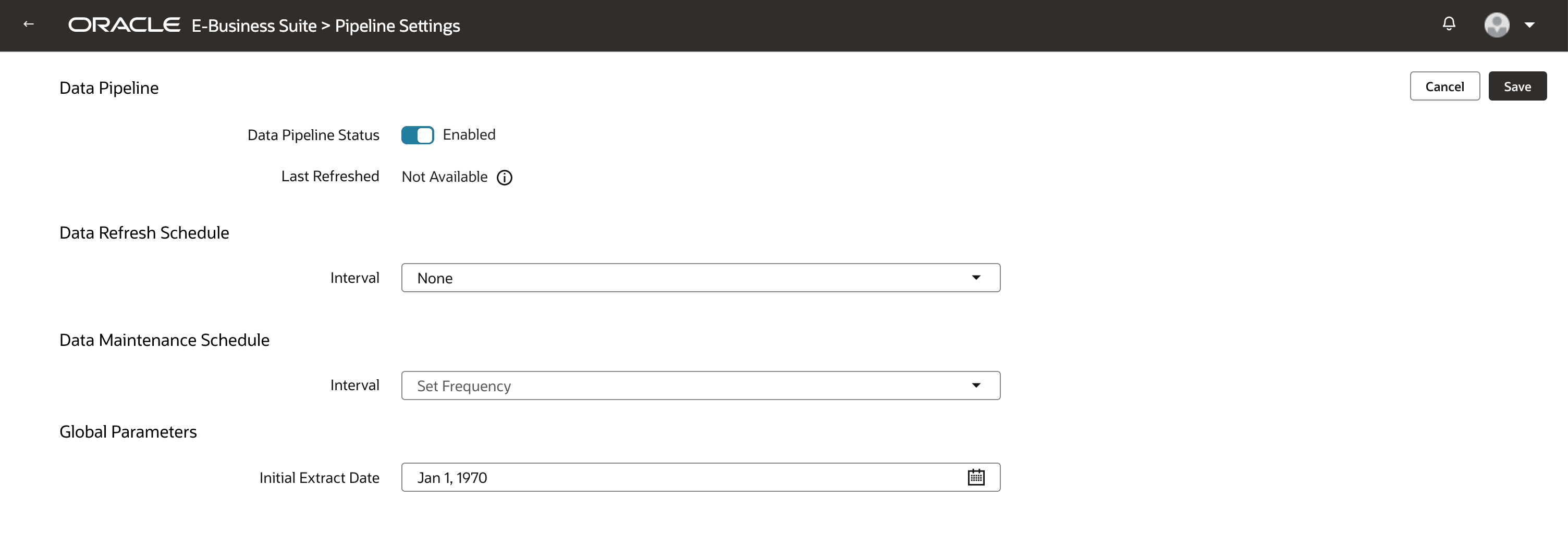
Configure the initial extract date from which to load the transaction data and enable the DA Scripts preview feature to define a consolidated extract, transform, and publish instructions for data pipeline.
- In Oracle Fusion Data Intelligence, navigate to the Data Configuration page, select the Oracle E-Business Suite connection in Data Source.
- On the Data Configuration page, under Configurations, click Pipeline Settings.
- On the Pipeline Settings page, under Global Parameters, update the value in Initial Extract Date.
- Navigate to the Enable Features page and enable DA Scripts from the Data Applications category under the Preview Features tab.