Editing a Single Rule from the Mass Edit Tab

From the Mass Edit tab, you have full edit capability on a single rule.

To edit a single rule from the Mass Edit tab, do one of the following:

  • Click the checkbox next to a rule, and click Edit.
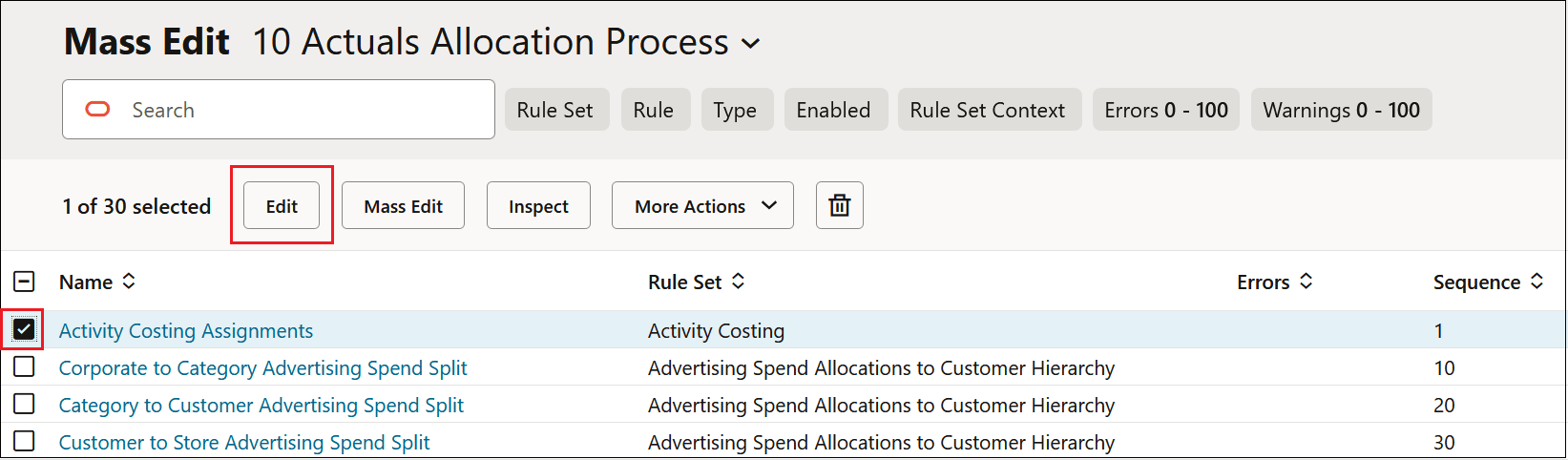
    Mass Edit tab with a checkbox next to the Activity Costing Assignments rule selected and the Edit tile highlighted

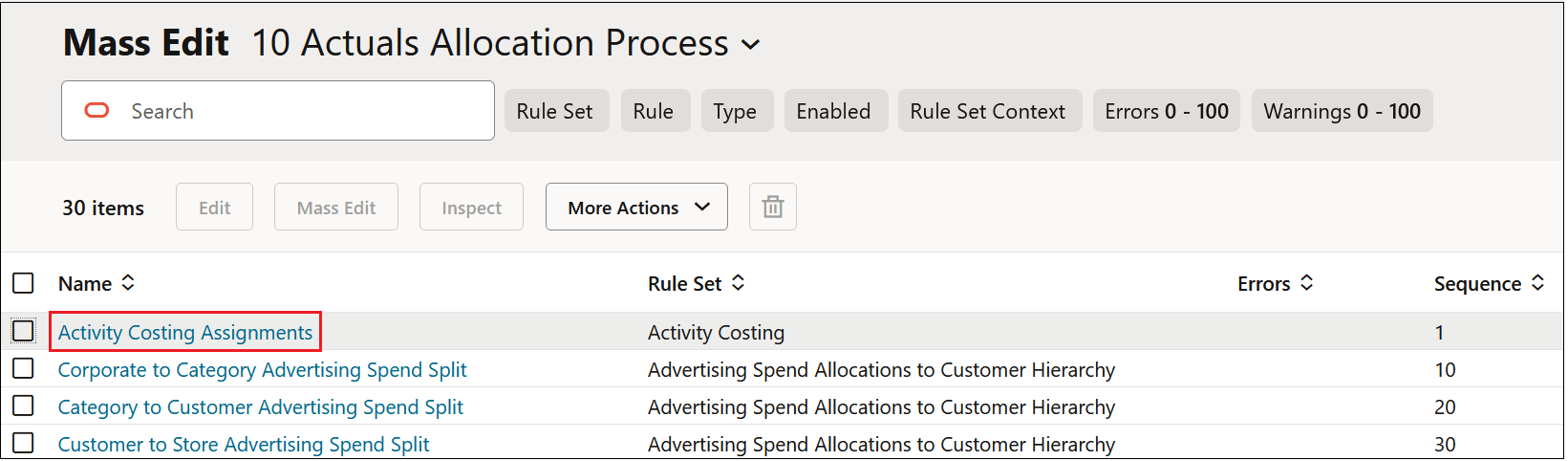
  • Click the hyperlink for a rule.

    Mass Edit tab with the hyperlink for the Activity Costing Assignments highlighted

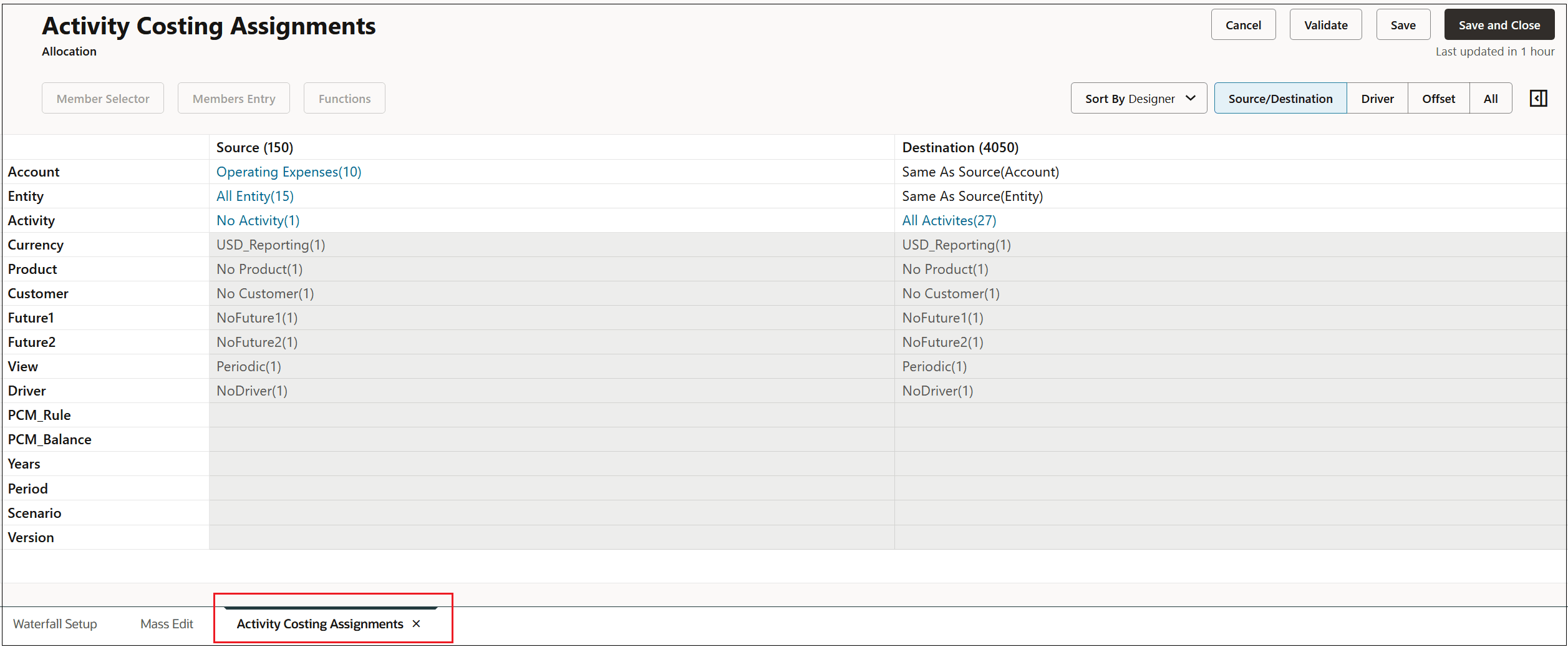
Activity Costing Assignments tab opened next to the Mass Edit tab where you can edit the rule