Filtering by Member Relationship
When you filter by member relationship, you can define whether to include the currently-highlighted member in the search results.
-
Click the relationship name to select the related members, excluding the currently-highlighted member.
For example, assume you select All Entities, click
 (Filter), and then select Children.
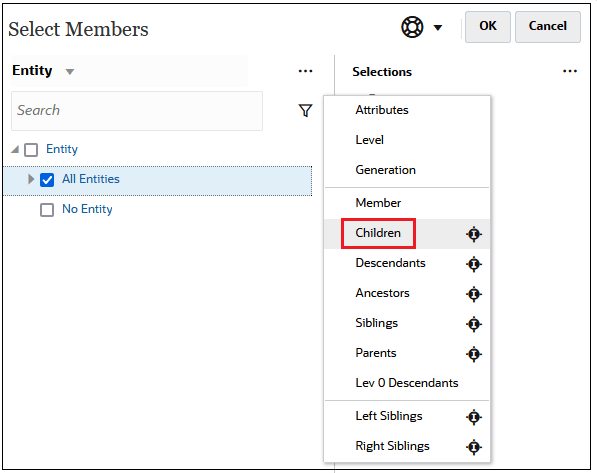
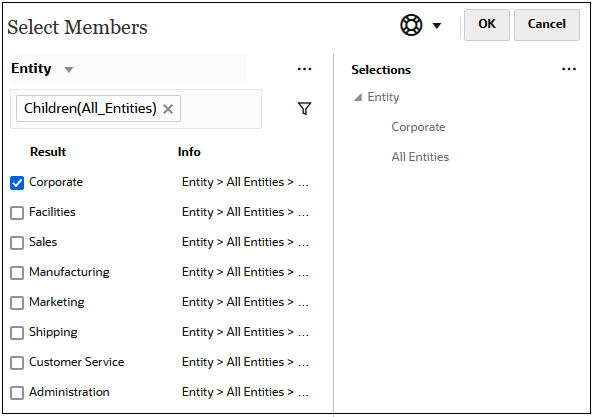
In this case, the children of All Entities are included in the filtered results, but not the All Entities member.
-
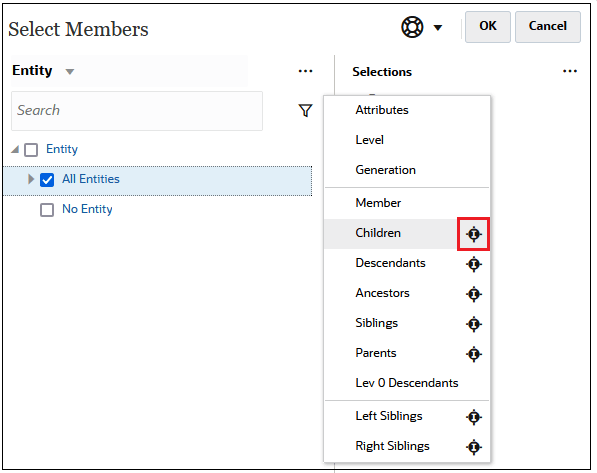
Click the Include icon
 to the right of the relationship name to select the related members,
including the currently-highlighted member.
to the right of the relationship name to select the related members,
including the currently-highlighted member.
For example, assume you select All Entities, click
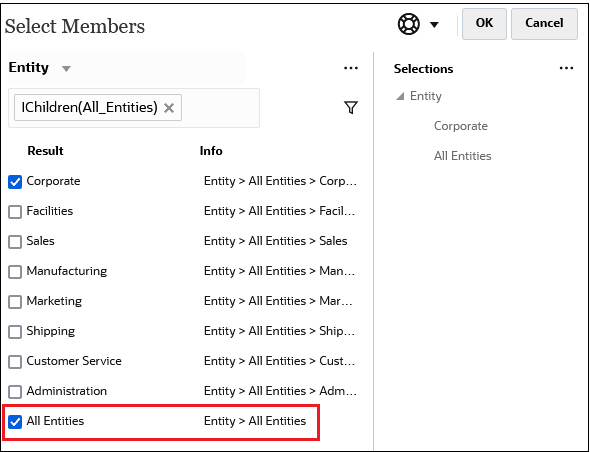
(Filter), and then click (Include) next to Children.
In this case, both the children of All Entities and the All Entities member are included in the filtered results.
Note:
For more information, see Member Relationships.