Validating Custom Rules
Click Validate to validate your custom rule.

The Validation dialog box displays any errors or warnings in your custom rules. The validation checks each rule for these conditions:
-
The rule is fully defined
This means that the source and destination definitions for each rule must include members for every dimension.
-
Dimension members referenced in your rule definitions exist in the database
If you delete members from dimensions that are referenced in existing rules, the rules can't run.
If you have several validation errors or warnings, you can click  (Export), to export the information to Excel. You can
then use the Excel spreadsheet as a checklist as you go back and fix the errors and
warnings.
(Export), to export the information to Excel. You can
then use the Excel spreadsheet as a checklist as you go back and fix the errors and
warnings.
The following rule has one warning.
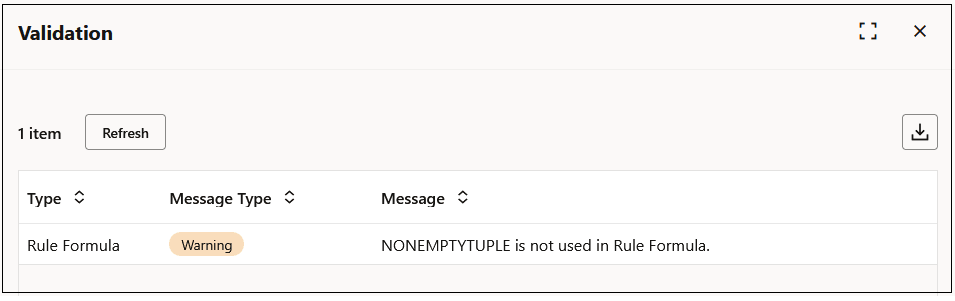
Continue fixing any errors in your rules until there are no errors listed in the Validation dialog box.
Note:
See Validation Errors and Warnings for details on the errors and warnings that may occur when validating your custom rules.