Assign Teamwork Using Drag and Drop
You can assign teamwork using multiple ways and drag and drop is one of the ways. Be aware that there are two roles involved in teamwork—Team Leader and Assistant. To assign teamwork using drag-and-drop, you drag a resource and drop it on to another.
-
Drag the Assistant to the Resource who will be
the Team Leader.
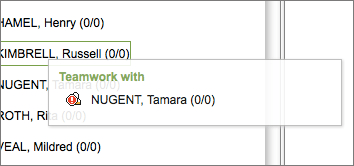
When dragging over names in the Resource Tree, hints may appear to indicate whether or not the selected Resource can participate in Teamwork.