Reassign an Activity or Inventory

Important:

Updated Content Available: As part of our ongoing initiative to consolidate our documentation with up-to-date use cases, this page is being transitioned. The latest content is available in Collaboration. We recommend that you update your bookmarks accordingly.

You can reassign an activity or inventory to another resource.

  1. Locate the activity or inventory item that you want to move.
  2. Open the Collaboration window.
  3. Search for a user or select a user from your Address Book, for which you want to move the item.
  4. Click the options menu This image shows the options menu icon..
    • For activities, choose Reassign Activity.

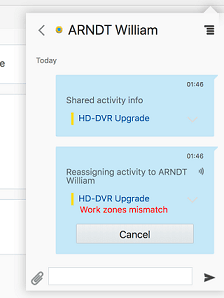
      • Sender Side Activity Transfer

        This image shows the Sender Side activity transfer.

      • Receiver Side Activity Transfer Example
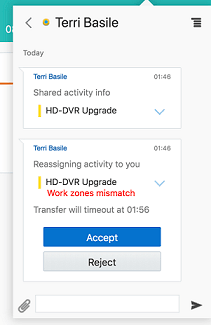
        This image shows the Receiver Side Activity transfer.

    • For the inventory items, select Transfer Inventory

      • Sender Side Inventory Transfer Example
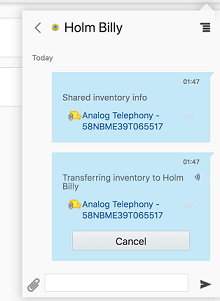
        This image shows the Sender Side Inventory Transfer.

      • Receiver Side Inventory Transfer Example
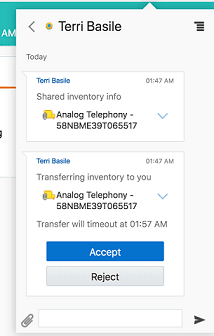
        This image shows the Receiver Side Inventory Transfer.

  5. Click Send.
    The addressee receives the message: Shared activity/inventory info {Activity/Inventory icon} {Activity/Inventory identifier}.