Overview
Generate and report fiscal documents in Brazilian Real for shipments associated with sales orders entered in foreign currency. The process automatically converts foreign currency amounts to the local currency and displays the converted values on the Fiscal Document page and in the XML sent to the tax authority.
If a fiscal document requires reprocessing due to validation errors, tax information can be recalculated after updating tax determinants or conversion rates. The application validates the required currency conversion data and raises validation errors when conversion information is missing or incomplete.
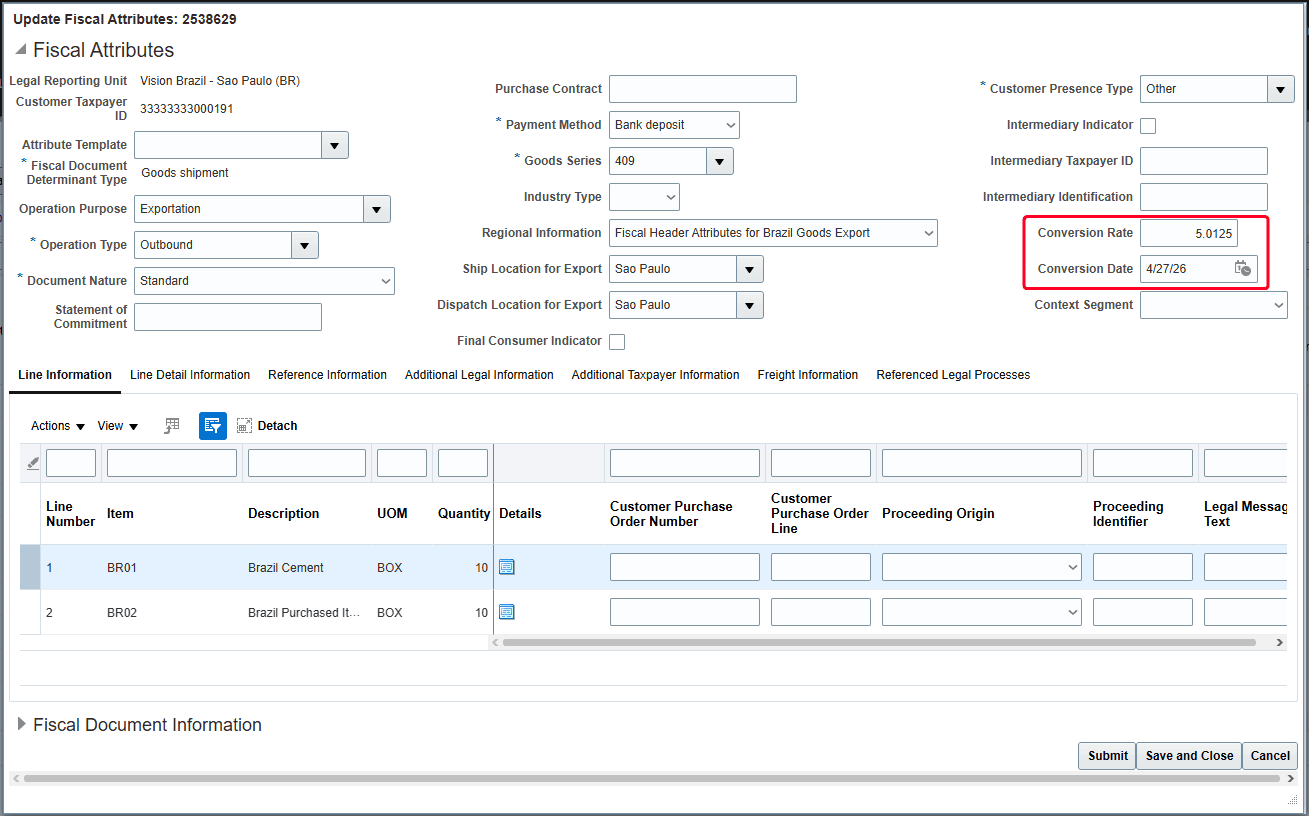
For export transactions, specify the currency conversion rate negotiated with the exported broker and bank in the Fiscal Attributes page or in the Import Outbound Fiscal Document FBDI.
This images shows the conversion rate and conversion date values on the Fiscal Attributes page.
Review these considerations before enabling the feature:
- Activate the feature by enabling the corresponding lookup. If the lookup isn’t enabled, the application continues to block fiscal document requests for shipments originating from sales orders in currencies other than Brazilian Real.
- The feature is restricted to sales order shipments.
- Enter a valid currency conversion rate and conversion date in the fiscal attributes. The application raises a validation error if either value is missing.
- The feature supports tax recalculation for fiscal documents that were previously rejected by the tax authority. Updates to tax determinants or currency conversion rates automatically trigger tax re-evaluation during reprocessing.