Generate Supplier Spend Data
Follow these steps:
- Go to .
- From the Tasks panel, go to the Payment Programs section and select Run Spend Analysis for Suppliers.
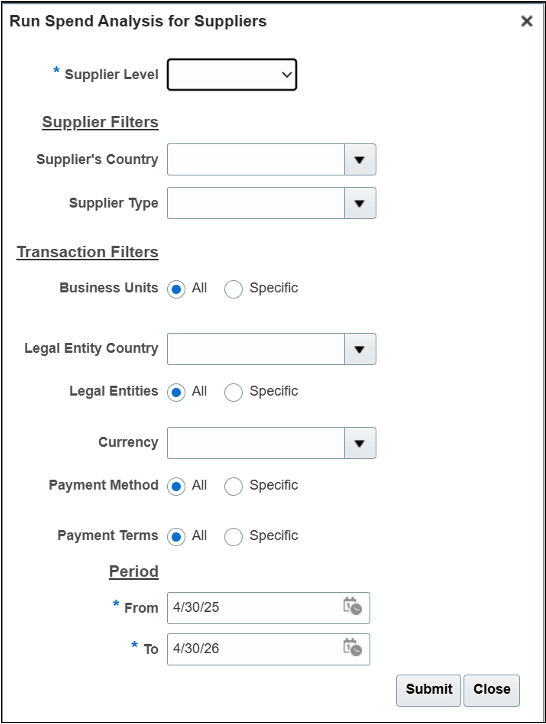
- In the dialog box:
- Select Supplier Site as the Supplier Level
- Select the required period
- Optionally apply filters
- Select Submit.
Note: The report includes data only for the business units you have
access to.
Download and Review the Report
You receive a notification after the Run Spend Analysis for Suppliers process completes. Select it to download the report.If you don’t receive a notification, follow these steps:
- Go to .
- Search for Generate Supplier Spend Analysis Report.
- Download the output.
Before sharing the file:
- Verify that the data is complete and accurate
- Ensure the data meets your requirements
- Restrict access to maintain consistency and control
Share Supplier Spend Data with Card Issuer
After reviewing the report, securely share the file with your card issuer. The card issuer uses this data to identify suitable suppliers, align supplier details, and plan supplier outreach and onboarding.