Decision Service Endpoints for REST Assessments
Rules deployed as a decision service are executed by sending a POST request to the following REST endpoint:
- http://{your_site_interface}/determinations-server/v2/{deployment_name}
Rules for a decision service project under development are executed by sending a POST request to the following REST endpoint:
-
http://{your_site_interface}/determinations-server/project/v2/{project_name}/{project_version}
Multiple cases for a deployed decision service project can be processed in a single request by sending a POST request to the following REST endpoint:
-
http://{your_site_interface}/determinations-server/v2/{deployment_name}/batch
Multiple cases for a decision service project in development can be processed in a single request by sending a POST request to the following REST endpoint:
-
http://{your_site_interface}/determinations-server/project/v2/{project_name}/{project_version}/batch
Bearer tokens can be acquired from the following OAUTH 2.0 endpoint:
- http://{your_site_interface}/opa-hub/api/{API_version}/auth
An OpenAPI service description is available from:
- http://{your_site_interface}/determinations-server/v2/{deployment_name}/swagger.json for a decision service deployment
- http://{your_site_interface}/determinations-server/project/v2/{project_name}/<project_version>/swagger.json for a decision service project in development
Note that an API client must have the Assessment APIs role on the workspace in order to access OpenAPI services.
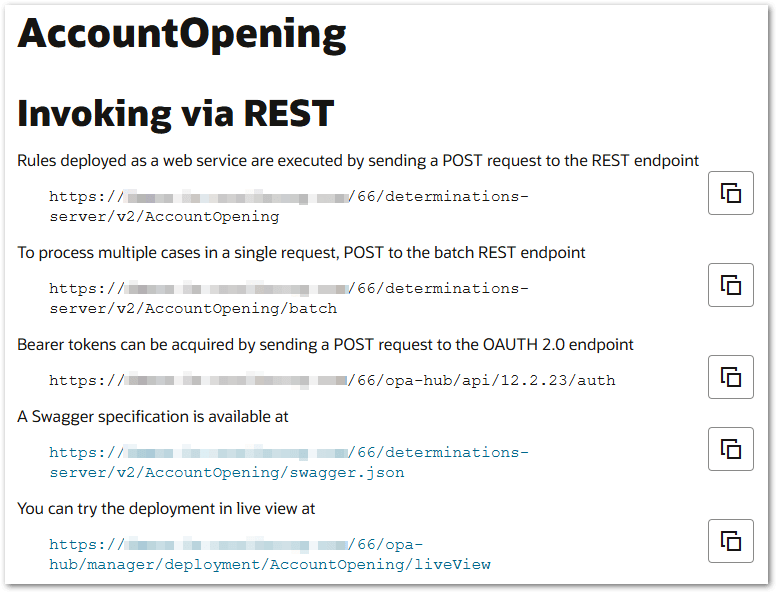
The specific URLs for your deployed decision service are available by clicking the endpoints icon  on the Deployments Page.
Alternatively, you can click the Endpoints link on the deployment details page.
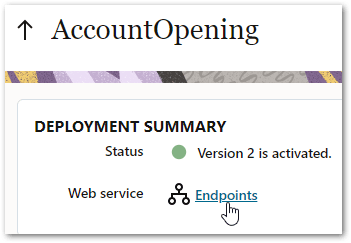
The deployment endpoints page is displayed. You can use the copy buttons to copy the provided endpoints.
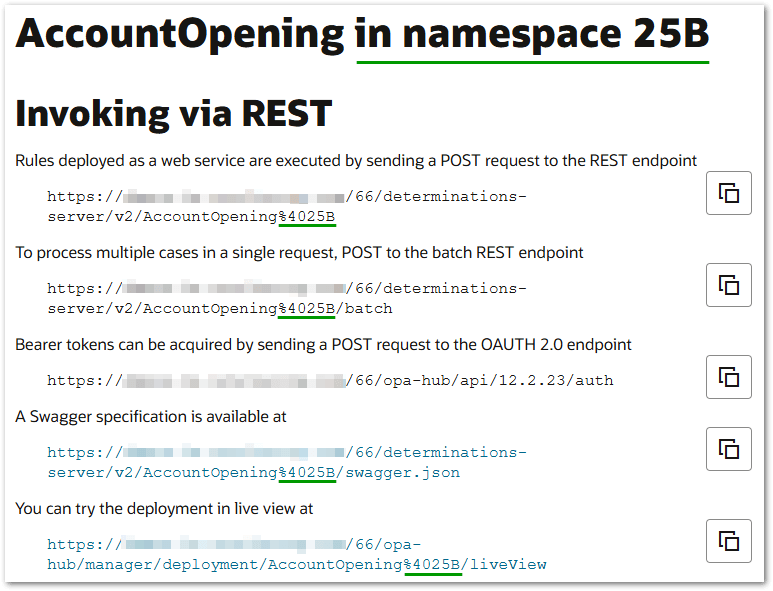
Note that if the deployment is in a namespace, this will be shown at the top of the page and reflected in the deployment name in the URLs (in URL-encoded format).
Tip: On this page there is also a link that enables you to test the deployment in Live view.