Debug Custom Functions
Debugging custom functions in a decision service project is similar to debugging other functions and rules with a few differences that are covered below.
Debug custom function calls
Clicking on a custom function in a rule in the Live view displays the arguments and return values in much the same way as for any other function:
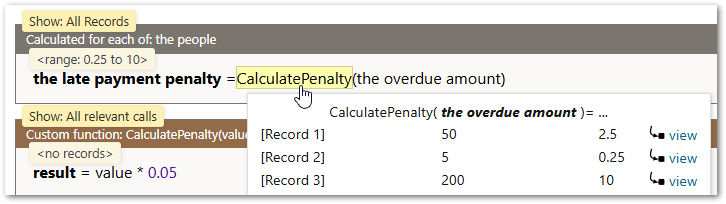
This is the same view as for any other built-in function, except for the "view" link. The "view" link allows you to select a custom function call to be viewed in detail. For example, clicking the "view' link for Record 1 in the above example, would show the result for that particular record.
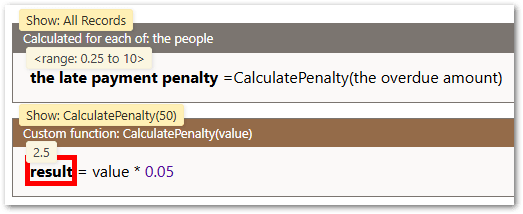
This can also be used to see the results of a non-relevant custom function call (which would otherwise not be shown - see below).
Debug custom function rules
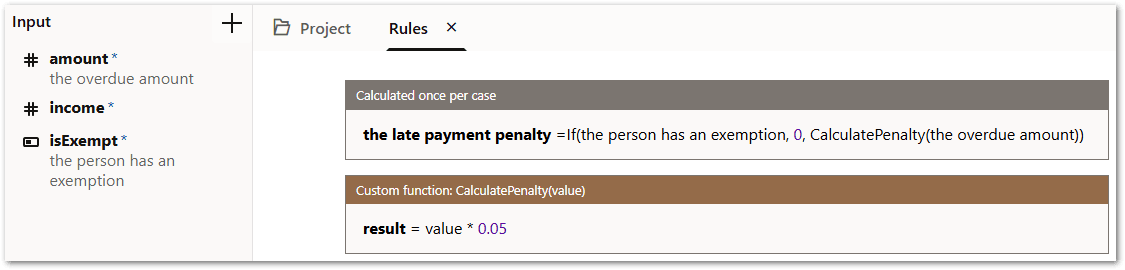
Debugging custom function rules is very similar to debugging object-level rules. The Live view initially summarizes the rule values across all records and allows you to select one of those records to focus on if needed. Custom function records are created as needed when the custom function is called, and there is no primary record list that would normally be inferred by a rule or provided as user input. This means custom functions records do not have definite existence the way records do - they are created only when necessary and are bypassed if possible. In the rule below, the CalculatePenalty() custom function is not called unless "the person has an exemption" is false.
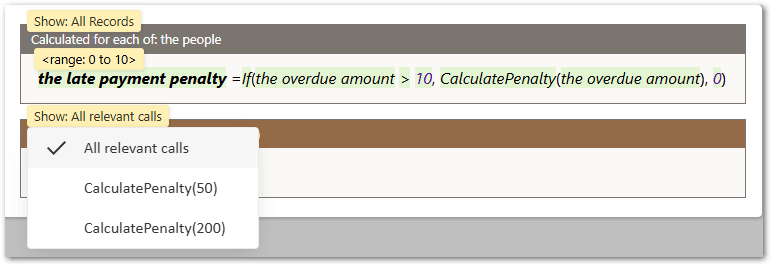
When there are record lists and other conditional elements involved, instead of showing "all records", the Live view for a custom function initially shows all relevant calls to the custom function. That is, those calls where the result influenced a decision service output (or those that influenced the value selected in the flow debugger).
In the following example, the calculation involving CalculatePenalty() is potentially applicable to 3 records, even though it is only relevant to 2 of them (those who have overdue amounts over 10).
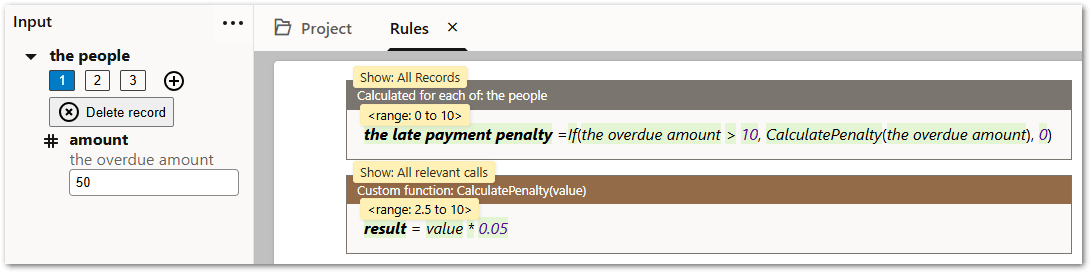
The custom function rule block therefore only shows those two calls.
Decision service references called from a custom function also track the selected custom function call, however, they cannot summarize values across multiple records, so they only show values when a single record is selected.
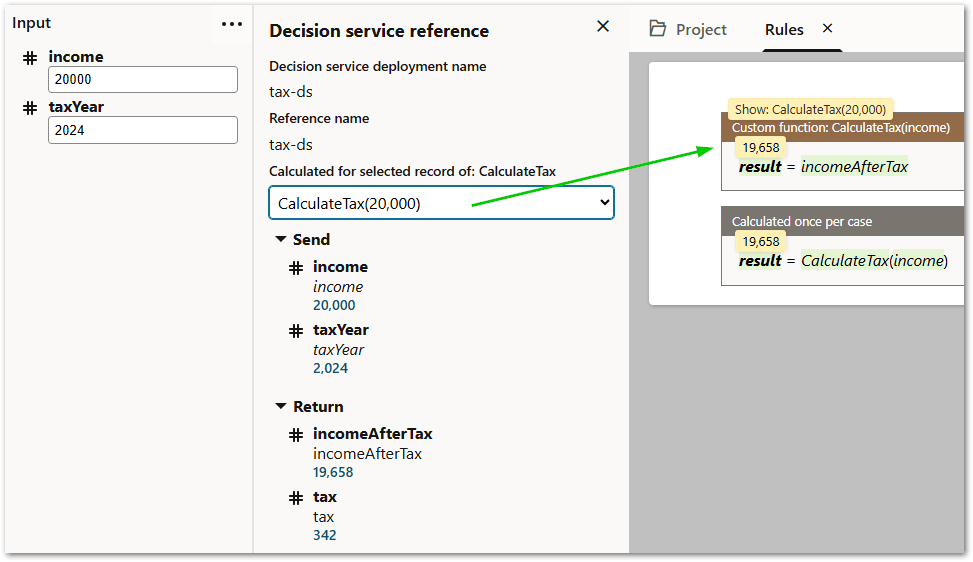
While the Calculated for the selected record of: <custom function name> drop-down only lists relevant calls, the selected record is kept synchronized with the rule view, so you can see a non-relevant custom function call if they select it from the rules.
Debug with child objects of custom functions
Child objects of custom functions behave slightly differently to other objects when debugging. Instead of showing all records, they show all records belonging to whatever custom function call is currently selected. This means if "all relevant calls" is selected, they will show all records of all relevant calls.
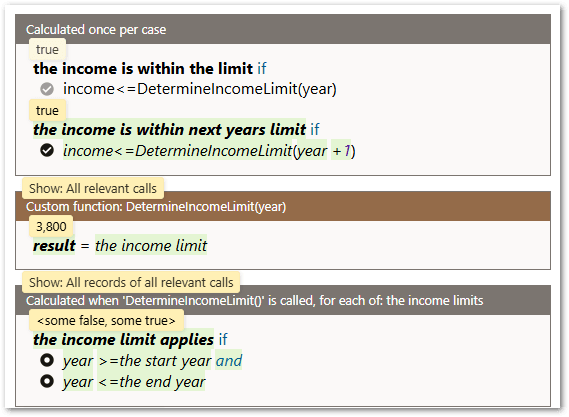
If the custom function has a particular call selected, then rule blocks for child objects will only show records belonging to the selected call.
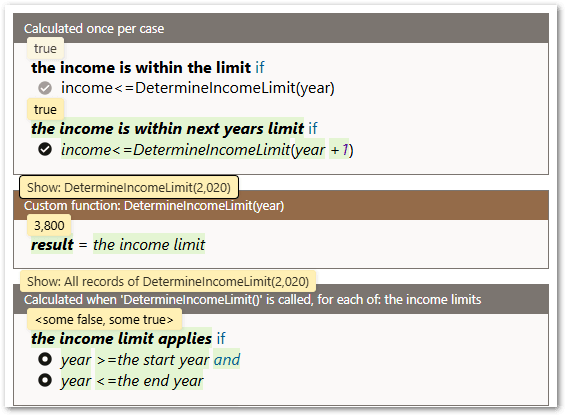
This differs from other kinds of objects which have their own record selection entirely separate from their parent record. The reason for this is that custom function child objects are much more tightly tied to the custom function because they cannot be used anywhere outside of the custom function.