Get the Record In the Record List At the Specified Index
When writing rules in a decision service or flow project, you can use the GetAt function with a record list to return a record in the record list at the specified index.
The syntax for this function is:
-
GetAt(record list, index)
For example, if you had a list of maintenance service tasks, you could get the third task using the following rule.
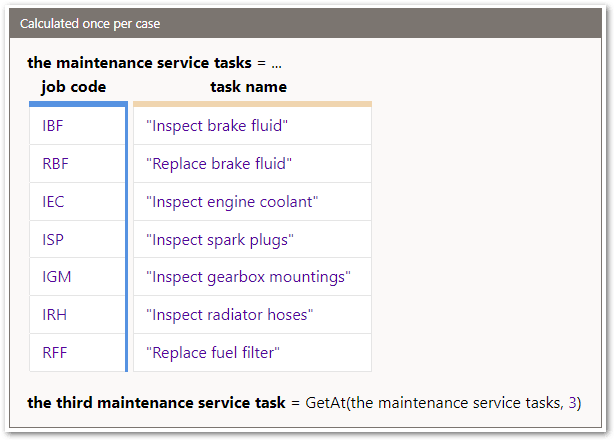
This would return the third maintenance service task as IEC.
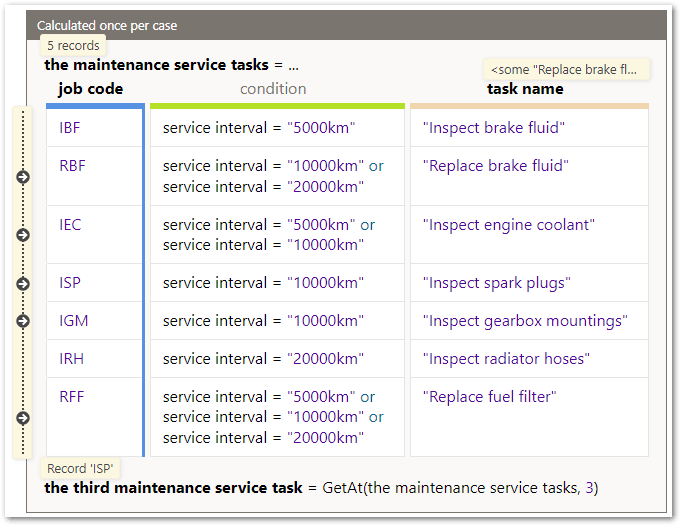
If there are conditions on the records in the record list, only the records that meet the conditions are indexed.
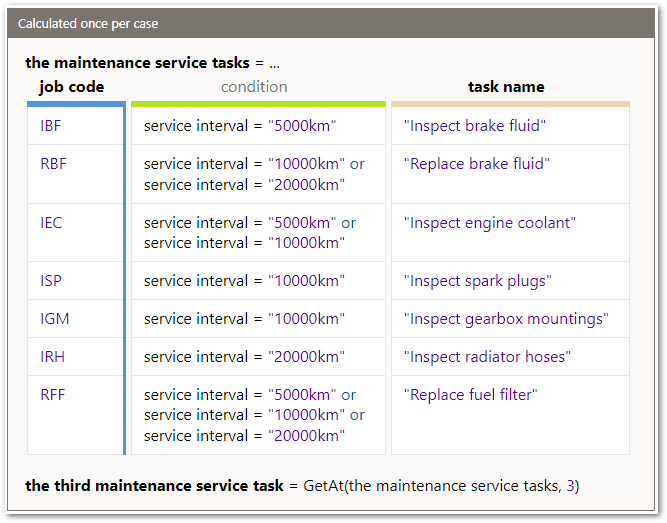
In the example above if the service interval is 10000km, you would get 5 indexed records with the third maintenance service task being ISP.
Tip: The index number in the GetAt function can be an expression. For example:
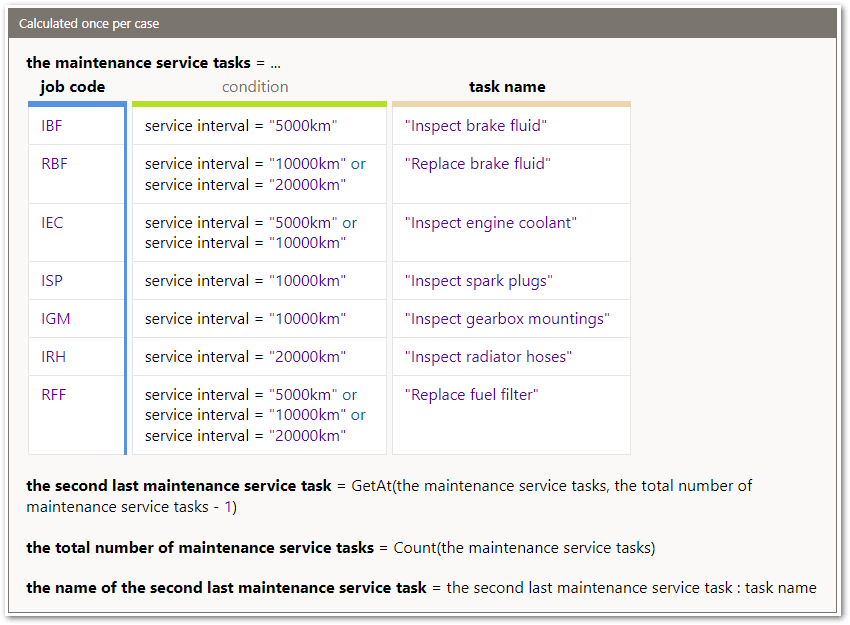
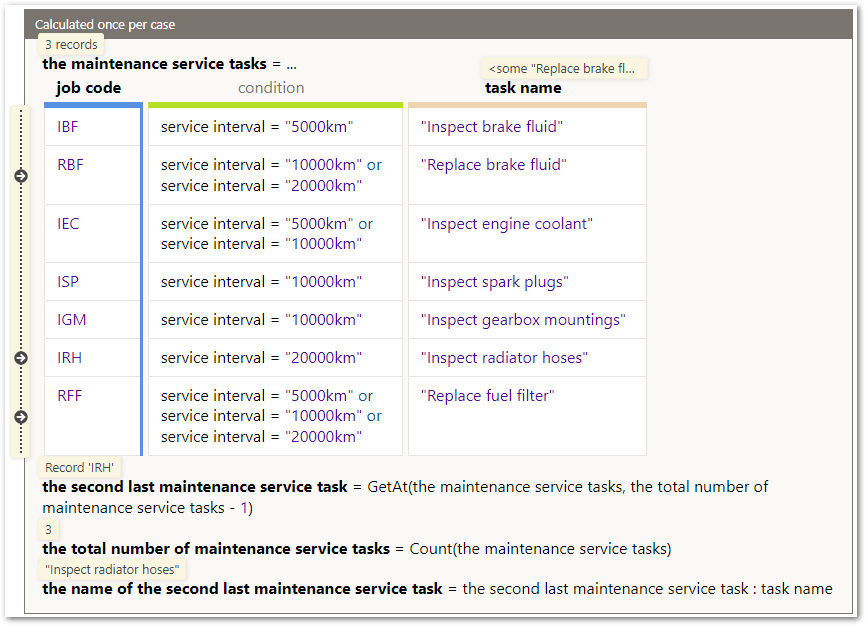
Here the GetAt function uses the total number of maintenance service tasks -1 for the index number, and the total number of maintenance service tasks is calculated in a separate rule using the Count function with the maintenance service tasks. These rules would return IRH for the second last maintenance service task if the service interval is 20000km .
Note that:
-
Record list indexes are 1 based so if you specify an index of 1, you will get the first record in the list.
-
If either record list or index is null, the result is null.
-
If index is less than 1, greater than the number of records in the record list, or is not an integer value, the result will be null.