Example: Data Mapping Settings for Interviews with Contact Center Agents and Customer Portal Users and Anonymous Users
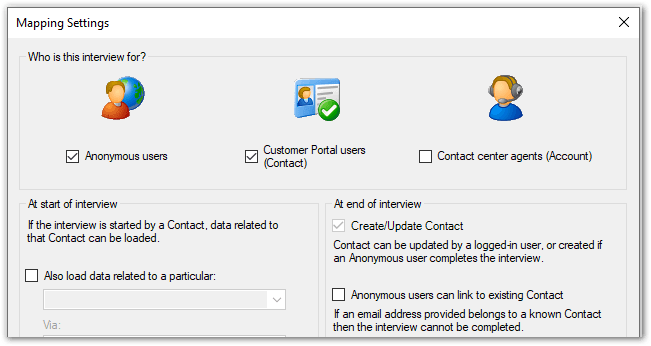
Example 1. Setting up an interview for both logged-in contacts and new users, where existing Contact information is updated for logged-in users, and a new Contact record is created at the end of the interview for anonymous users.
For instance, this may be used for personalized self-service advice, often embedded in an existing knowledge answer. Where data is known about the contact, it is loaded into the interview to streamline and personalize the experience. (For example, knowing a customer’s financial situation or location can help to point the customer to the most appropriate advice or office.) Data can be saved back to the contact and related records if required.
The default behavior for this type of interview is that anonymous users cannot link to an existing Contact. That is, if the email address provided belongs to a known Contact, the interview cannot be completed.
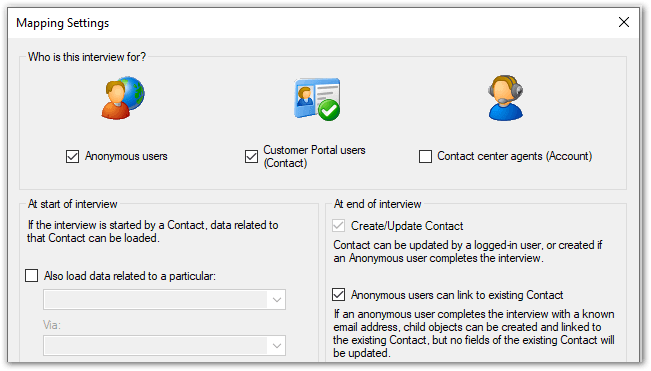
Alternatively, the interview can be set up such that if an anonymous user completes the interview with a known email address, child objects can be created and linked to the existing Contact. No fields of the existing Contact will be updated however.
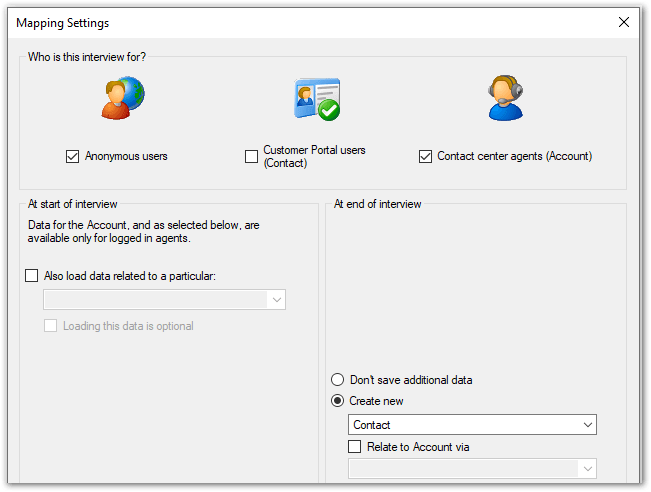
Example 2. Setting up an interview for both logged-in agents and new users, where existing Account information is updated for logged-in agents, and a new Contact record is created at the end of the interview.
For instance, this may be used to advise a member of the public on whether they may be eligible for a license, bank loan, or higher education course, and create a new contact and follow-up incidents if they would like to apply. The same interview can be conducted by agents.
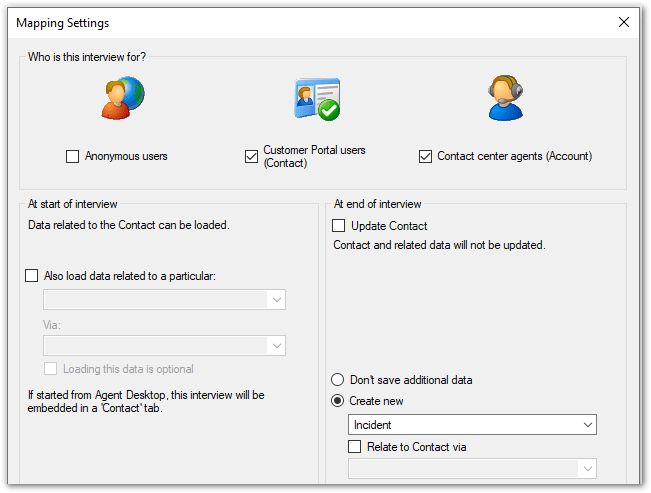
Example 3. Setting up an interview that can be used for both contact center agents and Customer Portal users, and pre-seeds the interview with Contact data and creates a new Incident record at the end of the interview.
For instance, this may be used self-service by employees reporting a health and safety issue for follow-up or to apply for a benefit only available to existing contacts.
Tip: This type of interview is demonstrated in the Student Benefits example policy model that is installed with Policy Modeling.
Example 4. Setting up an interview that can be used for both contact center agents and Customer Portal users, and that loads and updates Contact and related information, and creates a new custom record related to Contact.
For instance, this may be used self-service or by agents to assess an employee’s eligibility for benefits associated with a job transfer or job posting opportunity.
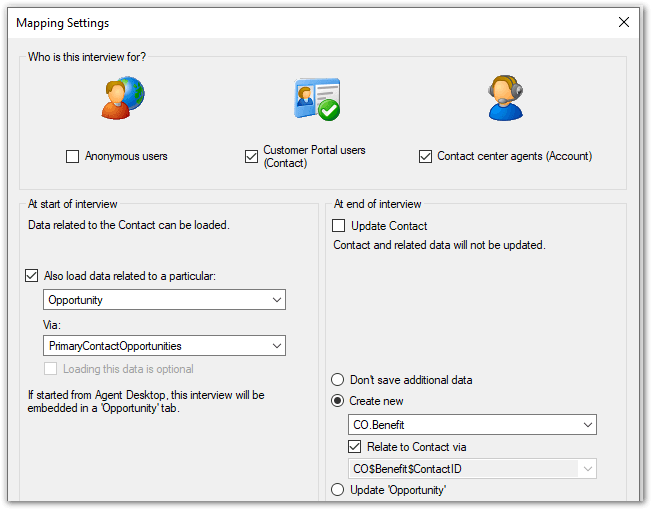
Note: If started from Service Console, the interview will be embedded in a tab that corresponds to the additional object specified.