Save Data for Multi-Channel Interviews
At the end of a multi-channel Contact and Account interview, you have all the options specified for saving data for Customer Portal users and for contact center agents.
At the end of a multi-channel Anonymous and Contact interview:
- the Contact can be updated by a logged-in user, or created if an anonymous user completes the interview
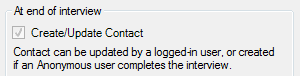
- anonymous users can link to an existing contact if the user completes the interview with a primary email address of the existing contact (see below). This is particularly useful for Ask a Question style interviews.
Create a new child record on an existing contact for anonymous users
To create a new child record on an existing contact in B2C Service for anonymous users (where the user completes the interview with a primary email address of the existing contact):
- On the Data tab in Policy Modeling, click the Mapping settings button.
- In the Mapping Settings dialog, ensure that the Who is this interview for? section has both the Anonymous and Customer Portal users (Contact) check boxes selected.
- In the At end of interview section, select Anonymous users can link to existing Contact.
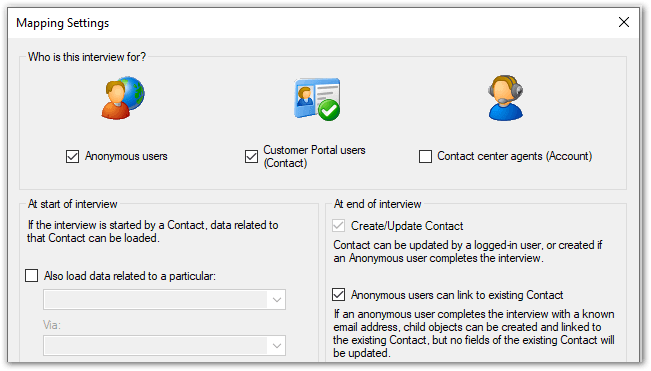
Note that for this to work, the email address collected in the interview must be mapped out to the Email-Primary field for the contact. Note also that no fields of the existing contact will be updated because the interview has been completed by an anonymous user not an authenticated user.
Tip: For examples of data saving for multi-channel interviews, see Example: Data Mapping Settings for Interviews with Contact Center Agents and Customer Portal Users and Anonymous Users.