Example: Invoke a Single Decision Service Multiple Times with Different Input Data
This example demonstrates how to invoke a single decision service from a Policy Modeling project multiple times with different inputs. The files used in this example are:
-
Insurance Picker policy model (modified version of the sample that comes installed with Policy Modeling)
The policy model needs to work out the total annual premium at the time of enquiry, as well as the total annual premium for the start date of the policy (in order to compare the two values to determine the cheaper option). To do this it uses a rule defined in a single decision service to work out the total annual premium.
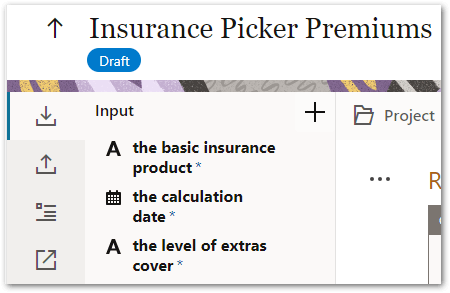
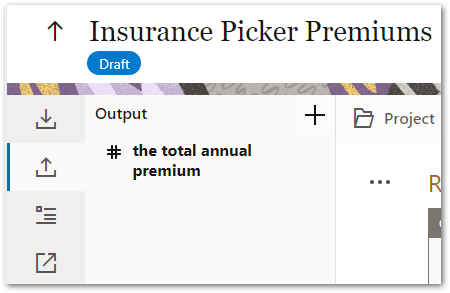
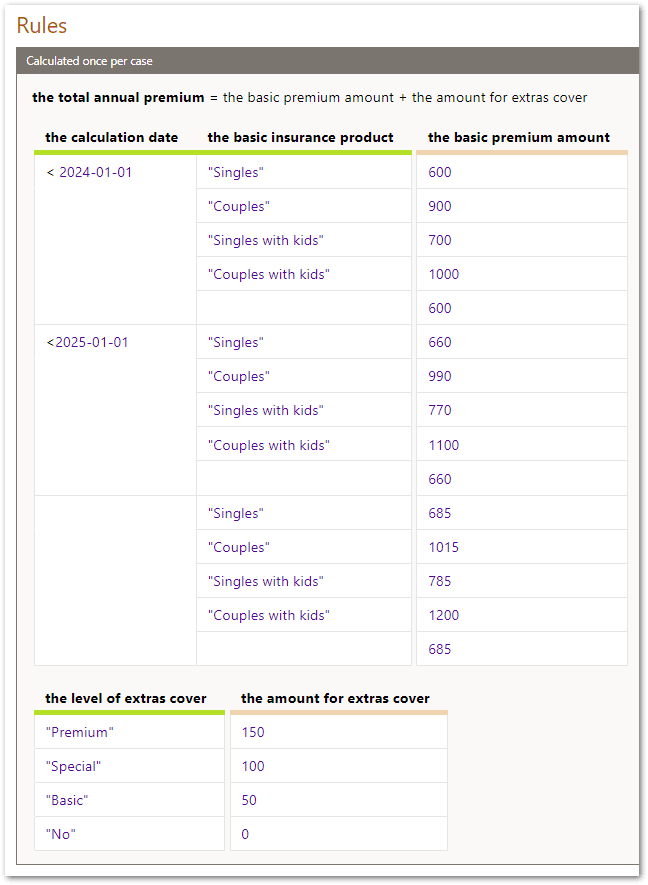
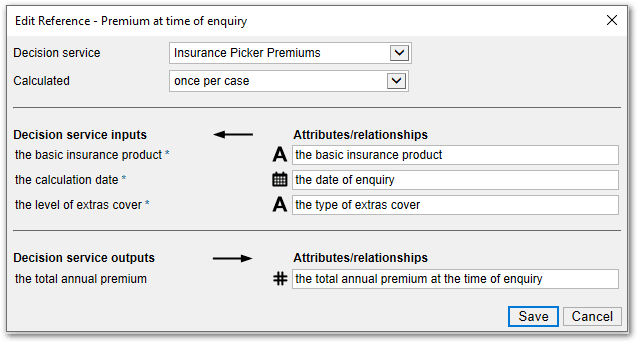
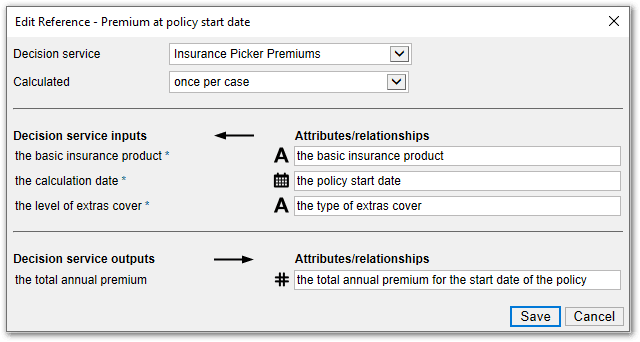
This decision service is referred to in the Policy Modeling project using two decision service references (Premium at time of enquiry.ref and Premium at policy start date.ref).

Both of these decision service references map 'the total annual premium' output field from the decision service, but they are mapped to different attributes in the policy model.
In the Premium at time of enquiry decision service reference, 'the total annual premium' output field is mapped to 'the total annual premium at the time of enquiry' attribute in the policy model.
In the Premium at policy start date decision service reference, 'the total annual premium' output field is mapped to 'the total annual premium for the start date of the policy' attribute in the policy model.
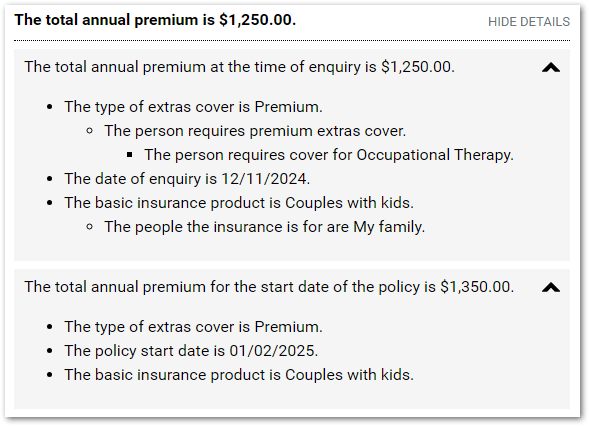
During an interview, the Insurance Picker Premiums decision service is invoked twice: once when the date of enquiry is known and once when the policy start date is known. Each time, a value is determined by the decision service for 'the total annual premium'. This in turn sets 'the total annual premium at the time of enquiry', as well as 'the total annual premium for the start date of the policy'. A Policy Modeling rule is used to determine 'the total annual premium' (Policy Modeling attribute) to apply based on the lower of the two premiums.