Use Seeded Data to Streamline an Interview
Pre-seeded data can be used to streamline an interview. For example, in the Hazard Management example policy model the standard interview starts with a question determining the interview purpose.

By allowing the attribute that collects the interview purpose to be seeded from a URL, you can then launch the interview directly to the appropriate screen (in this case, either the "Dispose of a container" screen or the "Reporting a spill" screen). For more information, see Start an Interview At a Particular Screen.
If the intention is to skip screens in the interview, it is best to have the screens display only when the data is not available. For example, in the Hazard Management policy model, the screen collecting the interview purpose should only be displayed when the interview type is not already known. To do this, you would set the screen to hide when the interview purpose has been determined:
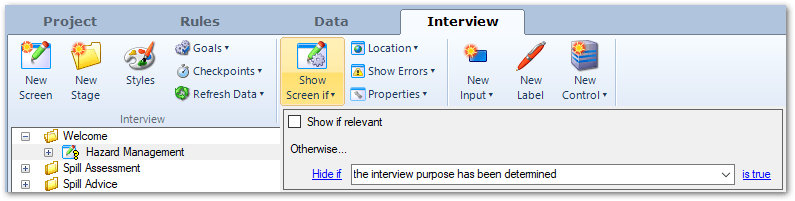
and set a rule using the currently known operator to immediately infer the rule driving this screen display:
the interview purpose has been determined if
the interview purpose is currently known