Give an Entity a Name
You can define a name for your entity in the same way as you can define a name for an attribute of an entity.
You should define a name for an entity when your policy modeling project will be integrating with other applications, and the entity will be used:
- by Analytics Publisher in generated forms (in this case the entity name is essential), or
- in Application Programming Interfaces (APIs) provided by Intelligent Advisor, for example the Simple Open Access Protocol (SOAP) API Assess web service, and the API used to render custom controls. In this case the entity name is optional - the API will use the Globally Unique Identifier (GUID) generated for the entity by Intelligent Advisor if no entity name exists. Giving the entity a name simply ensures that the entity is easily identifiable to developers working with the API.
To define a name for an entity, do the following:
- On the Data tab in the Entity Structure view, double-click the entity to open the Edit Entity dialog.
- Enter a Name.
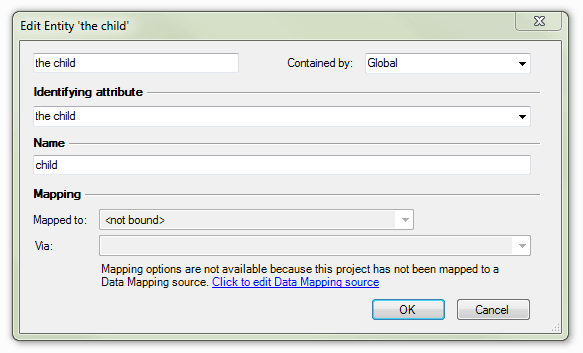
Notes:- An entity can not have the same name as another entity. However, it may have the same name as an attribute or a relationship.
An entity name cannot contain spaces. Only letters, digits, dots(.), dashes(-) or underscores (_) are allowed, and the name must start with a letter or underscore.
- Click OK. The entity list is updated to show the name of the entity in brackets after the entity text.

Tip: You can change an entity name at any time by editing the text in the Name field of the Edit Entity dialog box. Ensure you communicate the name change to your application developer, so that the integration of your policy model with other applications will still work correctly.