Use a Label to Show an Error Message
Labels formatted in the Alert style can be used to show error messages. Note that these alerts are informational only and will not prevent the user from continuing in the interview.
Using labels in this way enables you to:
- indicate that the value the user has entered is invalid in combination with other values already entered
- place the error message anywhere on the screen, for example, next to the input that caused the problem
- provide more details about the problem (for example, by including a hyperlink to further information, in the label text)
- show an error message immediately, on a screen that is set to show errors and warnings on navigation away from the screen.
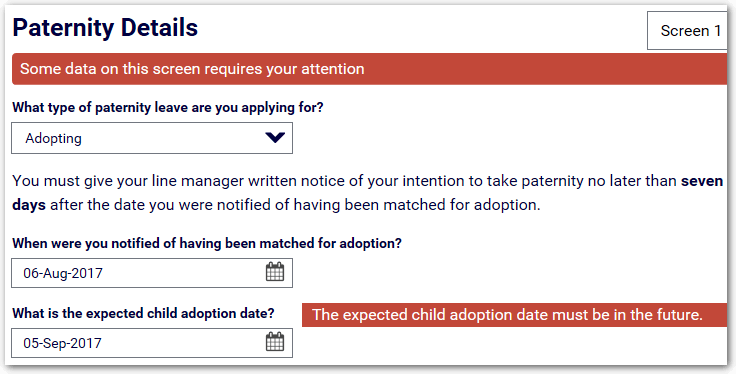
For example, on a screen collecting the expected child adoption date, a label can be used to display a message that the date must be in the future, if the user selects a date that is before the interview date.
The label is in the Alert style and is placed in a container side-by-side with the input so that it is displayed next to the question text on the interview screen.
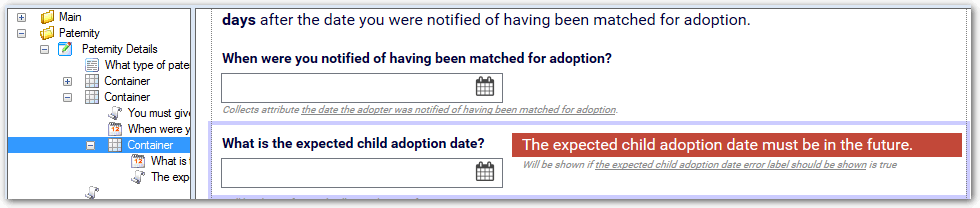
In this example, the error label is used in conjunction with an error event rule that fires off the same logic and alerts the user that there is data on the screen that requires their attention.