View Temporal Attribute Values
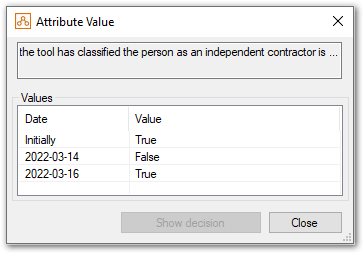
When an attribute takes multiple values over time, it can be useful to view a list of the values for the attribute in the Debugger and the dates that each of the values apply from (change points). The list of temporal values is given as an initial value for the attribute, plus an ordered set of new values for an attribute, applying from the date specified.
To view the values for an attribute in the Debugger:
- Select the attribute in the Data view or Decision view, right-click and select View Value (Alternatively, if the attribute is an intermediate level attribute, you can just double-click the attribute.)
- In the Attribute Value dialog box you can see all the values for the attribute.