Rule Document Formatting and Structure
Policy Modeling format is quite strict to maintain consistency and completeness of rules and to avoid logical ambiguity. In particular, styles and indentation play an important role in recognizing the meaning of rules. Indentation and styles are used to separate the conditions from the conclusion, and conditions of different levels from each other. Distinct conditions are separated onto different lines, and the placement of and and or between conditions has special significance.
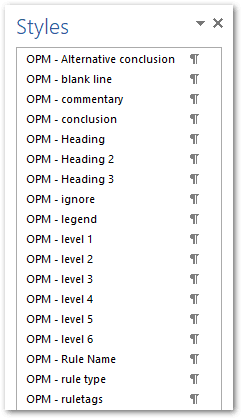
When you create a Word or Excel document in Policy Modeling a template is applied to that document containing the pre-defined Oracle Policy Modeling (OPM) styles. The styles appear in the Oracle Policy Modeling ribbon. Rules must be written in these Oracle Policy Modeling styles for Policy Modeling to understand what has been written. Each style has a unique style name and coloring to make it easy to identify. Text which is not in the OPM styles is ignored.
For example, the OPM - conclusion style is used to indicate the conclusion of every rule, with the conditions proving that conclusion marked as OPM - level 1 style. You can use additional rule levels to prove a condition of the rule. In other words, the Level 2 is used to prove Level 1 and so forth.
To display the style area in your Word document (this will help you to see what is happening with the OPM styles as you write your rules), click the Show Styles button on the Oracle Policy Modeling ribbon.
The rule below shows an example of the OPM styles that would be applied in Word using the Conclusion and Level styles on the Oracle Policy Modeling ribbon.

Tip: A complete list of OPM styles in Word is shown in the Styles window. To access the Styles window, on the Home tab click the small arrow button in the bottom right corner of the Styles group.