Access Your Content
Your " Welcome" email contains a direct link to the service. Simply click this link and sign in. The URL for your service is servername/ui/dv/ for business user application content.
You see your Home page, which has links to all of the features available to you.
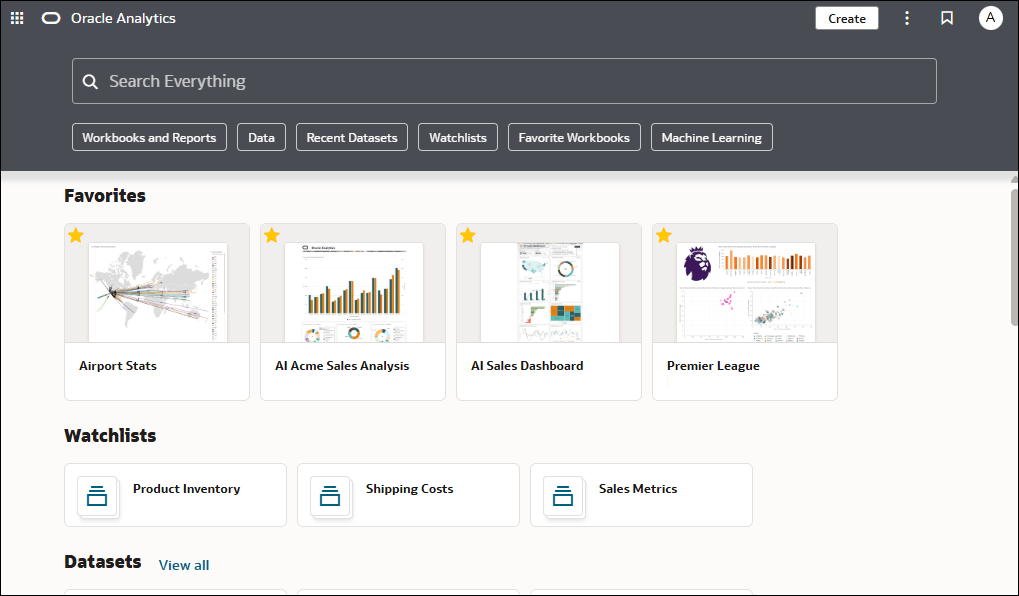
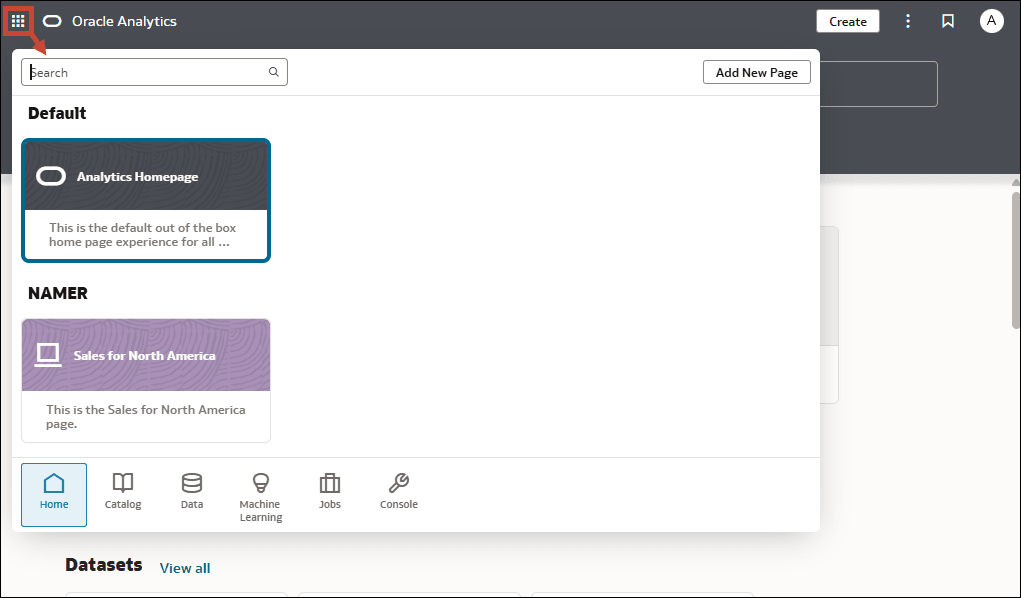
To access your content, click the Page Menu( ), select Catalog and navigate to
 Shared Folders/Oracle/PillarName. Then select the /Detail Dashboards or /Overview Dashboards folder.
Use the Navigator bar to quickly access your content, such as the Home page, Catalog, or Machine Learning.
To work with content for reporting, mobile, actionable intelligence, or pixel-perfect reporting, click the Page Menu() and select Open Classic Home. Browse the thumbnails that display on the Home page or use the search bar to locate analytics content. 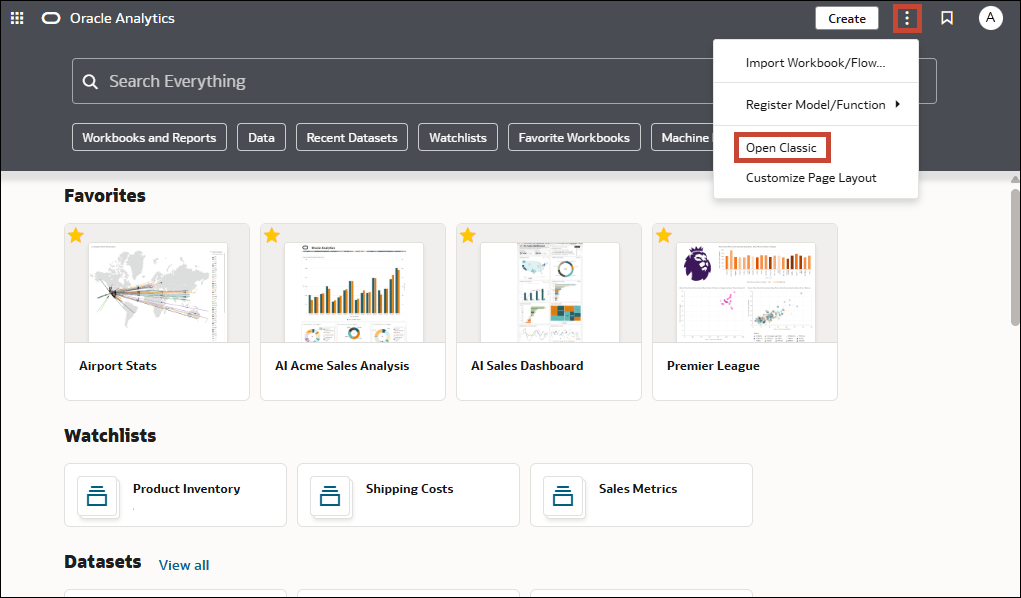
The Classic Home page opens in a new browser tab or page.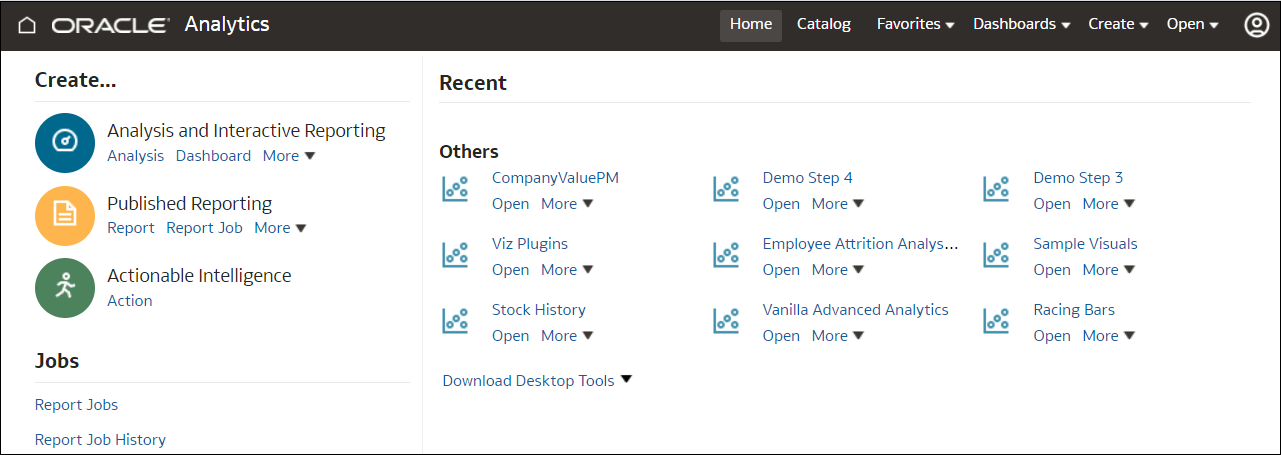
Description of the illustration classic-home-1.png