Adding Time Entries
Agency staff can record the time that they spend working on applications for billing and reporting purposes.
You can access time entry on a mobile device as well as on a laptop or desktop computer. The layout and some functionality changes based on the device you are using.
This topic discusses the time recording pages that agency staff use to record time.
Accessing Time Entry
You add time entries directly on the respective pages for the transaction you are working on. For example, you can enter the time spent working on a permit inspection using the Time Recording page of the inspection details. Similarly, the time spent on case-related activities are entered on the Time Recording page of the case details page. You can access all these time records from the Time Recording page.
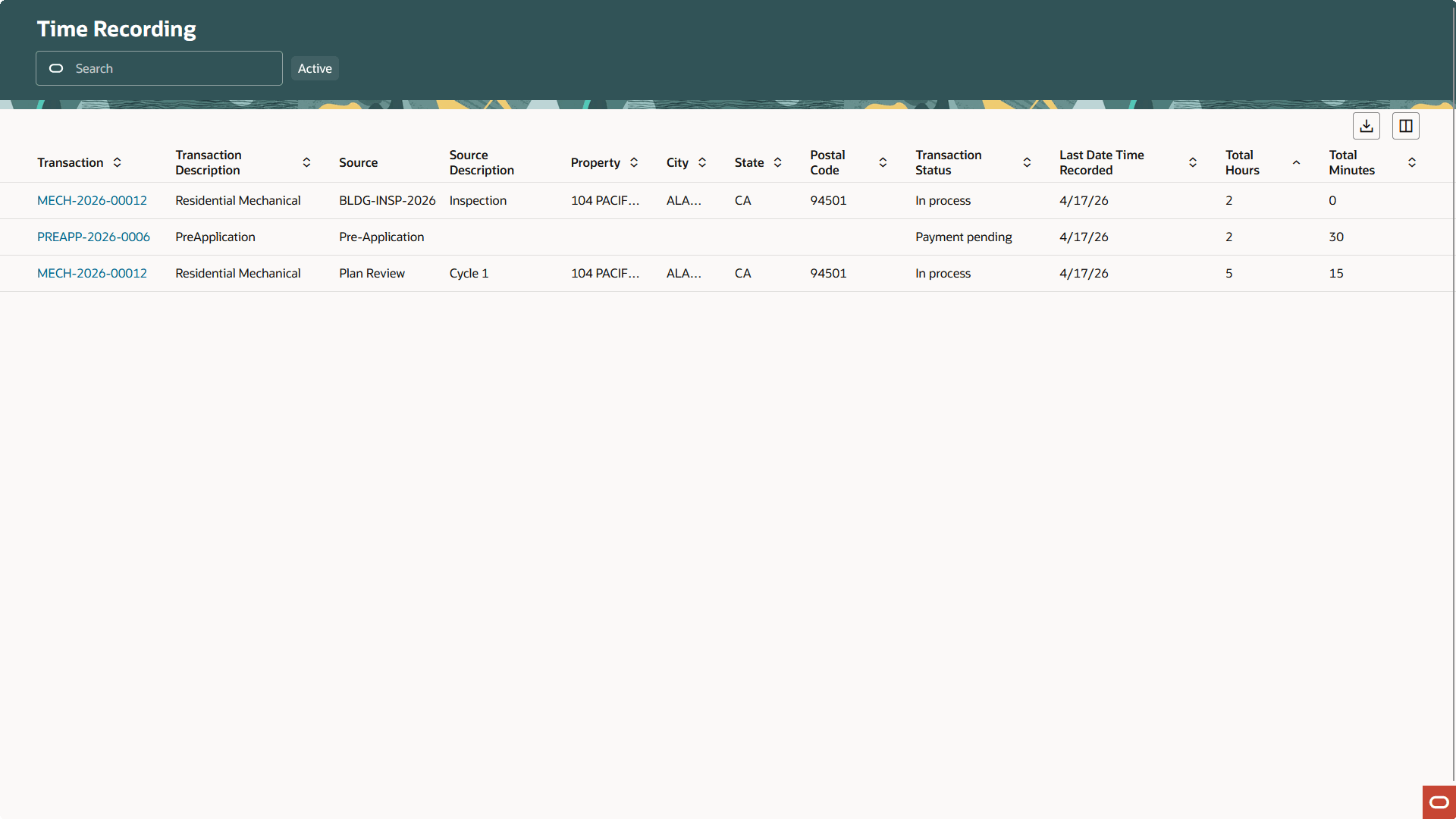
This is an example of a Time Recording list page.
This is an example of a Time Recording page for a permit.
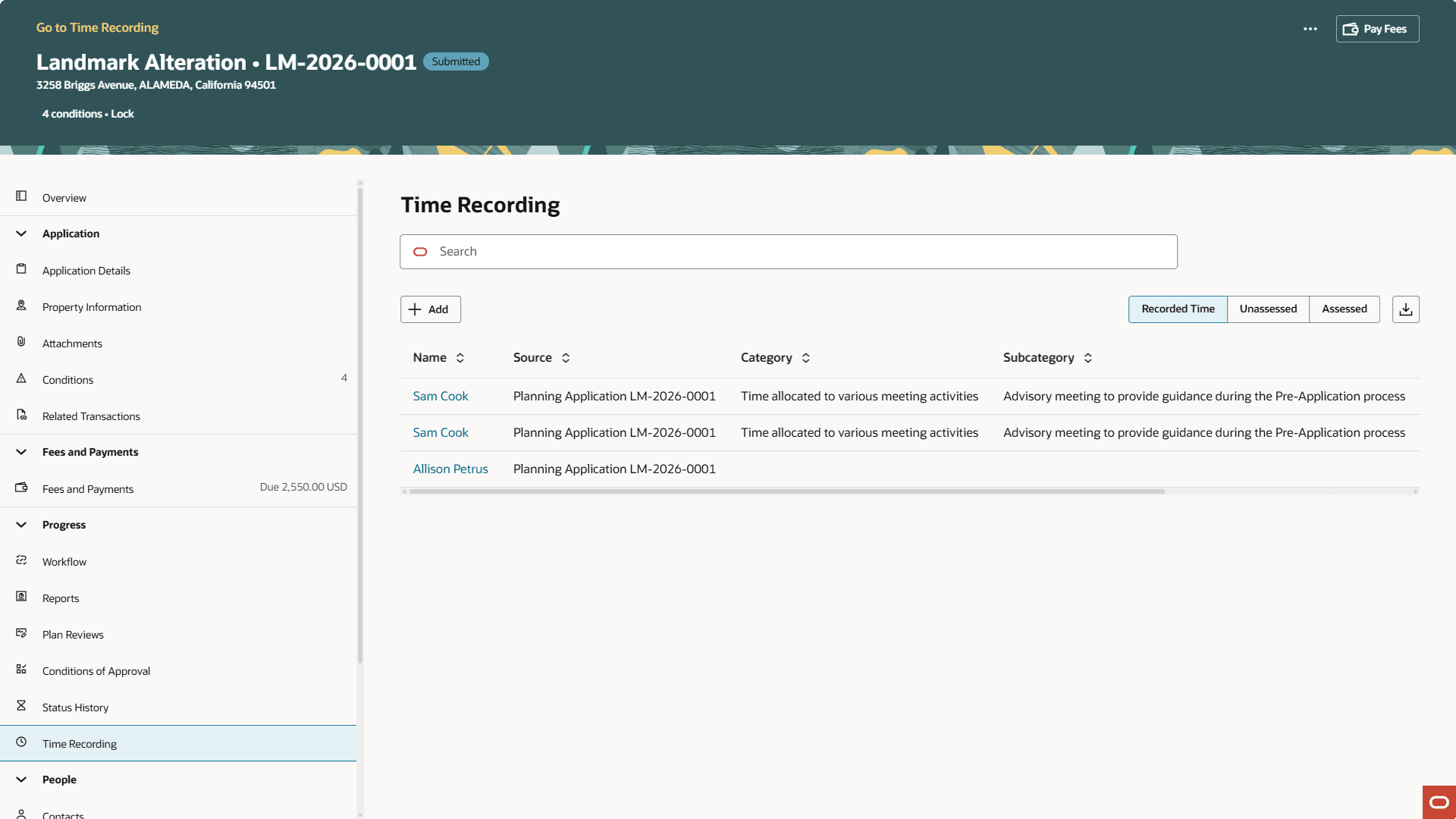
This is an example of a Time Recording page for a planning application.
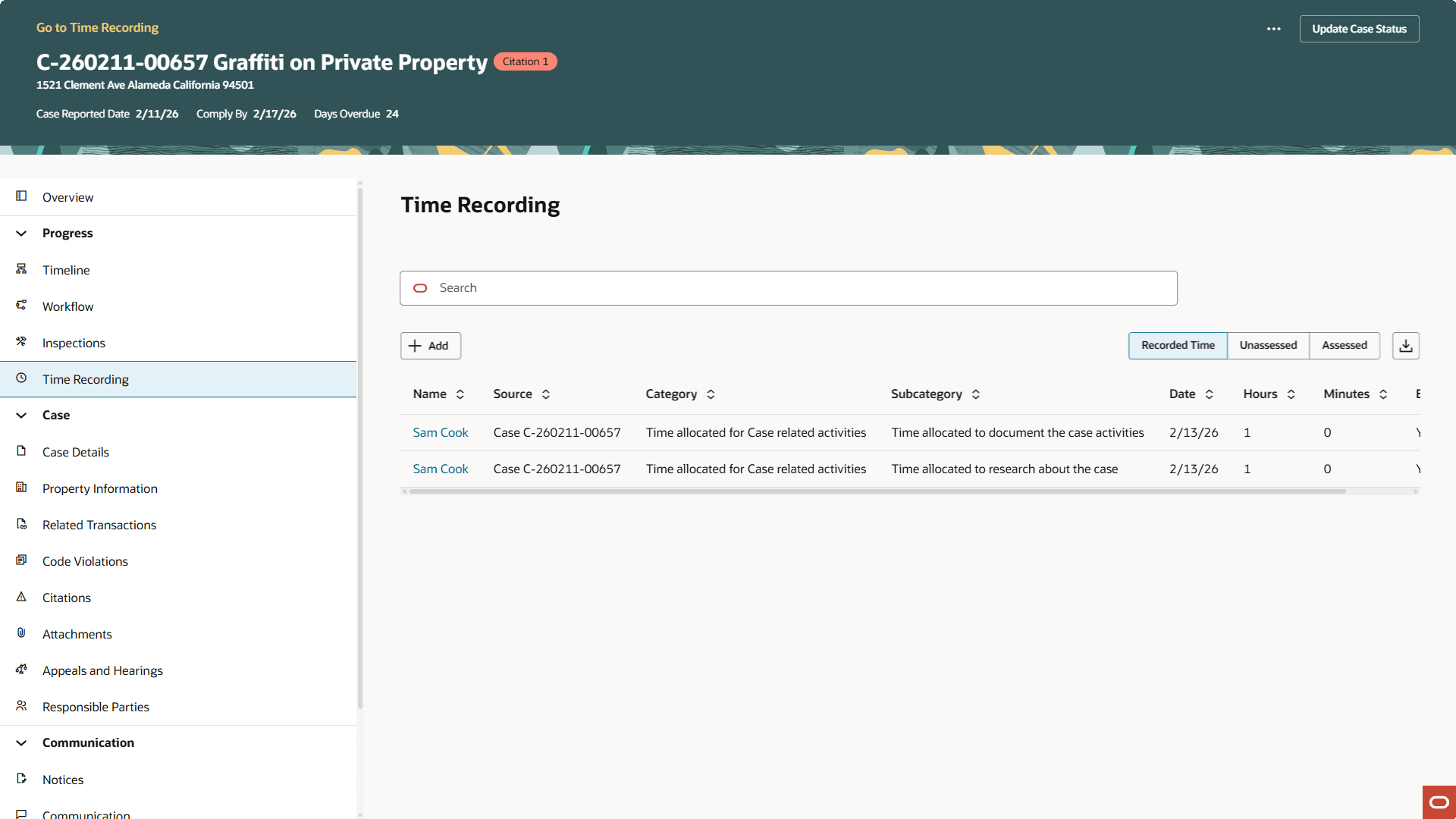
This is an example of a Time Recording page for a case.
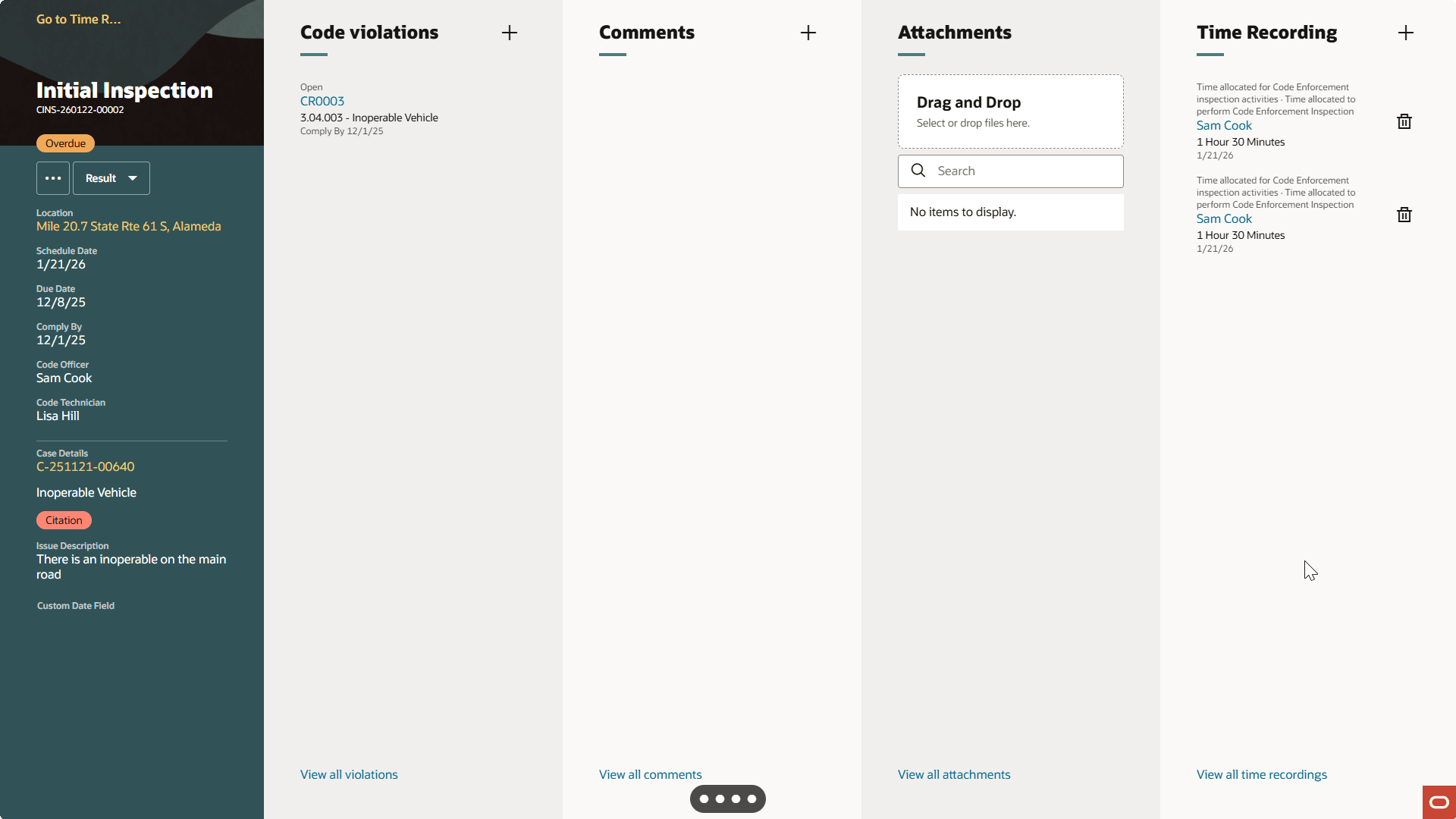
This is an example of a Time Recording page for a case inspection.