Using Projects
This topic discusses how to use the Oracle Permitting and Licensing Projects using the Redwood interface.
A Project is a collection of various records from transactions, which include permits, planning applications, and preapplications. It provides a summarized, consolidated view across project-related records.
Agency staff create and manage such inventory of projects comprising of various records and their attributes, and maintain detailed project information – all easily accessible from one location – the Projects page.
You use the Projects page to manage a complete list of projects with all the details, and perform various tasks.
This example illustrates the Projects page:
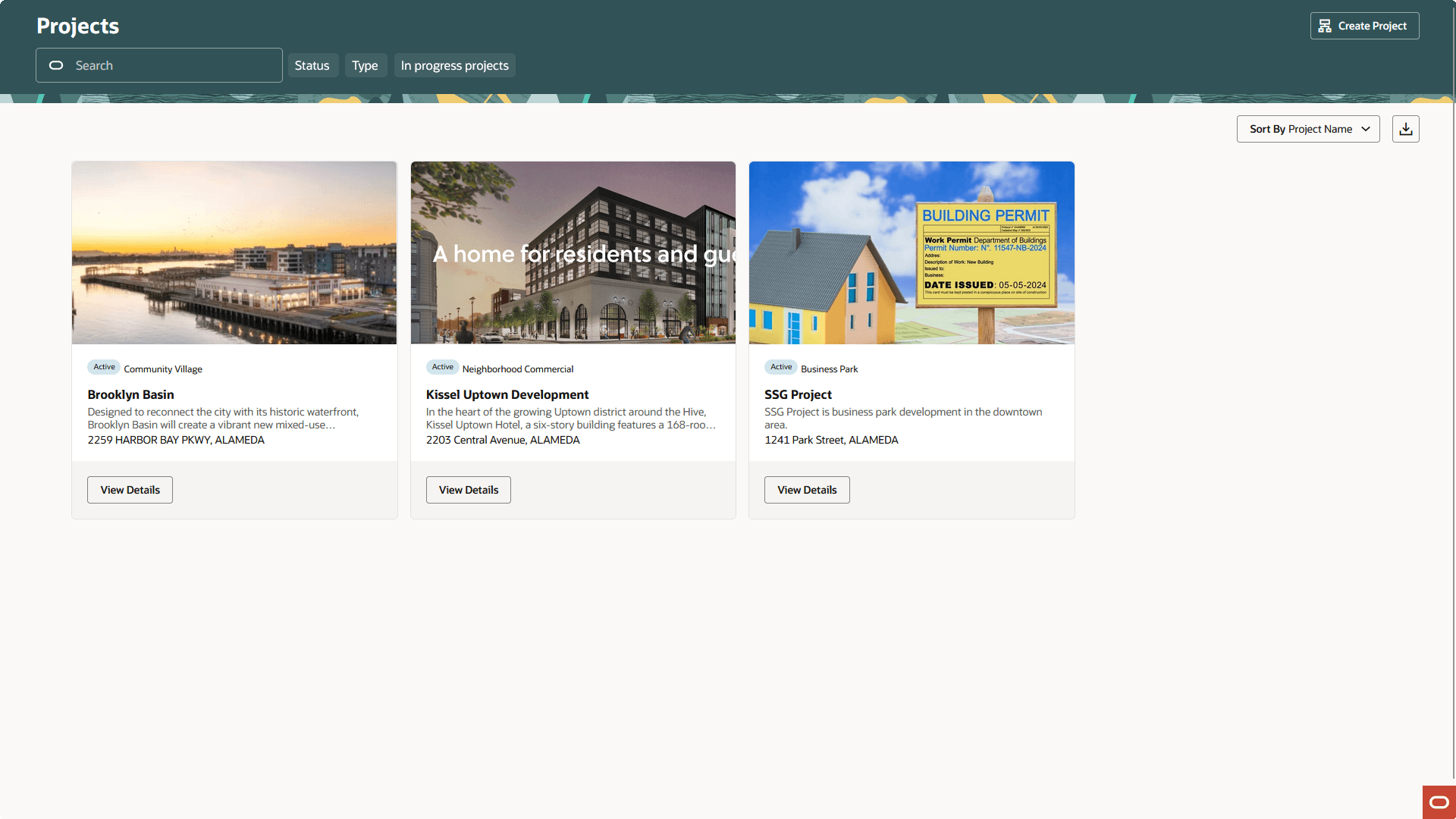
Use the project list on the Projects page to perform these tasks:
Manage project activity
Create new or update existing project details
-
Assign or unassign transactions
-
Add and maintain project attachments
-
Visualize transactional data
-
Add and maintain project contacts
-
Access comprehensive project record details
You can access the Projects page by clicking the Project List tile on the Agency Springboard, or by clicking in the navigation bar.
Using the Projects Page
-
From the Fusion Applications Permitting and Licensing homepage, select the Projects tile.
On the Projects page, you can perform these actions:
Page Elements
Description
Create Project
Click to open the New project drawer and create a new project, assign transactions, and create contacts.
Search
Search by alphanumeric characters on the fields for projects in the list. The projects that meet the search criteria are displayed on the page.
Filter
Apply filters to display projects that contain the selected parameter values in the list. Click the filter button to open the Filter By options, where you can define and save your own filters.
Sort by
Select an option to sort the projects in the list by these fields:
-
Address
-
City
-
Status
-
Project Name
-
Project Type
View Details
Click to access the details page for the selected project.
-