Viewing Payment History
Agency staff can view payment history on the Payment History page.
The enhanced user experience is now available for the Payment History page. The enhanced user experience streamlines the look and feel of this page.
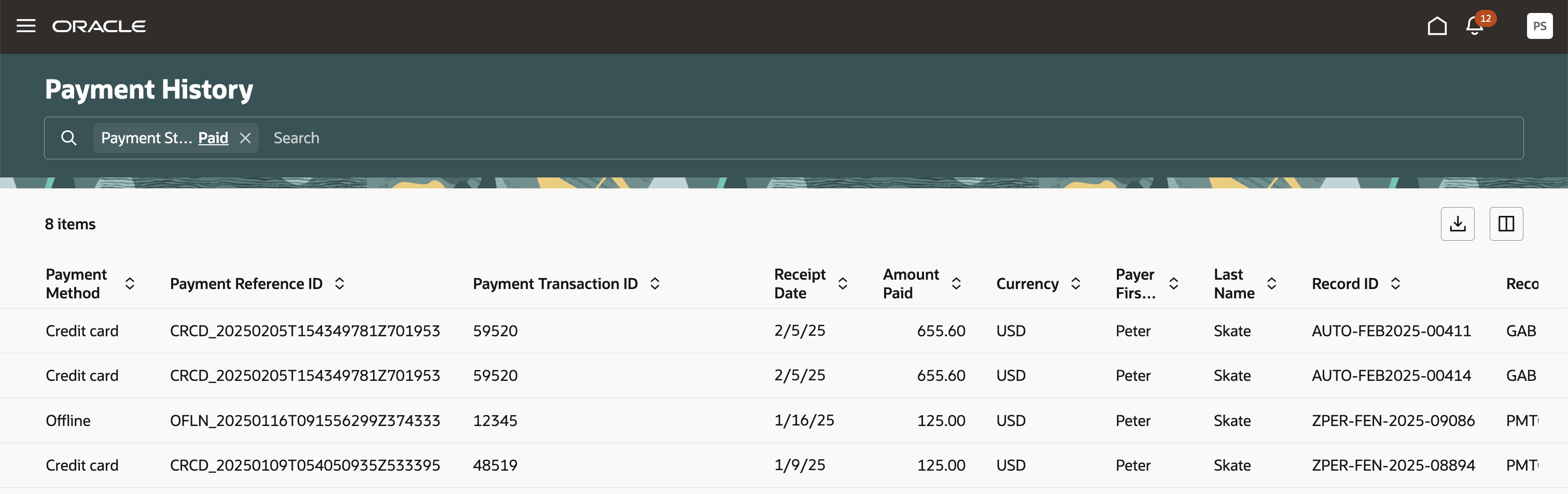
This example shows the Payment History page.
Reviewing Payment History
Select in the navigator.
Note:Registered public users can also access this page from the Registered Public Landing Page by selecting View Payment History from the I Want To field. Public users can only view the payments that they submitted.
The Payment History page displays all of the payments received by the agency. Use the filter chips to refine your search results. You can search for and sort payments by:
Payment method
Payment reference ID
Payment transaction ID
Receipt date
-
Amount Paid
-
Currrency
Payment amount
Payment currency
Applicant first name and last name
Note:The payer name appears on the Payment History Details page. The payer name depends on the payment method.
Record ID
Record Type
-
Payment Status
-
Deposit Account Number
Select a payment to view additional details on the Payment History Details page.
This example shows the Payment History Details page.
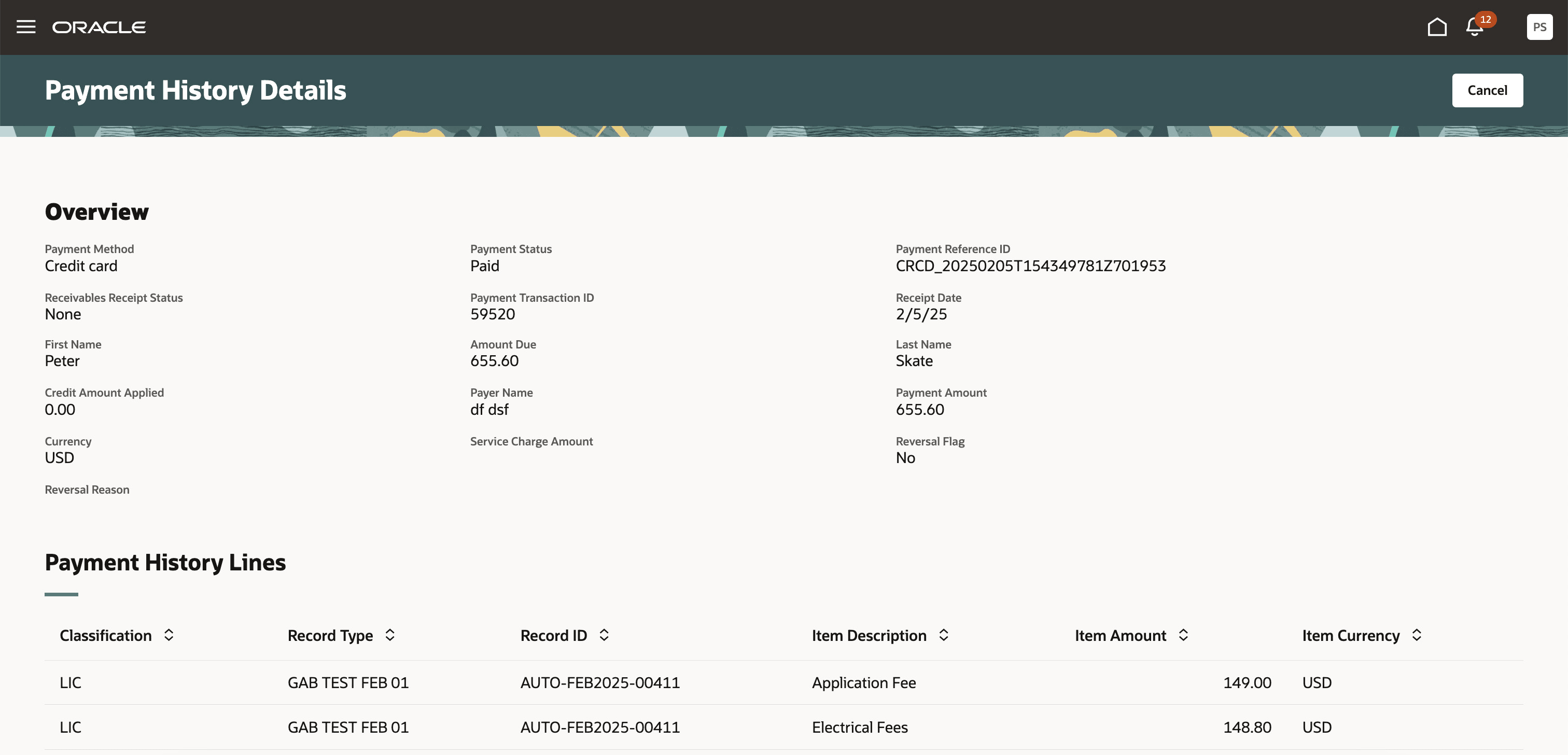
The Payment History Lines grid displays the transaction lines associated with the payment.
The Cash Drawer Lines grid displays the cash drawer transaction lines associated with the payment. You can select a cash drawer line to view additional details on the Cash Drawer Line Details drawer.
The Cash Drawer Lines grid does not appear for electronic payments.
The Refund History grid displays any refunds associated with the payment. You can select a refund to view additional details on the Refund Detail drawer. For more information on refunds, see Viewing and Processing Refunds.
The Payments on Account grid displays any payments on account associated with the payment. You can select a payment on account to view additional details on the Payment on Account Details drawer. For more information on payments on account, see Viewing Payments On Account.
You can reverse payments applied in error. For more information about how to unapply payments, see Reversing Payment Application Errors.
If agency payment options are configured to not reinstate fees, then agency staff see a Void Payment option in the Actions menu on the Payment History page. For more information, see Reversing or Voiding Offline Payments.
You can reverse payments associated with a returned check. For more information, see Processing Returned Checks.