Using the Fusion Applications Home Page
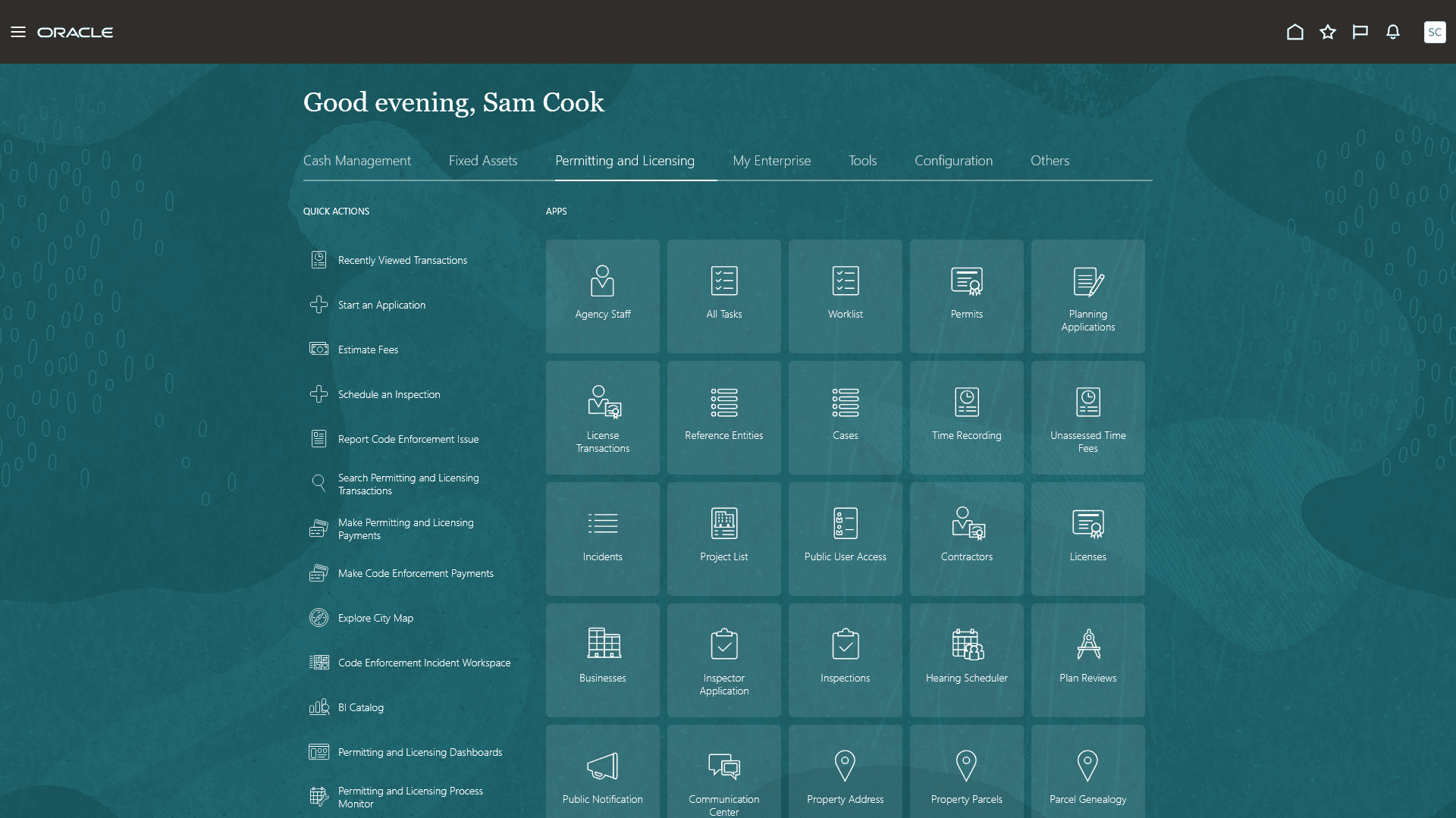
The Fusion Applications home page serves as a landing page for agency staff to manage their work.
On the Fusion Applications home page, the agency staff can use the Permitting and Licensing group, to access Permits, Planning Applications, Licenses, All Tasks, Worklist, and more.
The Quick Actions panel on the left provides quick access to frequently used actions, such as opening recently viewed transactions, starting an application, estimating fees, scheduling an inspection, reporting a code enforcement issue, searching permitting and licensing transactions, and making payments. Select a link to open the related page.
This example illustrates Fusion Applications home page for agency staff.
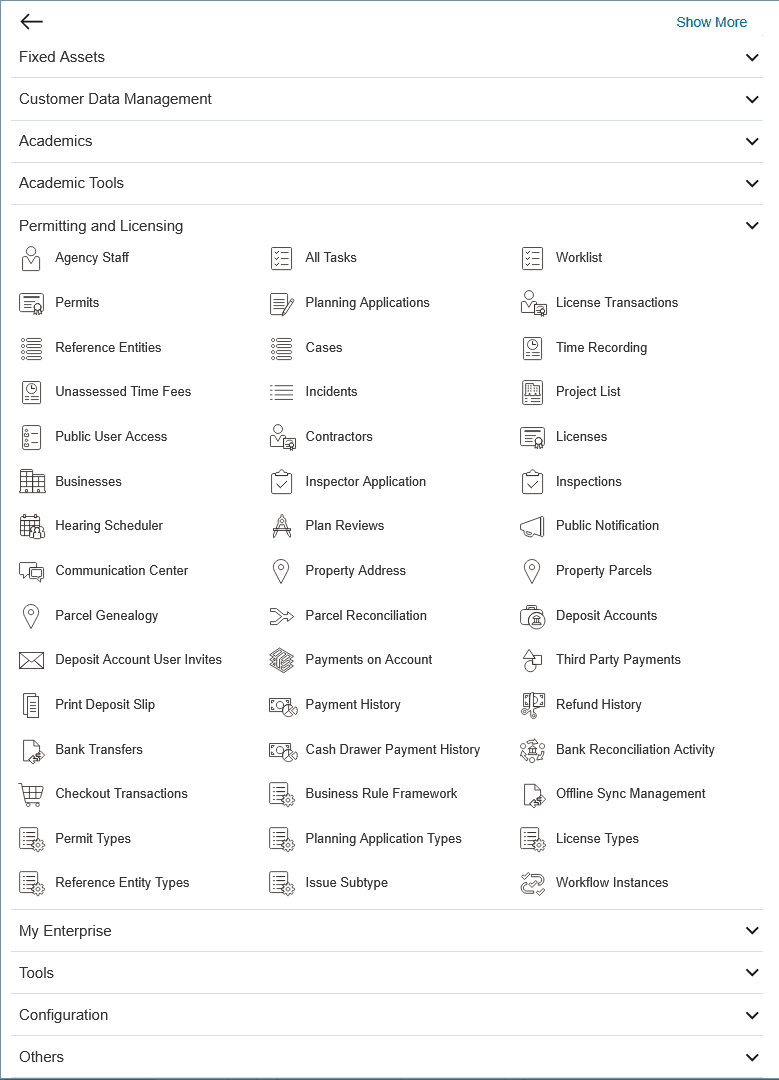
You can also select the Navigator (3-line) icon to access all Permitting and Licensing pages from a hierarchical menu.
This example illustrates Navigator with the Permitting and Licensing group expanded.
A Settings and Actions menu is available from the user initials avatar or icon in the upper-right corner of the global banner on the Fusion Applications home page.
This example illustrates the Settings and Actions menu.
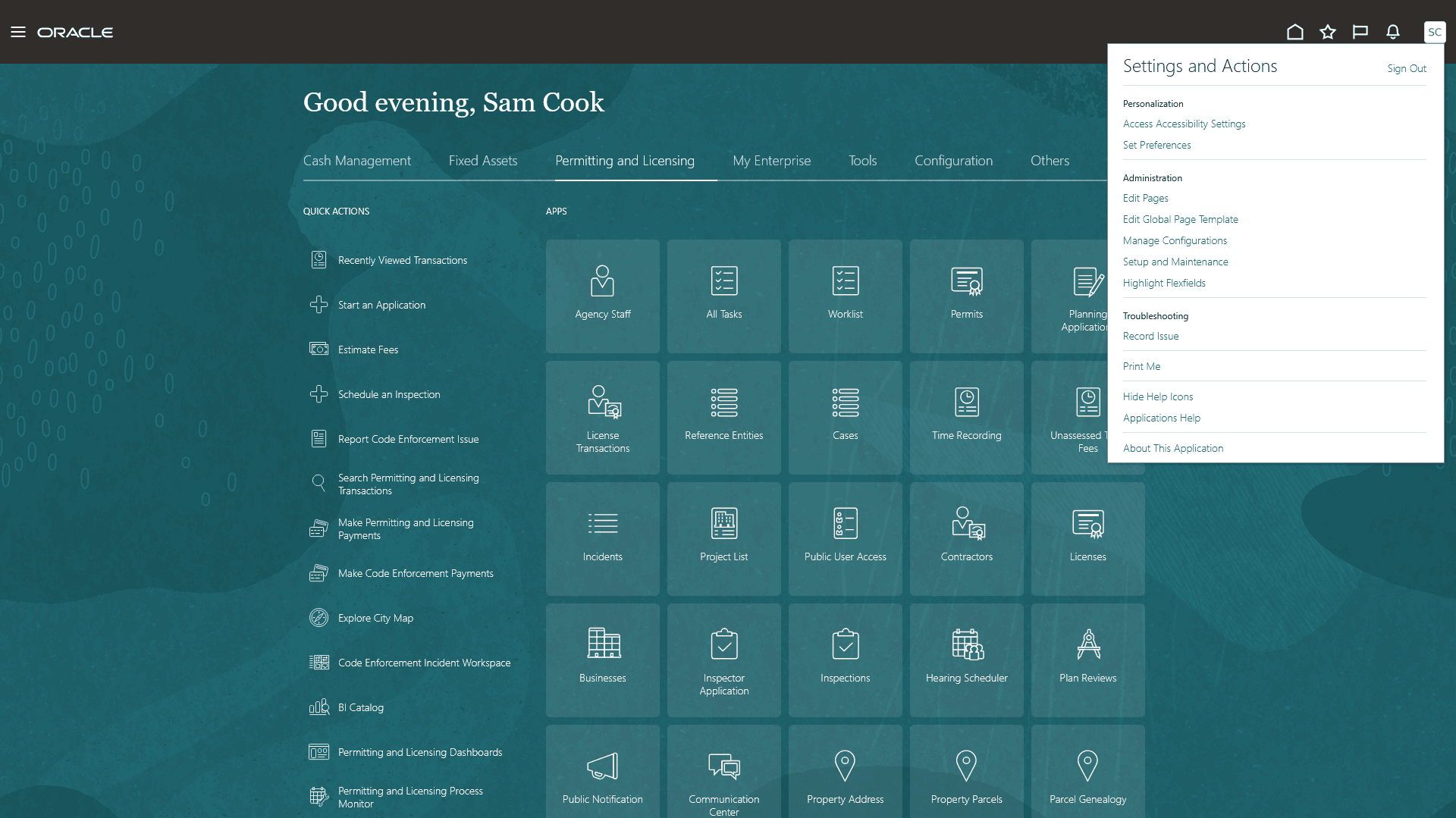
For example, click the Setup and Maintenance menu item in the Settings and Actions to open the Functional Setup Manager.
You can also personalize the default Fusion Applications home page experience by hiding or reordering the delivered apps.
Click the Home (house) icon in the global banner to return to the Fusion Applications home page from other application pages.