Changes in Oracle Fusion Cloud Applications Sign In Page
Identity and access management for Fusion Applications will be upgraded to Oracle Cloud Infrastructure (OCI) Identity and Access Management. The identity upgrade for your environment family will be scheduled separately, not in the same month as a quarterly update. New environment families and environments created after April 6, 2025 are already on OCI Identity and Access Management, so they don't need an upgrade. For environments on OCI Identity and Access Management, the Fusion Applications Sign In page includes the identity domain and the tenancy name of identity stripe associated with the application.
This is how the Sign In page for federated Single Sign-On (SSO) users looks before and after the identity upgrade. The Company Single Sign-On button is replaced with the Identity Provider (IDP) name at the bottom of the Sign In page.
| Federated SSO Before Upgrade | Federated SSO After Upgrade |
|---|---|
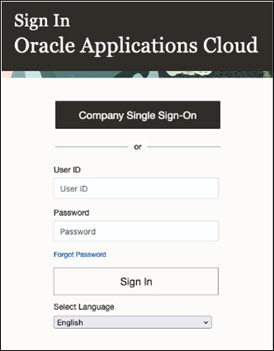 |
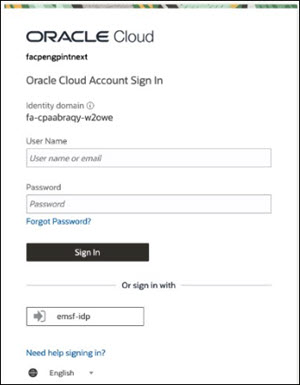 |
This is how the Sign In page for non-federated SSO users looks before and after the identity upgrade.
| Non-Federated SSO Before Upgrade | Non-Federated SSO After Upgrade |
|---|---|
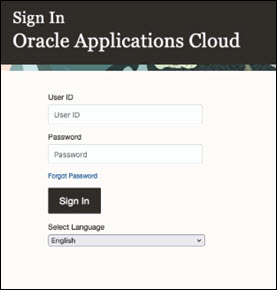 |
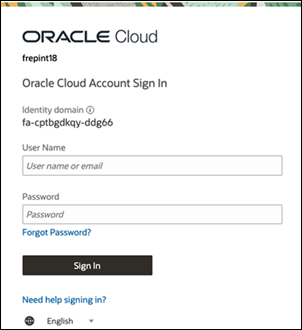 |
This change is a result of the upgrade to OCI Identity and Access Management.
Steps to Enable and Configure
You don't need to do anything to enable this feature.
Tips And Considerations
- After the identity and access management upgrade, some users might be asked to change their password when they try to sign in.
- Even though environment families and environments created after April 6, 2025 may be on OCI Identity and Access Management by default, there might be a lag before that actually happens.