Redwood: Extract Application Data from a Read-Optimized Data Store Using a Redwood Page
Extract data more efficiently for reporting or integration by using a high-performance, read-optimized replica of the application database, ensuring faster and more reliable data retrieval.
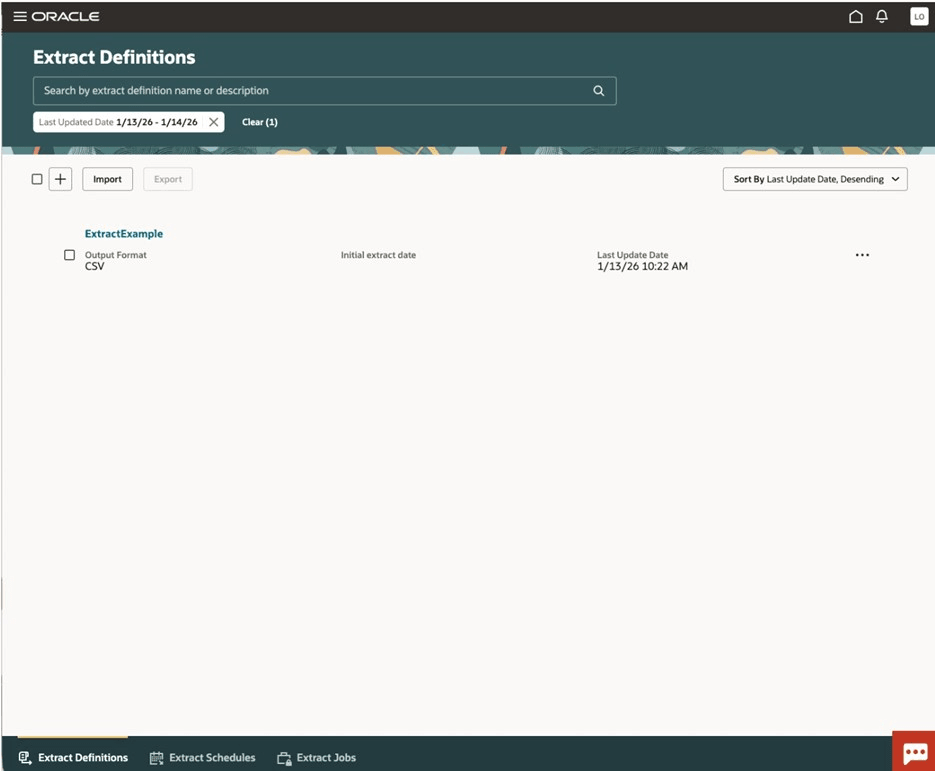
Navigation: Tools > Data Extraction
This feature enables you to now extract your application data from a read-optimized data store. Data extraction is no longer performed on the transactional instance but is instead done on a replicated Autonomous Data Warehouse instance, synchronized with transactional data in near real-time.
By leveraging Oracle's new architecture, which abstracts business objects from the physical Fusion Application data model, the application reduces strain on the transactional instance.
Steps to enable and configure
- Use the Opt In UI to enable the Redwood: Extract Application Data from a Read-Optimized Data Store Using a Redwood Page feature under any of the offerings that it’s available in, for example Manufacturing and Supply Chain Materials Management. For instructions, refer to the Optional Uptake of New Features section of this document.
- Make sure that the feature’s parent in the hierarchy is also enabled.
- No matter which offering you enable this feature under, the feature can be used to extract data from any of the available product families.
- Ask your help desk to contact Oracle Support, who can verify what your environment has and address any gaps. This feature requires that your environment has certain necessary configurations.
- Set the Enable Security Console External Application Integration (ORA_ASE_SAS_INTEGRATION_ENABLED) profile option to Yes.
- Give users access to this Data Extraction tool by assigning them all the privileges in the Access Requirements section.
Note: Make sure that the roles involved have permission groups enabled. - Give users access to view and download extract files by assigning them the Upload and download data from on-premise system to cloud system (OBIA_EXTRACTTRANSFORMLOAD_RWD) role.
Key resources
Access requirements
Users can only access this feature after updating their job roles to incorporate new and existing privileges:
- Manage Extracts Definitions (RCS_MANAGE_EXTRACT_DEF_PRIV)
- Manage Extract Schedules (RCS_MANAGE_EXTRACT_SCHED_PRIV)
- Manage Object Catalog (RCS_MANAGE_EXTRACT_CATALOG_PRIV)
- Export Business Object Data by Date Range (SAASDATA_EXECUTE_TIMEDEXTRACTADHOC_BATCHJOB_PRIV)
- Export Business Object Data by Frequency (SAASDATA_EXECUTE_TIMEDEXTRACTSERIES_BATCHJOB_PRIV)
- Invoke ESS job (FND_MANAGE_SCHEDULED_PROCESSES_PRIV)
- RCS Common ESS Job (RCS_MANAGE_EXTRACT_SCHED_PRIV)