Automate Scheduled Catalog Definition Exports
You can now schedule automated exports of catalog definitions to support downstream reporting, archival, and other operational business processes outside of publishing mechanism. This enhancement enables catalog administrators to define reusable export jobs with flexible filtering, scheduling, retention, and notification capabilities.
Using this feature, administrators can export one or many supported catalog definitions such as offers, product lines, and service specifications in CSV or JSON. Exports can include either only first-class properties or full referenced relationships based on business requirements.
The scheduled export framework supports advanced filtering options, configurable execution schedules, notifications and export file retention policies, retry handling, and REST-based retrieval of generated export files for integration with external automation or FTP-based distribution processes.
Key Features
- In addition to view the execution of Export jobs, you can use the same page to now initiate of catalog definitions export
- You can select one or more catalog definitions for export with system defaulted file name or user specific name
- You can export Product Offering resource in CSV or JSON format without references, while with references we continue to support only JSON format
- You can use any or all of the filter conditions based on the available first class properties of entity being selected. For example: while exporting a Product Offering resource, you can filter using its lifecycle status, Product Specifications, Pricelists, Initiatives, Business Unit, Date effectivity and so on
- You can schedule the Export job
- You can notify users on the execution status of the Export job
- You can view the status of the execution status of the job and its recurrences
- You can suspend and resume an active recurring job
- You can download the exported file from the Export job
- You can also retrieve the exported file from the Fusion UCM using the REST API
The Export Job can be invoked from the UI as shown below:
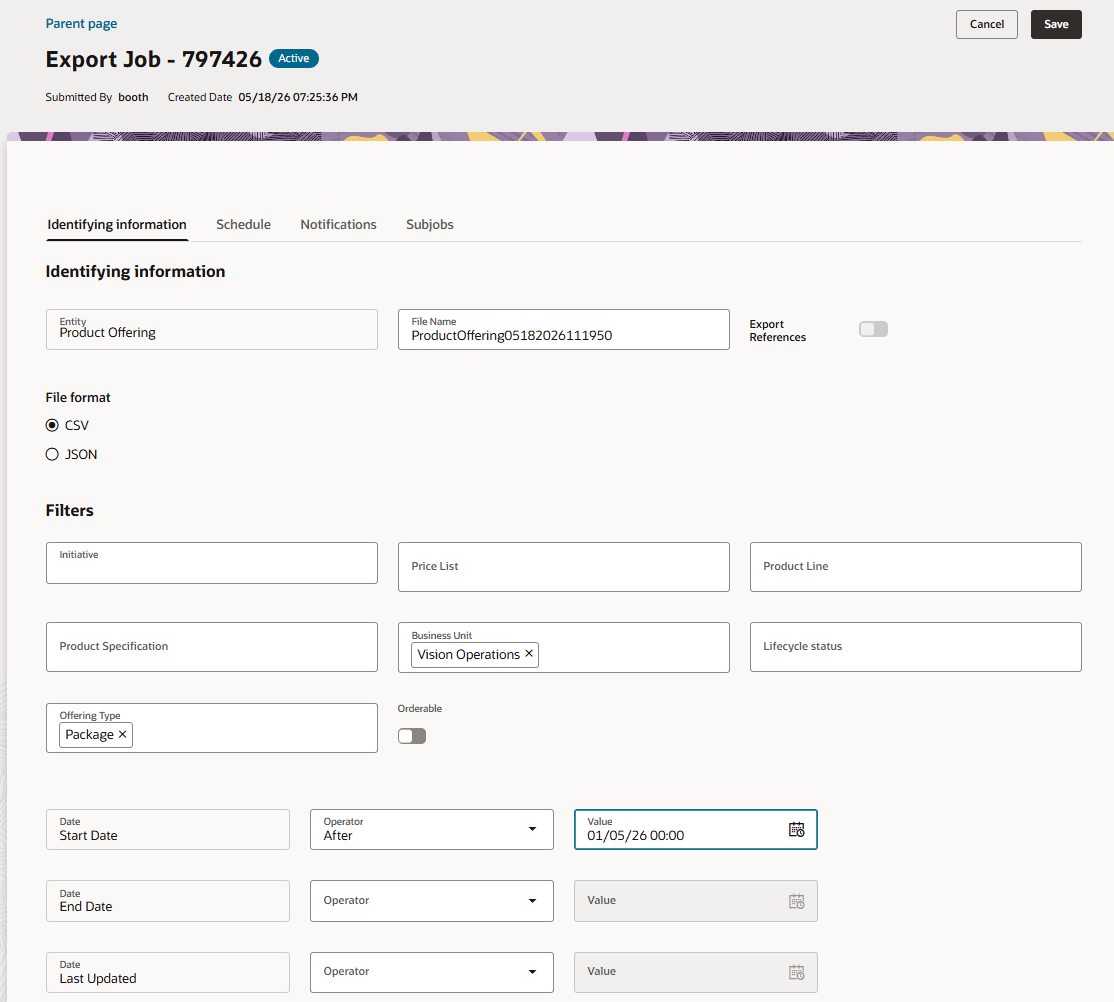
Export Job Identifying Information
The scheduling options are shown below:
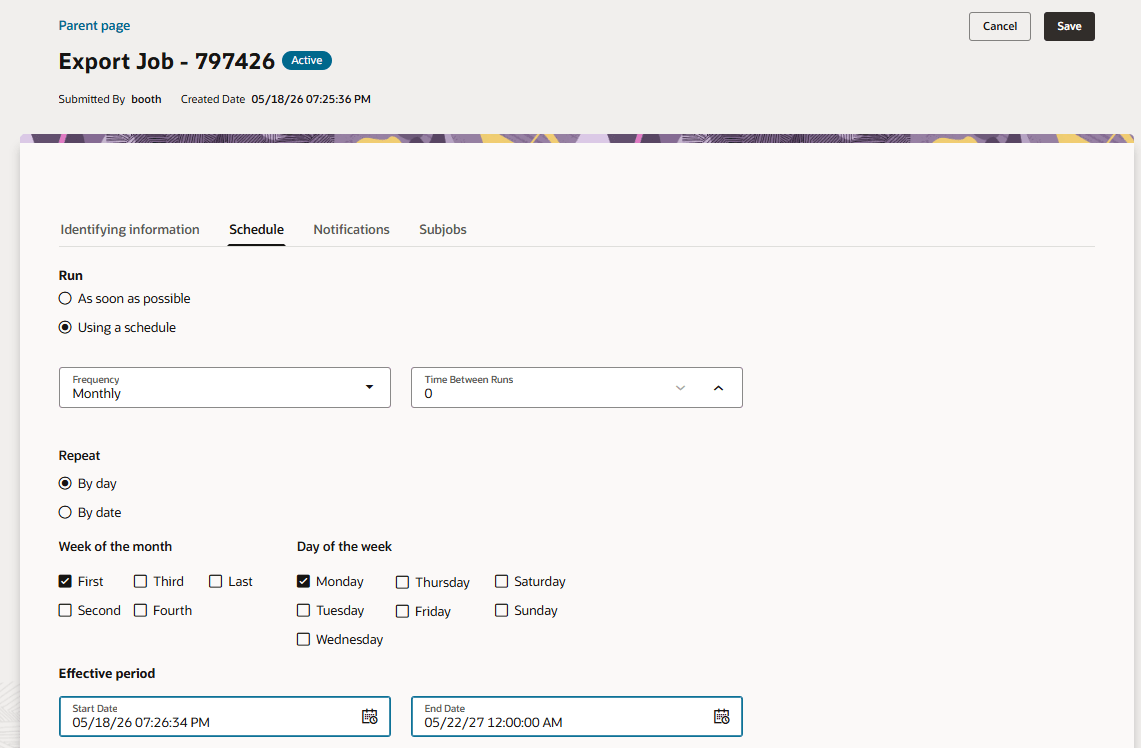
Export Job Scheduling Information
Configuring user notifications are shown below:
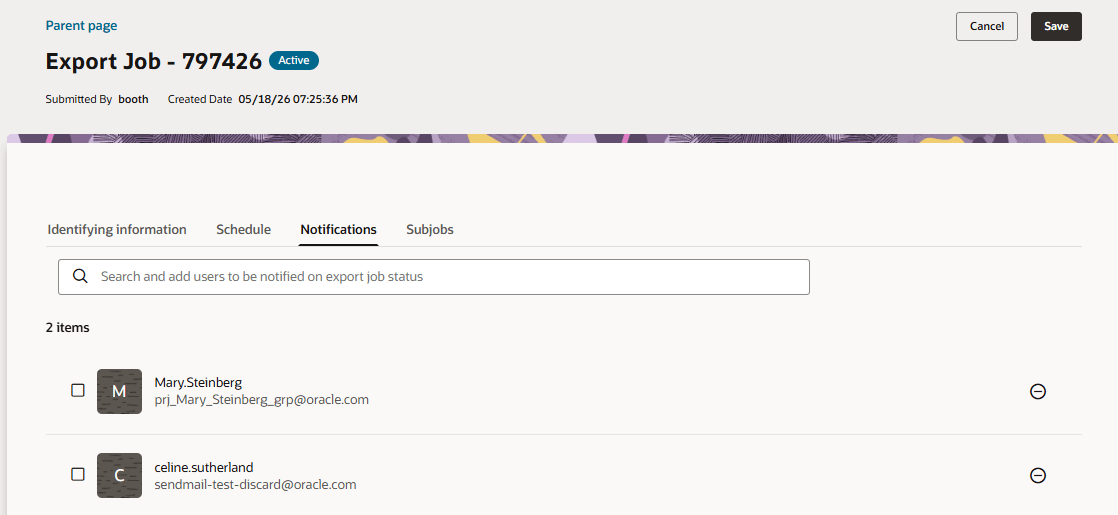
Export Job Alerts information
Viewing the Job execution status, suspending and resuming the recurring job is shown below:
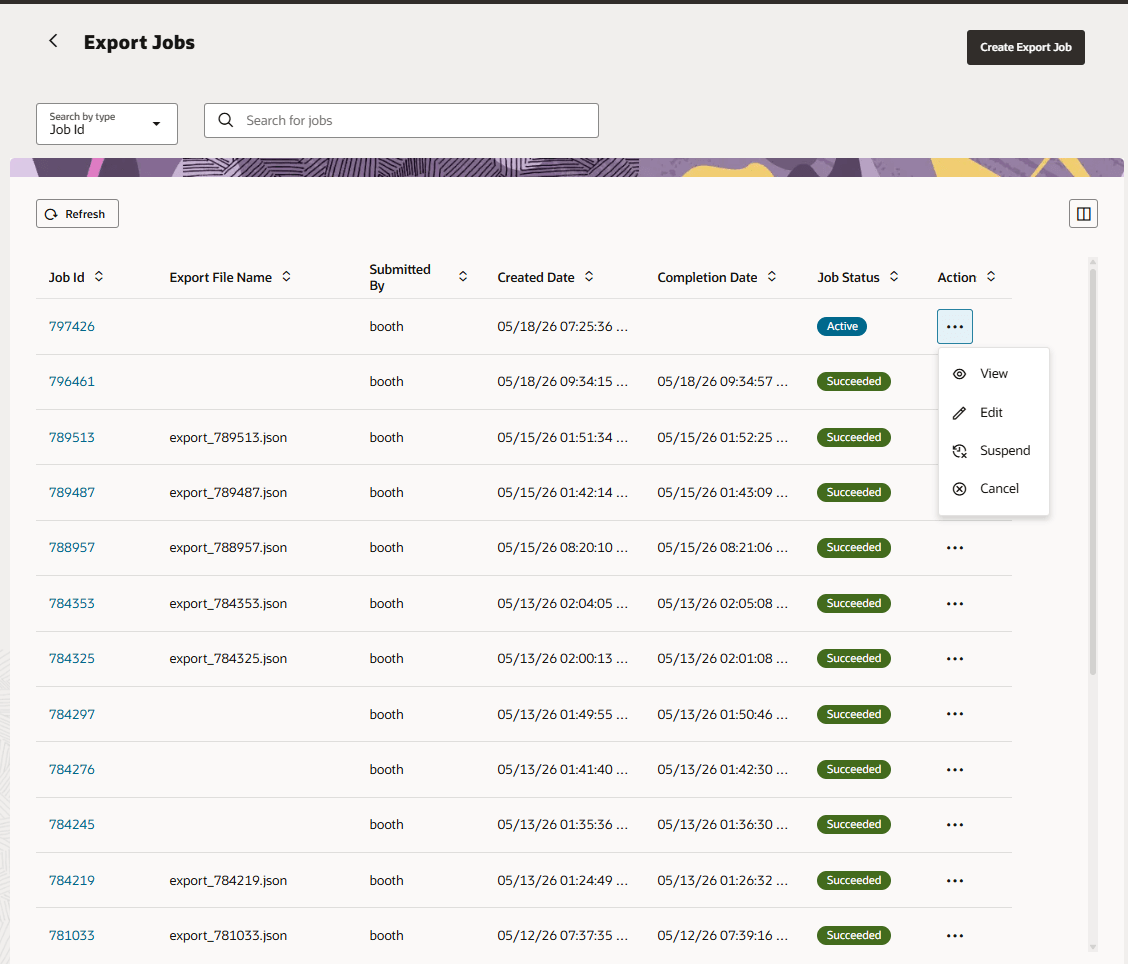
Export Job Execution Management
A new REST endpoint is available to retrieve the list of exported files from Fusion UCM folder:
https://<hostname>/crmRestApi/atcProductCatalog/11.13.18.05/v1/folder/export
The endpoint supports the following filter parameters (query params):
- fileName.sw - Filters file names starting with a search string
- fileName.ew - Filters file names ends with a search string
For example:
- fileName.sw - https://<hostname>/crmRestApi/atcProductCatalog/11.13.18.05/v1/folder/export?fileName.sw=NameABC
- fileName.ew - https://<hostname>/crmRestApi/atcProductCatalog/11.13.18.05/v1/folder/export?fileName.ew=.csv
The response of the API is the list of export files.
- Operational Efficiency & Automation
- liminates manual export processes through scheduling and automation
- Supports integration with external systems via API-based retrieval
- Improved Data Accessibility & Control
- Enables targeted exports using business-specific filters (date range, types, etc.)
- Provides flexible formats and controlled retention/naming
- Better Governance & Reliability
- Offers visibility and control over export jobs (monitoring, retries, notifications)
- Ensures consistent and reliable data delivery with failure handling
Steps to enable and configure
You don't need to do anything to enable this feature.
Tips and considerations
- CSV export format is supported only for the Product Offering resource.
- Export by References isn’t supported when file format is CSV.
- ZIP files are automatically generated when more than 1000 objects are exported.
- Initiative-based export doesn’t support scheduling or filtering.
- Scheduled export jobs support actions such as Edit, Suspend, Resume, and Cancel.
- The "fileNamePrefix" value is optional and limited to 30 characters.
Access requirements
- Communications Catalog Product Manager
- Communications Catalog Administrator