Customization of Data Integration Roles
User access to user interface functions in Data Integration can now be customized using role-level security. Data Integration now ships with two key roles: "Integration - Create" and "Integration – Run.” These roles provide a fixed set of functions that can be performed by a user. Service administrators can add or remove functions available to a role as needed. For example, a service administrator can add the Edit Mapping function to the "Integration - Run" role or remove Period Mapping and Category Mapping from the "Integration - Create" role.
Applies to: Account Reconciliation, Enterprise Profitability and Cost Management, Financial Consolidation and Close, FreeForm, Planning, Profitability and Cost Management, Tax Reporting
Role-level security is defined on the Security Settings page as shown below:
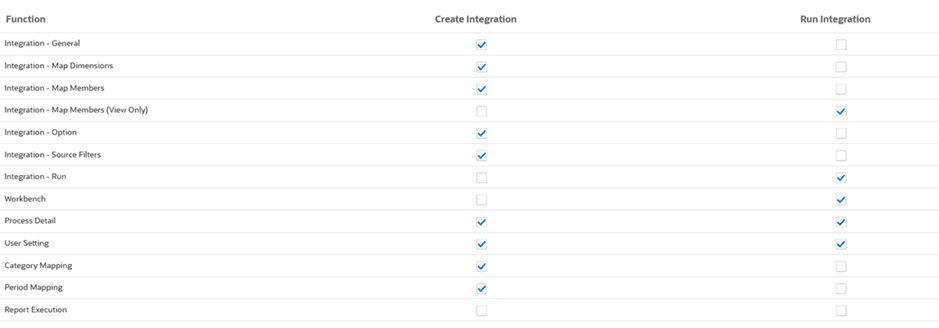
Image Shows The Security Settings Page.
Business Benefit: Customizing roles enables service administrators to select the functions available for their user base.
Key resources
- Role Level Security in Administering Data Integration