Ledger Agent for Agentic AI-Powered General Ledger Experience
Proactively monitor balances, journals, and transactions to streamline finance operations using the Ledger Agent. With prompt-assisted monitoring, Ledger Agent provides clear AI-generated insights and explanations across Ledger and Subledger data, surfacing them to accountants only when intervention is required. Accountants can ask natural language questions about balances, variances, insights, and process statuses, and receive precise responses powered by advanced financial entity recognition and dynamic query generation-significantly improving efficiency and business insight into General Ledger processes.
Key Capabilities
Proactive Monitoring
- Use predefined monitoring prompts to surface operational process exceptions, such as accounting process exceptions or manual posted journals without approvals, at a frequency of your choosing, for example, Day - 5 or daily.
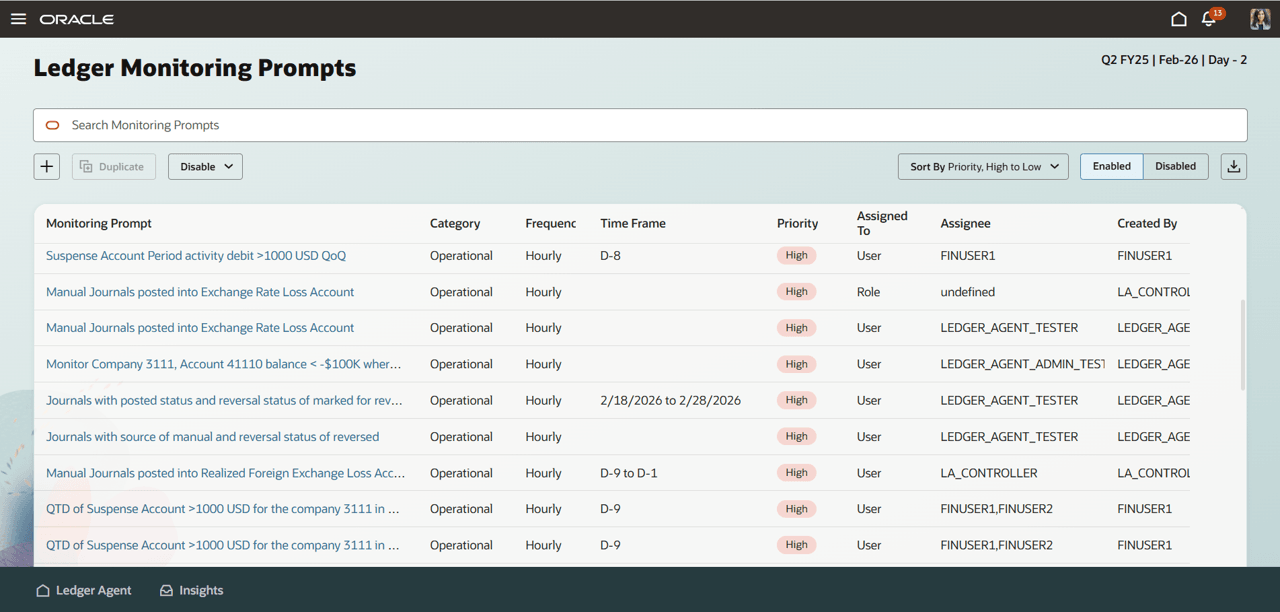
Ledger Monitoring Prompts
-
Use the catalog of prompts as a reference to tailor and personalize monitoring prompts to monitor for revenue, costs, variance, anomalies, and other checks at required frequency. Specify accounts or parent accounts using hierarchies, the period, and other dimensions to personalize the prompt to your business need and area of responsibility. Once activated, Ledger Agent proactively surfaces insights whenever the conditions are met.
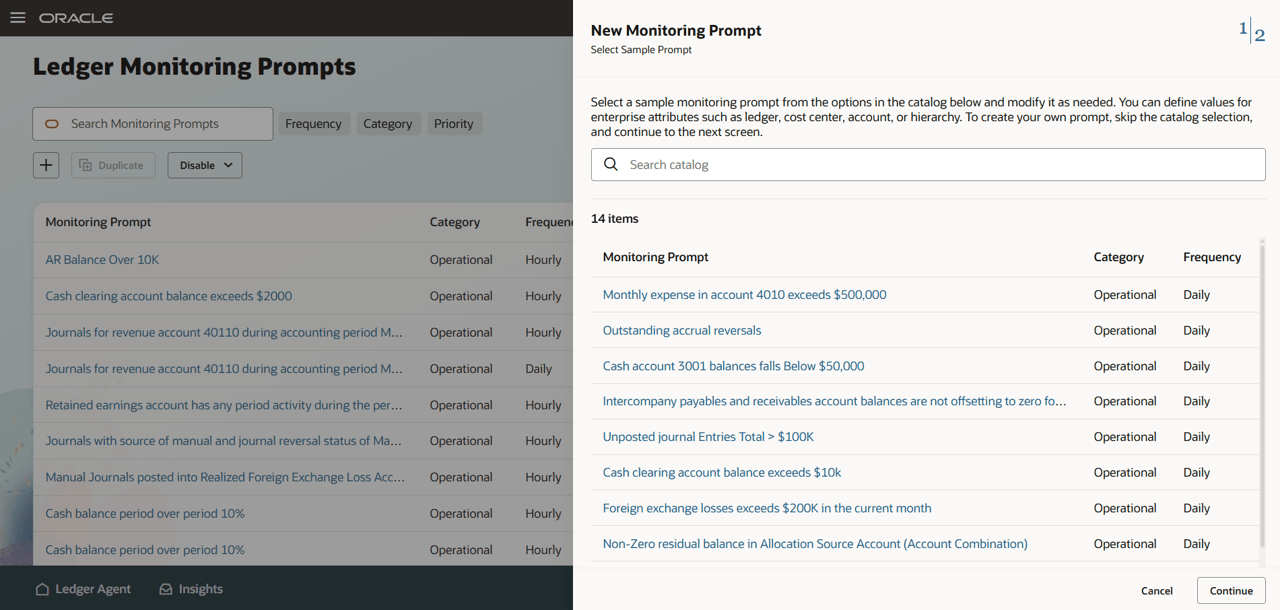
Prompt Catalog
Insight Explanations
- Receive rich, contextual summaries for each generated insight to quickly understand operational and control issues from correlated data. Use natural-language follow-ups in a conversational flow to learn more and reach a decision.
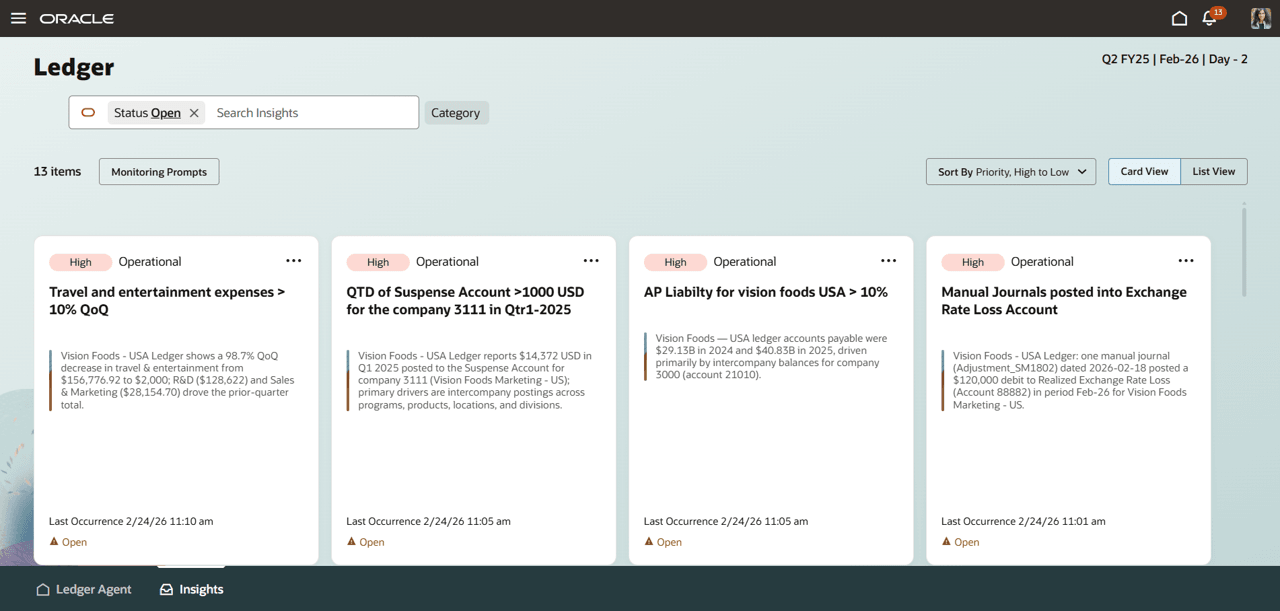
Ledger Agent Insights
- Surface actionable, root-cause explanations for process exceptions, variances, reconciliation differences, and period-end checks, with clear next steps.
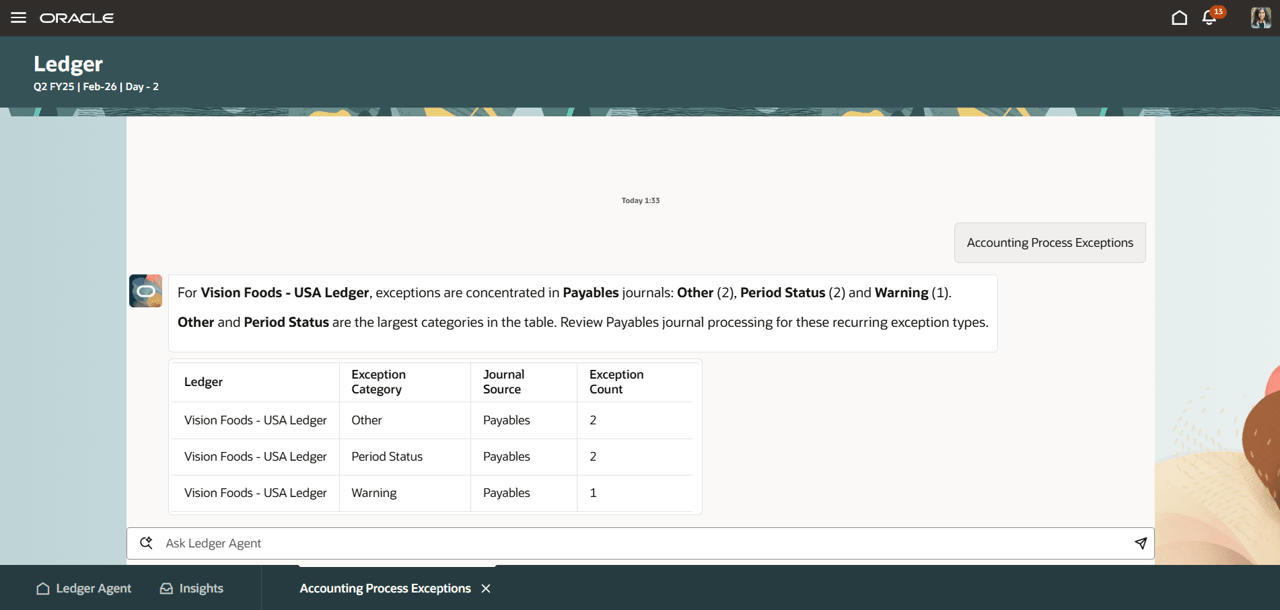
Accounting Exceptions Insight Explanation
Account analysis and Balance Inquiry
- Use natural language balance inquiry - ask questions about financial data, including specific accounts, time periods, and comparative analyses, and receive detailed, contextualized responses on demand. Ask follow-up questions related to balances, journals or subledger transactional details.
- Inquire on journal summaries to analyse account activity.
- Use free-form natural language or use guided prompt templates for commonly encountered analyses. These let you select specific values for dimensions to create deterministic prompts for accurate results
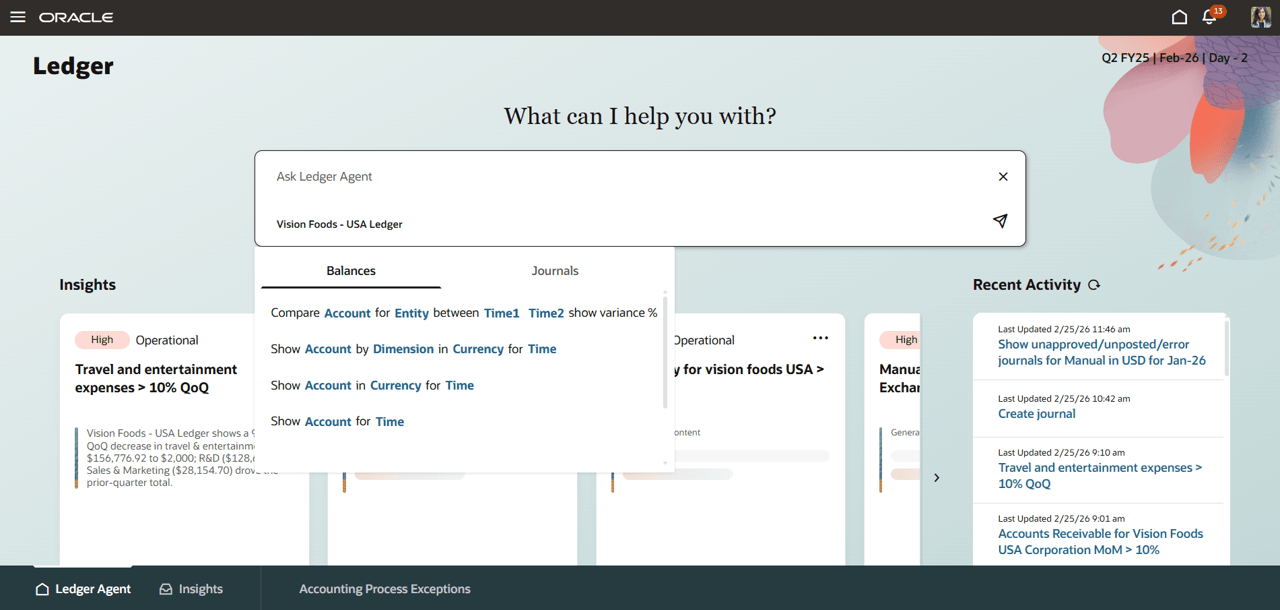
Guided Prompt Templates
In addition, access related ledger functions such as narrative reports, accounting process statuses, and allocations. Ledger Agent delivers connectivity between inquiry, explanation, and action, reducing time spent navigating legacy experiences or assembling information from disparate sources.
Business Benefit:
Ledger Agent modernizes day-to-day General Ledger activities by combining automation, proactive insights, and natural language interaction in a single, guided experience, giving Accounting and Finance teams more continuous visibility into balances, journals, and transactions. Using predefined and configurable monitoring prompts, it can continuously scan for anomalies and operational exceptions and surface contextual AI-generated insights, supporting earlier detection and resolution rather than relying on periodic, manual checks. Teams can also ask natural-language questions to get contextual responses on balances, variances, and process statuses—reducing time spent navigating multiple screens or assembling information from disparate tools and reports, which improves productivity for ad hoc inquiries and investigations. Overall, this helps teams maintain higher-quality, up-to-date financial positions through ongoing monitoring and faster analysis, while applying strong security and access controls so users only see or act on what they are authorized to access.
Steps to enable and configure
For 26A, Oracle Development will reach out to select customers with steps to enable as per Early Adoption program. The feature is not available to be enabled outside of the early adoption program.
Tips and considerations
Tips
Refer to the Ledger Agent – Adoption Guidance doc for detailed adoption approach.
- Review the catalog of monitoring prompts provided with Ledger Agent to get a good variety of monitoring that is possible through Ledger Agent (traditionally checklists and reports).
- Pick the monitors that are most relevant for your tracking and tailor them to create the essential tracking of financials for accuracy and control.
- Establish Ledger Agent as the preferred choice for all ad hoc inquiries and investigations (traditionally multiple single-purpose experiences with limited granularity).
- Use guided prompt templates for frequently used inquiry constructs and to drive deterministic outcomes.
- Provide human understandable, fully formed, self-explanatory descriptions for enterprise metadata such as,
- chart of accounts dimensions, hierarchies
- journals sources, journal categories, ledgers, legal entities
- suppliers, business units etc.
- Add descriptions to transactions, such as POs, AP, and Journals, as a regular practice, including meaningful approval comments.
- Rationalize operational reporting by expressing the business intent in natural language prompts for instant insights.
- Accounting automation drives high quality, up-to-date financial positions.
Considerations
- Supporting details for subledgers except Payables and Receivables are accessible via guided navigation in this phase.
- Inquiry on Average Daily Balances and Budget Balances are not supported in this phase.
- Language: English only in this phase.
- General Ledger activities that are available through the existing user interface (Enter journals, Spreadsheet upload, and so on) are accessible through the Ledger Agent.
- Users are unable to retrieve or resume a conversation once it’s closed.
- For best results, specify key COA constructs (e.g., Account, Cost Center) precisely in your prompt.
- Questions outside GL balances, journals, and subledger supporting details are considered out of scope for the Ledger Agent.
- Results are limited to the data your user is authorized to access in Fusion based on roles/privileges.
- In non-production environments, limited data movement may prevent some monitoring prompt conditions from triggering unless representative data exists.
Key resources
Customer Connect Forum - Ledger Agent