 Assignment Date and Role Updates when Replacing Resources
Update assignment dates and project roles when replacing confirmed or reserved resources on a project. Project managers can adjust dates and roles, ensuring that projects remain on track despite changes in resources. Resource managers have the flexibility to make changes to the replacement resource's schedule, ensuring optimal allocation and alignment with the project needs.
- Project managers can replace a confirmed or reserved resource from the Replace Project Resource dialog in the Manage Project Resources page and update the assignment dates, and role if needed.
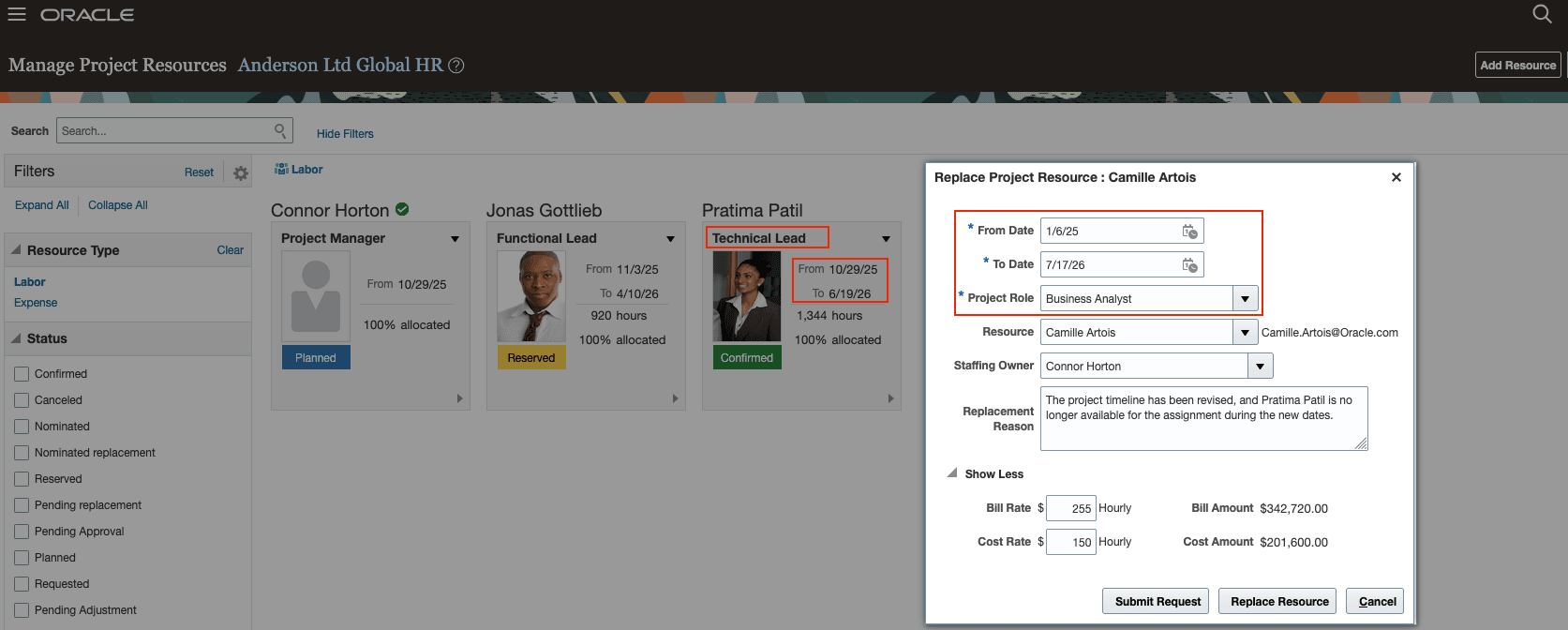
Project Manager replacing resource
- Resource managers can also use the "Replace Resource" action to modify dates and roles as part of the replacement.
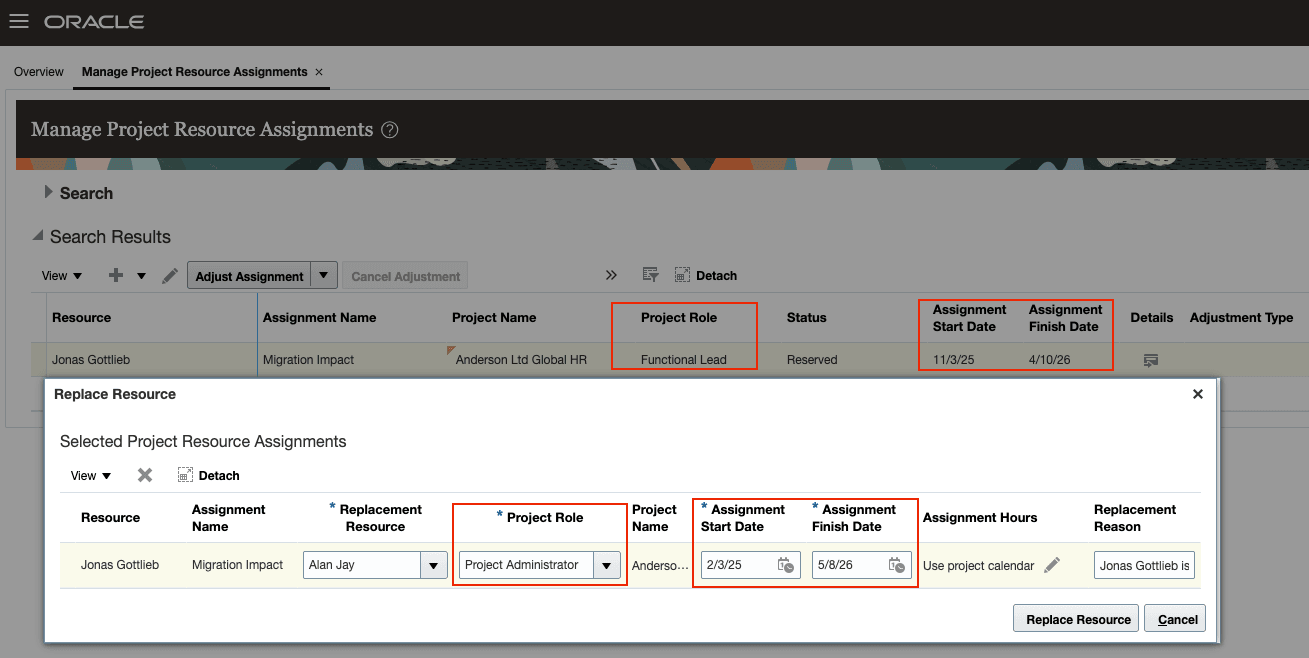
Resource Manager replacing resource
These are the business benefits:
- Project managers can efficiently realign project assignments to respond to resource changes without disruption.
- Resource managers can optimize schedules and role-based-allocation, promoting better project tracking and resource efficiency.
Steps to Enable and Configure
Use the Opt In UI to enable this feature. For instructions, refer to the Optional Uptake of New Features section of this document.
Offering: Project Execution Management No Longer Optional From: Update 26D
Tips And Considerations
Opt-in to this feature from the Project Resource Management functional area under the Project Execution Management offering.
Key Resources
Based on Idea 727266 from the Project Management Idea Labs on Oracle Cloud Customer Connect.
Access Requirements
No new access requirements.