Joint Venture Invoice Netting
Generate either Payables or Receivables invoices for partners based on the net amount of their outstanding joint venture costs, revenue, reversals, and partner contributions.
Business Benefits include:
- Streamlined compliance with joint operating agreements by consolidating Payables and Receivables into a single netted document for each stakeholder.
- Reduced invoice volume and processing time, along with additional options to bill stakeholders and process settlements according to the terms of the agreement.
Here's the demo of these capabilities:
Steps to enable and configure
To configure invoice netting for a joint venture:
- Open the joint venture definition and access the Billing and Reporting Information page.
- Enable the Invoice Netting option and configure the following parameters:
- Include in Netting: Select whether to include or exclude cost reversals and revenue reversals (both are excluded by default) in the netting calculation. This option enables you to offset adjusted transactions, eliminating the need to create credit memos and debit memos.
- Netted Invoice Preference: Select whether to generate a Receivables or Payables invoice based on whether the net balance is a debit or credit (default) or always generate a Receivables invoice regardless of the net balance.
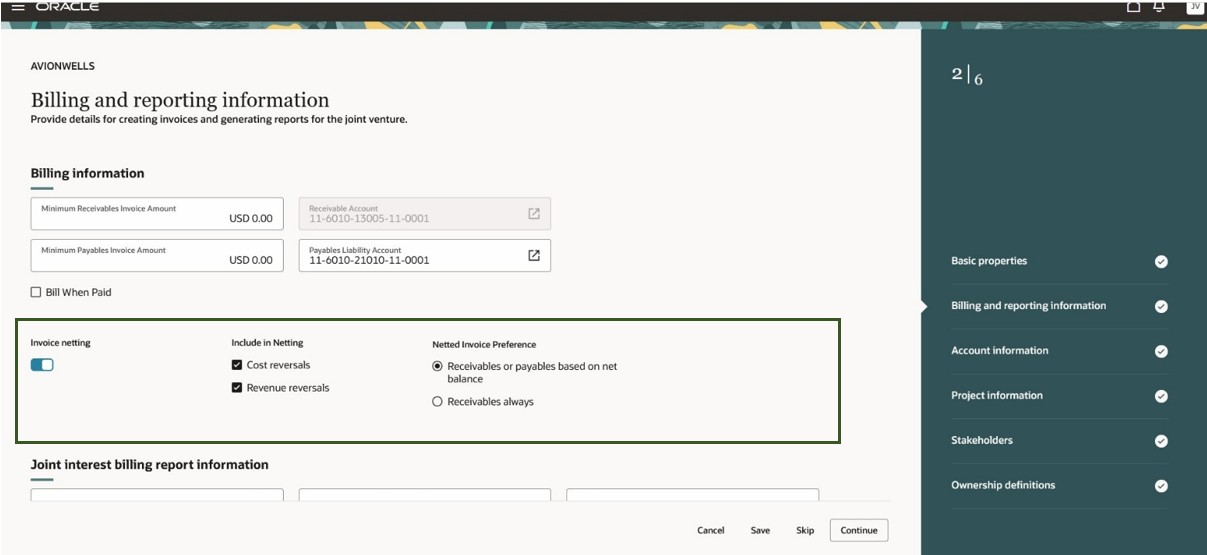
Joint Venture Setup for Invoice Netting
To modify the invoice netting setup for a specific stakeholder:
- Access the Stakeholders page within the joint venture definition and select the stakeholder you want to modify.
- Enable the Override Invoice Netting option to specify a different netting configuration for this stakeholder.
- Enable the Invoice Netting option and adjust the reversal netting settings and preferences as needed.
Note: If invoice netting is enabled at the joint venture level but you want to exclude this stakeholder from netting, deselect the Invoice Netting option.
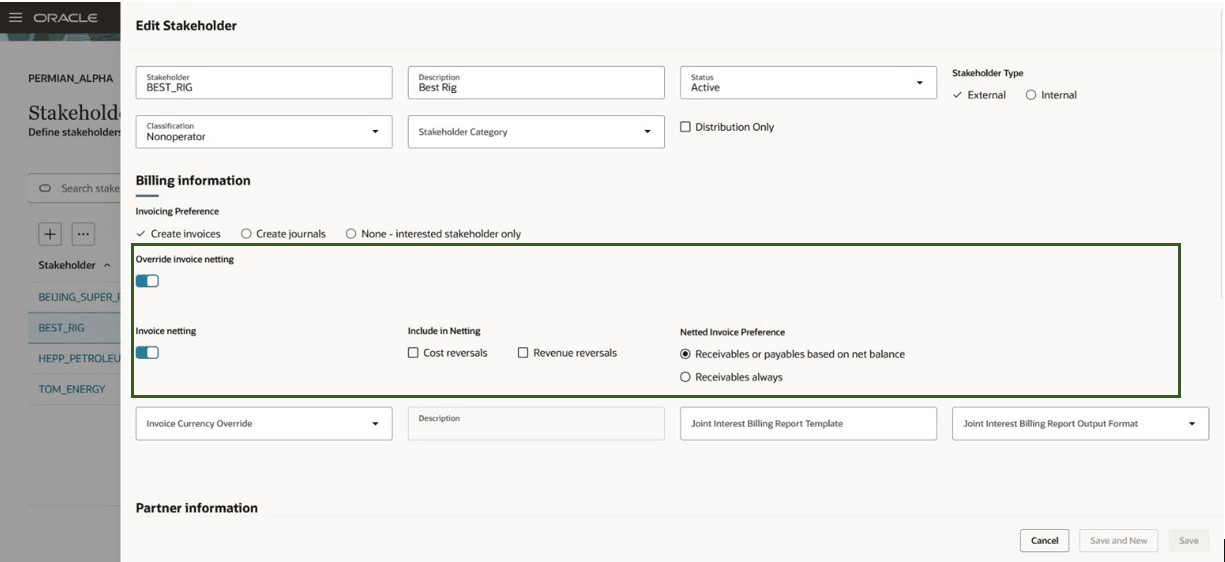
Stakeholder Level Invoice Netting Override
Tips and considerations
Run the process "ESS job to create index definition and perform the initial ingest to OSCS" to recreate the index definition and perform data ingest to Oracle Search Extension Framework database for the following index:
- fa-fin-jv-distributions
Key resources
For more information, refer to:
- Implementing Joint Venture Management guide and
- Using Joint Venture Management guide.
- Watch the video for Joint Venture Invoice Netting
Access requirements
The privilege required for creating invoices is Create Joint Venture Accounts Receivable Invoices and Manage Joint Venture Definition, which is included as part of the Joint Venture Accountant role.