 Project Costing Adjustments for Burdened Transactions
Generate cost adjustments for project-related transactions by categorizing them as raw, burden, or burdened costs.
Business Benefit:
Project accountants can accurately report on raw costs and burdened costs for their projects.
Here's the demo of these capabilities:
Steps to enable and configure
To properly process cost adjustments for burdening-related transactions, complete the following configurations in Oracle Project Management and Oracle Joint Venture Management. This setup enables project accountants to accurately track cost adjustments for burdening amounts in Project Costing, helping ensure both accurate budgeting and asset capitalization.
Perform these steps to configure the JV Partner Reimbursements document in Oracle Project Management for the Oracle Fusion Joint Venture Management transaction source.
- In Setup and Maintenance, select Project Costing Base under the Project Financial Management offering.
- In the Project Costing Base task area, click Show – All Tasks and then select the Manage Project Transaction Sources task.
- Access the Oracle Fusion Joint Venture Management transaction source.
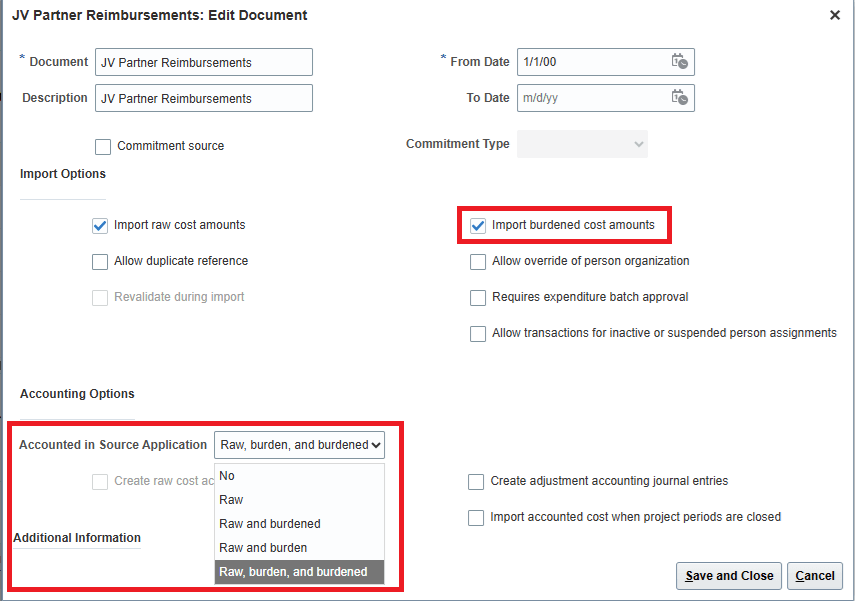
- In the Documents area, select the JV Partner Reimbursements document, click Edit, and select these options:
- Import Options. Select Import burdened cost amounts
Note: Enabling this option for this transaction source document enables the functionality in all joint venture applications and associated processes that support burdening.
- Accounted in Source Application. Select the option according to the burdening setup for the project type in Project Costing:
- Raw and burdened
- Raw and burden
- Raw, burden, and burdened
- In the Document Entries area, click Create and add a document entry for burdening. For the Expenditure Type Class, make sure to select “Burden Transaction.”
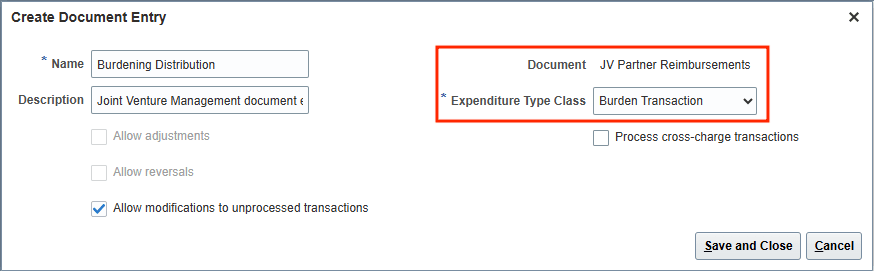
- Select Save and Close.
Perform these steps to specify a project override for cost adjustments for burdening-related transactions. This enables project accountants to accurately track cost adjustments for burdening amounts in Project Costing.
- In Setup and Maintenance, select Joint Venture Management under the Financials offering.
- Select the Manage Joint Venture System Options task.
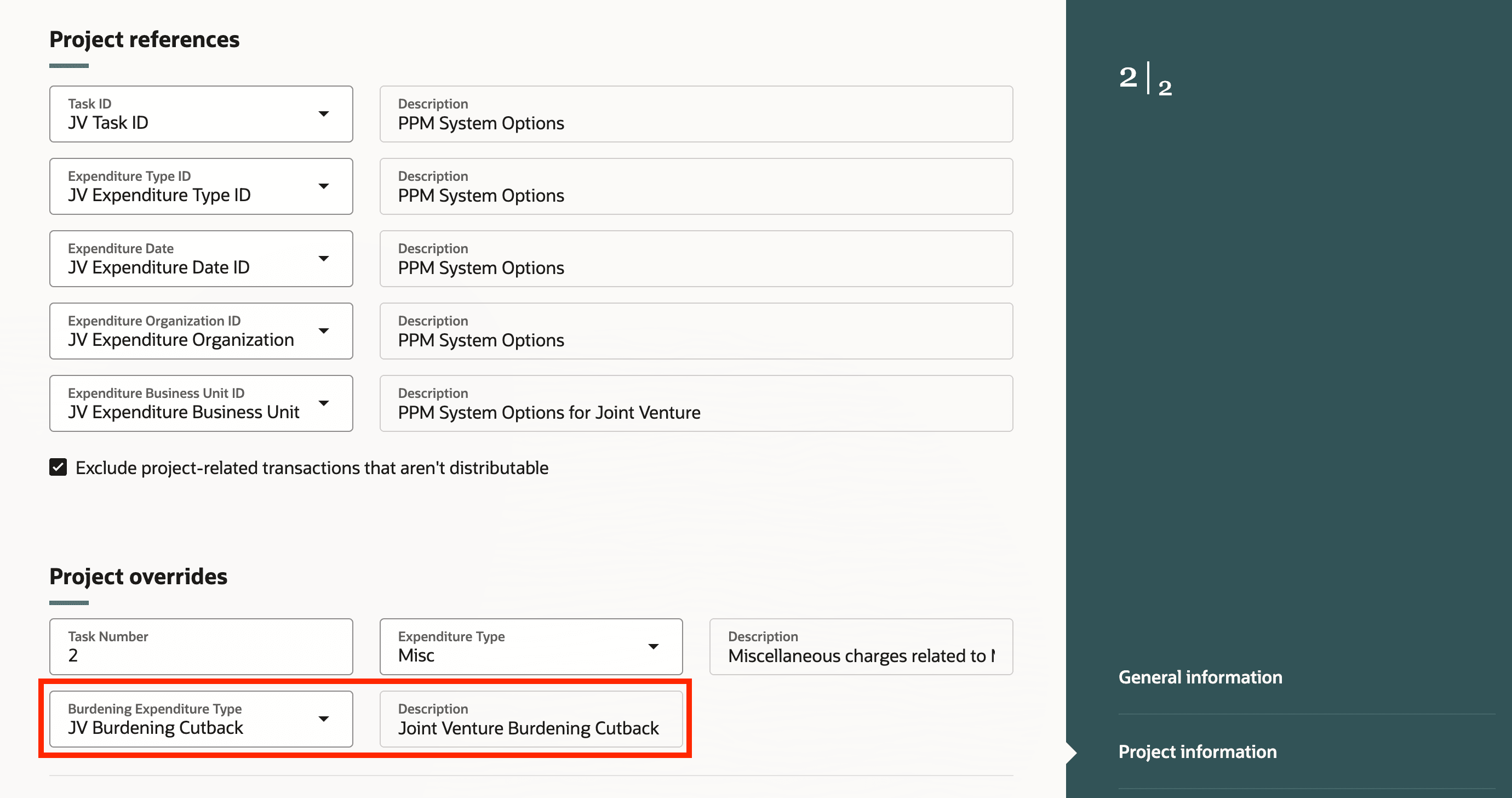
- On Joint Venture System Options, select Start and then select “Project information” on the right.
- In the Project Overrides section, select a project override for burdening in the Burdening Expenditure Type field.
Tips and considerations
Identification of burdening transactions for Joint Venture management should include the following accounting classes for accurate partner billing and asset capitalization.
- BURDENED_COST
- BURDENED_COST_CLEARING
- BURDEN_COST
Key resources
- Based on Idea 819036 from the Joint Venture Management Idea Lab on Oracle Cloud Customer Connect.
- For more information, refer to:
- Implementing Joint Venture Management guide and
- Using Joint Venture Management guide.
- Demo:
- Watch the Release Readiness Training for Project Costing Adjustments for Burdened Transactions.
Access requirements
The privilege required for access is Manage Joint Venture System Setup, which is included as part of the Joint Venture Application Administrator role.
The privilege required for running the Create Joint Venture Distributions process is Create Project Costing Entries, which is included as part of the Joint Venture Accountant role.