Turnkey Indirect Tax Automation with Thomson Reuters
Activate Thomson Reuters as a tax partner directly from Oracle Tax. The embedded and preconfigured native integration with Thomson Reuters enables indirect tax calculation, signature-ready returns, and compliance reporting, offering a seamless and efficient setup process for global tax requirements. This provides global organizations with reliable, comprehensive, and up-to-date indirect tax compliance as part of ERP operations.
Use the Manage Indirect Tax Automation with Thomson Reuters page to initiate the Thomson Reuters tax activation for specific business units and applications by country.
The page has three tabs:
- Activation
This tab displays all eligible countries supported by Thomson Reuters for which business units and legal entities are configured. You have the flexibility to select multiple countries, business units, and functional scope for activation within each country.
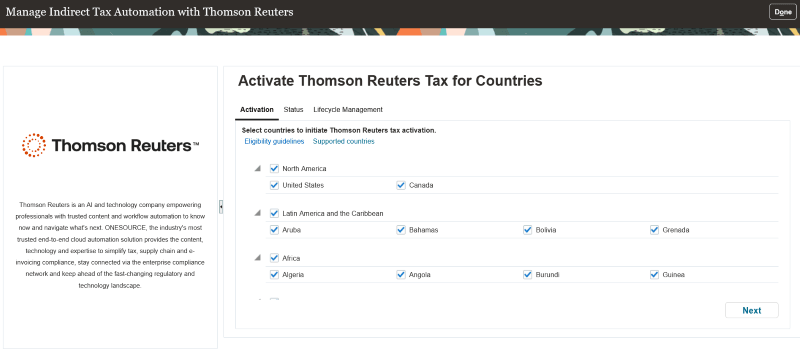
Activation tab
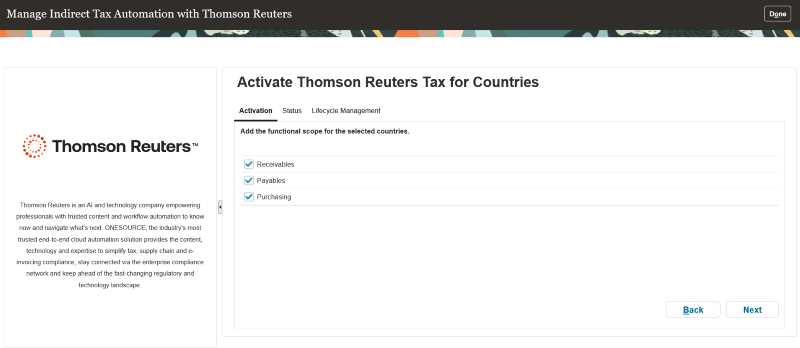
Functional scope
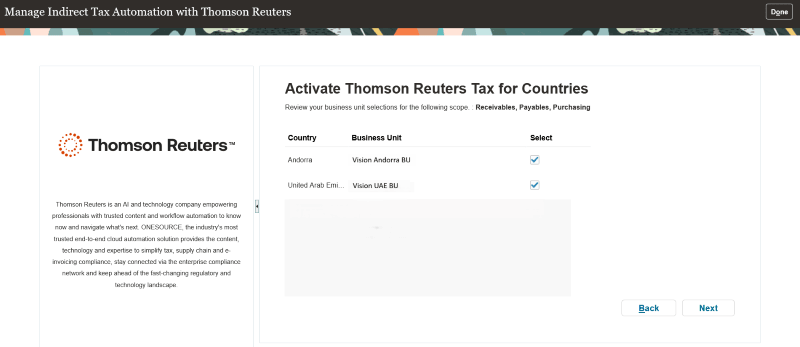
Select business units
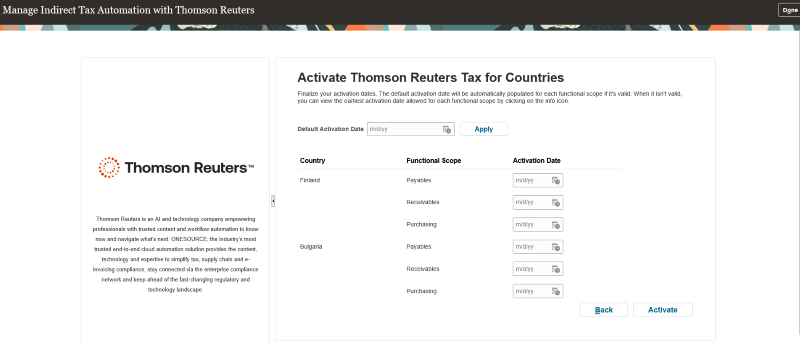
Finalize activation dates
- Status
This tab displays the enablement status for indirect tax activation by country. You have the option to select a country to view its status.
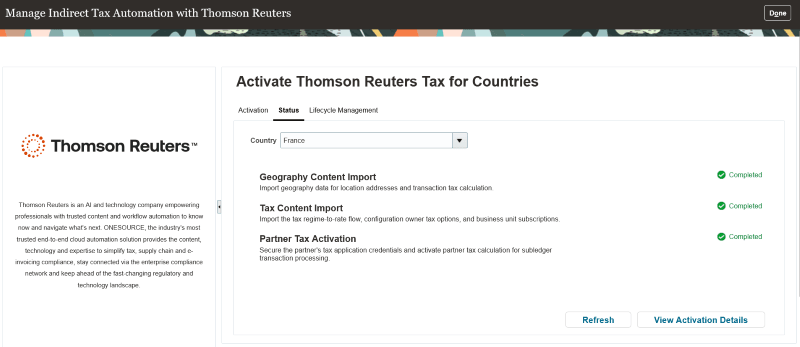
Status tab
- Lifecycle Management
This tab displays the activation details for a country. Additionally, you can add new business units and functions to an existing country activation.
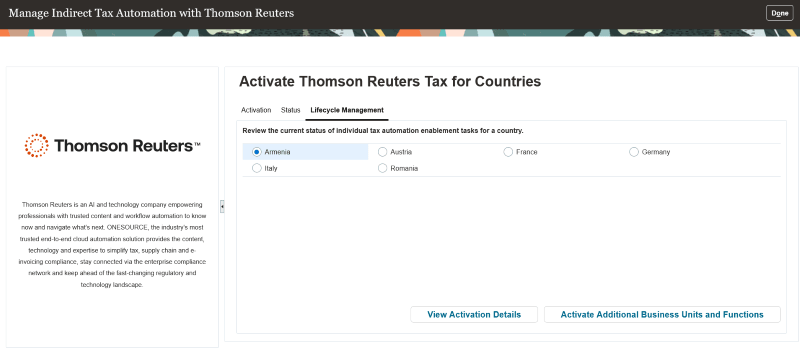
Lifecycle management tab
Global enterprises can meet indirect tax compliance needs within their ERP environment through a seamlessly integrated Oracle and Thomson Reuters solution that enables real-time tax calculation.
Business benefits include:
- Streamlines Thomson Reuters tax activation by allowing users to activate the Tax Partner within a country for selected business units and defined functional scope (applications).
- Supports ongoing expansion by enabling additional business units and new business flows after initial country activation.
Steps to enable and configure
You must complete some prerequisite setups before you can initiate the enablement from the Manage Indirect Tax Automation with Thomson Reuters page.
- Complete the registration process with Thomson Reuters and get the login details.
- You need to create a new Oracle user account and assign the Tax Administrator role to the user to access the Manage Indirect Tax Automation with Thomson Reuters page.
- You need to create a Tax Service User Account.
- Create a custom role for the Tax Service User Account as outlined below:
Custom Role Configuration
| Role Name | User-defined value e.g. Custom Role for Tax Service Account |
|---|---|
| Suggested Role Code Name | User-defined value e.g. ZX_TAX_SERVICE_ACCOUNT |
| Role Category | Financials - Job Roles |
| Role Description | User-defined value e.g. "Enable privileges and roles necessary for tax enablement." |
Add the below to this role. These are the basic set of privileges/roles needed for onboarding.
Under Function Security Policy
- Create Tax (ZX_CREATE_TAX_PRIV)
Click Next till you reach the Role Hierarchy node.
Under Roles and Privileges
- FSCM Load Interface Administration Role (ORA_FUN_FSCM_LOAD_INTERFACE_ADMIN_DUTY)
- BI Administrator Role (BIAdministrator)
- Geography Administrator (ORA_GEO_ADMIN_DUTY)
Click Next till you reach the Users page. Add the tax service user. Save and Close.

Custom role for tax service account: Users
- From the security console, if you review the user account, you will see the user is assigned with custom role for Tax Service Account.
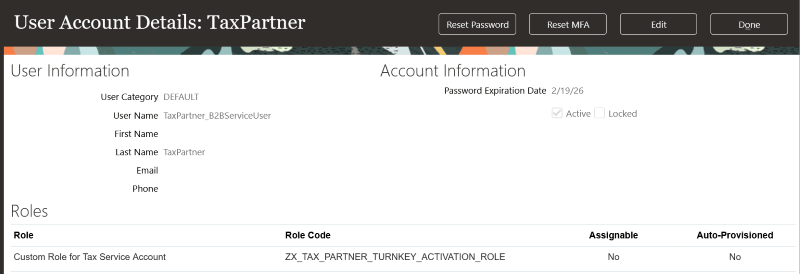
User account details
- Run the Retrieve Latest LDAP Changes process followed by the Send Personal Data for Multiple Users to LDAP process.
You can use this user for turnkey tax activation.
Access requirements
You need to have a job role assigned that has the privilege Manage Tax Partner Configuration (ZX_MANAGE_PARTNER_CONFIGURATIONS_PRIV) to access the Manage Indirect Tax Automation with Thomson Reuters page.