Subsidies, Origination, and Interim Rent Payments in Equipment Revenue Leases
Create and bill one-time payments for subsidy, origination charges, and interim rent at lease inception, associating each payment with specific assets. Automatically generate revenue recognition schedules and accounting entries for these payments.
To create leases with payments for interim rent, subsidies, and origination charges:
- Create an equipment revenue lease and add assets.
- Create rent payments by selecting Payment Category as Rent and Payment Phase as Base Term.
- Select a payment template and associate each payment to an asset.
- The payment and transaction tax details default from the payment template and may be updated as needed.
- Update the payment details such as payment amounts, frequency, and number of payments.
- Create one-time payments for interim rent payment by selecting Payment Category as Rent and Payment Phase as Interim.
- Select a payment template and associate each payment to an asset.
- The payment and transaction tax details default from the payment template and may be updated as needed.
- Update the payment amount.
- Create one-time payments for subsidy by selecting Payment Category as Subsidy.
- Select a payment template and associate each payment to an asset.
- The payment and transaction tax details, accrual type, and accounting distributions default from the payment template and may be updated as needed.
- Update the payment amount.
- Create one-time payments for origination charges by selecting Payment Category as Origination.
- Select a payment template and associate each payment to an asset.
- The payment and transaction tax details, accrual type, and accounting distributions default from the payment template and may be updated as needed.
- Update the payment amount.
- Validate the lease and generate schedules.
- Review the payment and income amortization schedules for rent, interim rent, subsidies, and origination charges before activating the lease:
- For operating leases, the total revenue from rent and interim rent is evenly spread over the revenue recognition term as rental accrual.
- Income amortization schedules are generated for subsidies and origination charges when the Accrual Type is Upfront or Amortized.
- Approve and activate the lease.
The following screenshots describe creating payments and viewing schedules for rent, interim rent, subsidies, and origination charges:
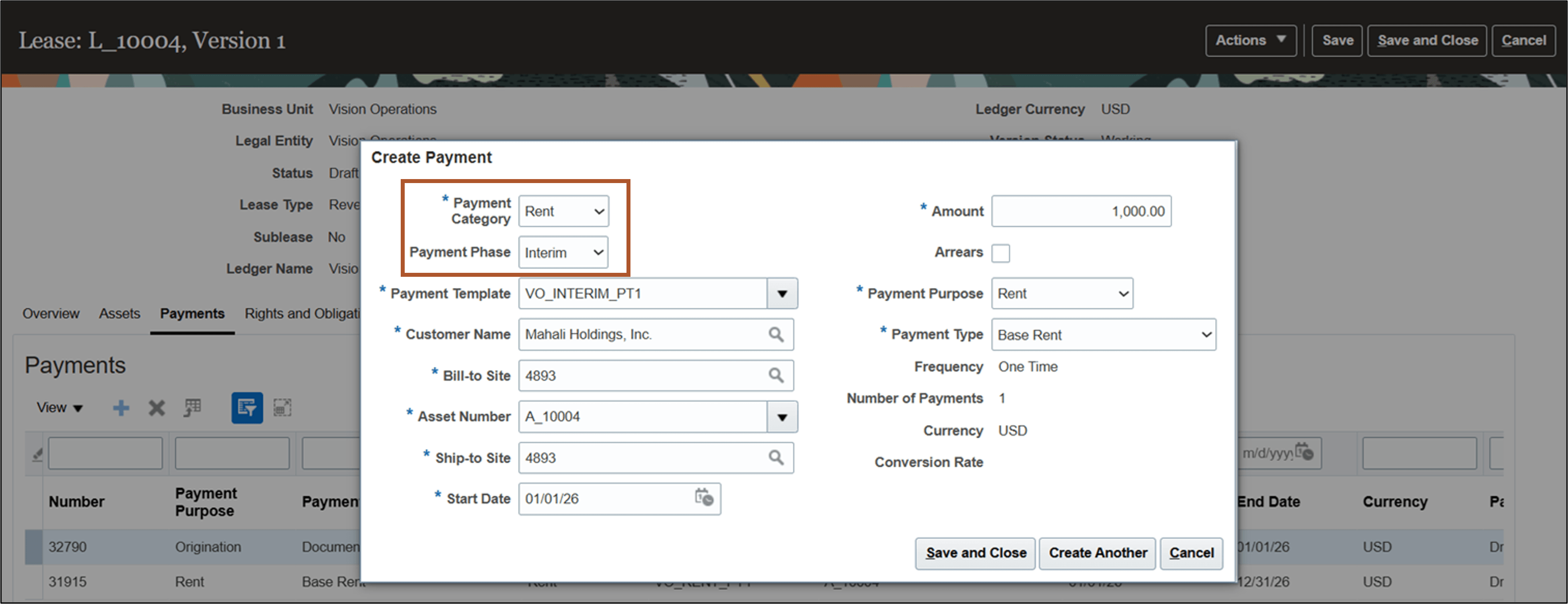
Create Payment page - Interim Rent
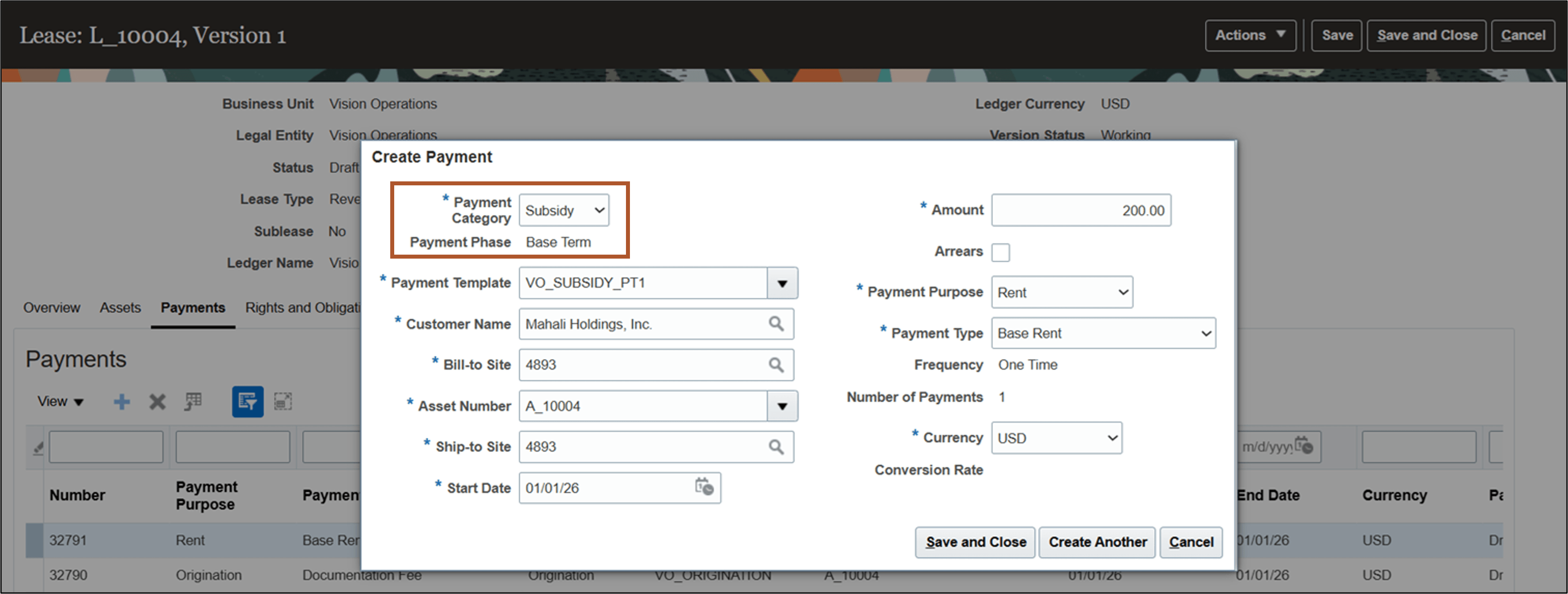
Create Payment page - Subsidy
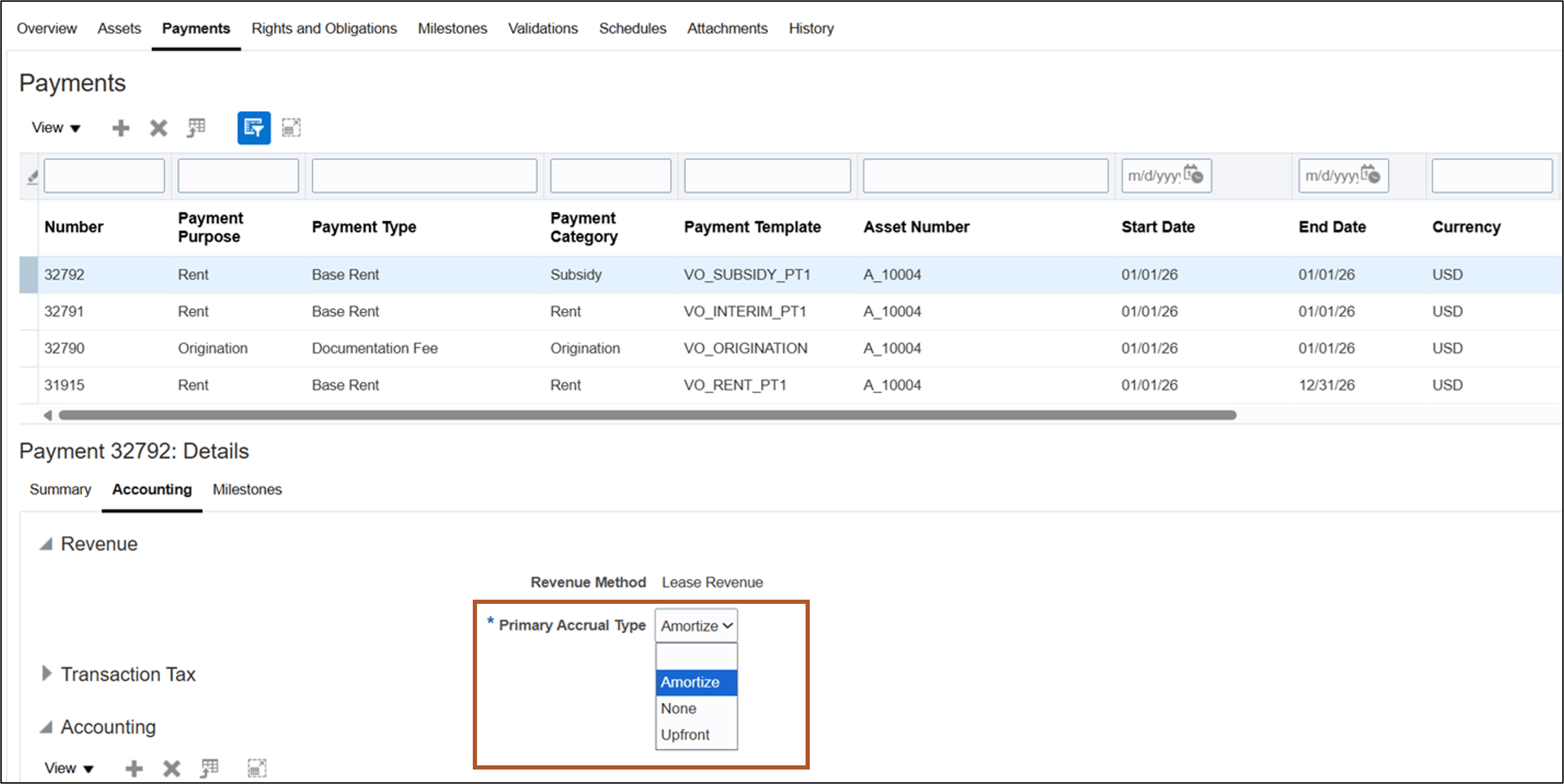
Payment Details Accounting tab - Subsidy
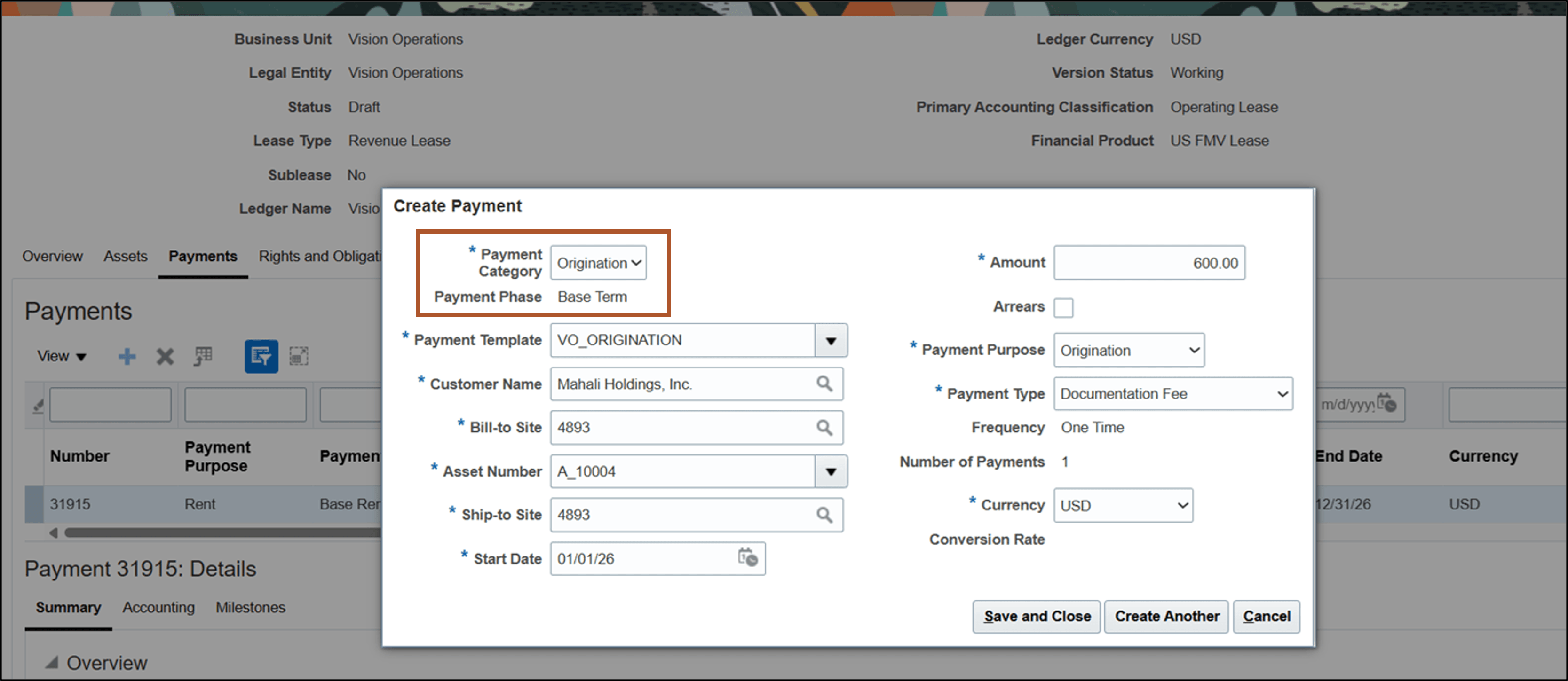
Create Payment page - Origination
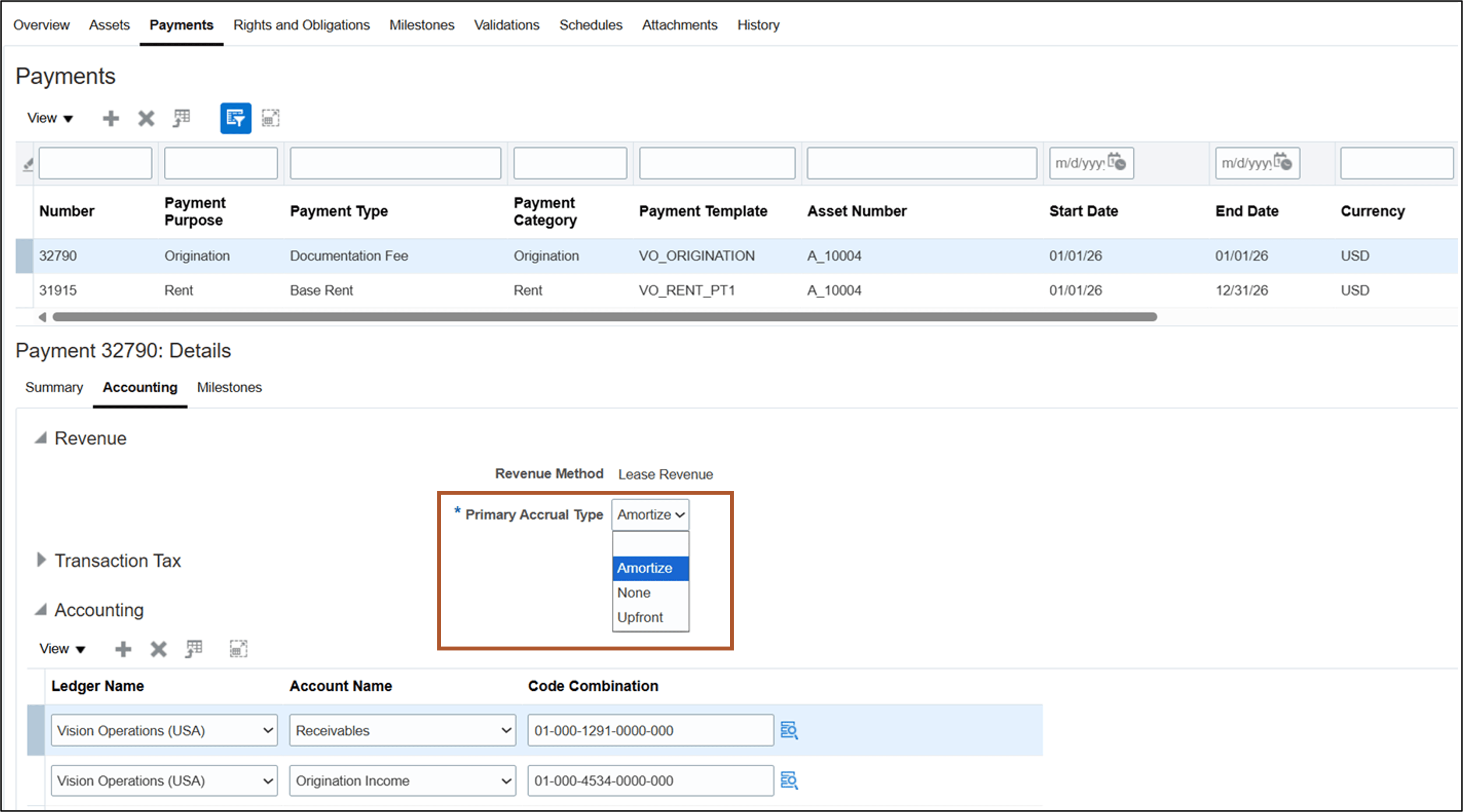
Payment Details Accounting tab - Origination
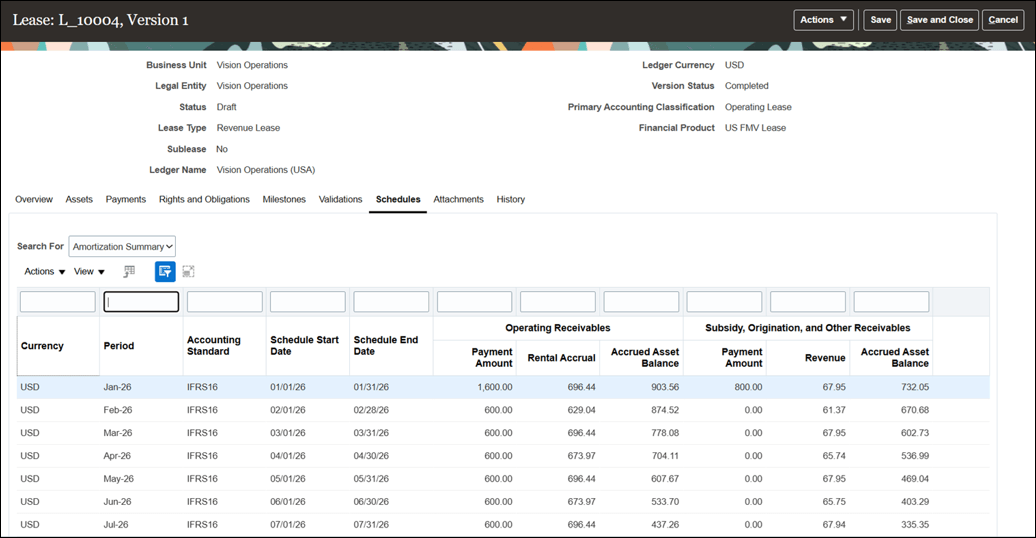
Schedules - Amortization Summary
Business benefits include:
- Improves billing accuracy and efficiency by automating early-stage lease payment processes.
- Ensures timely revenue recognition and compliance with accounting standards for subsidy, and origination payments.
Steps to enable and configure
Use the Opt In UI to enable this feature. For instructions, refer to the Optional Uptake of New Features section of this document.
Offering: Financials No Longer Optional From: Update 27A
If you plan to adopt this feature, then you must log an SR with Oracle Support to get a code.
Perform the following setups:
Create Accounting Template:
- Navigate to Search Accounting Templates under Manage Lease Accounting Configuration.
- Create Accounting Template and enter Business Unit, Accounting Template Name and Description.
- Select the primary and secondary accounting classifications and distributions for accounting the rental accrual, rent and interim rent payments for the leased asset.
- Update the accounting template status to Active.
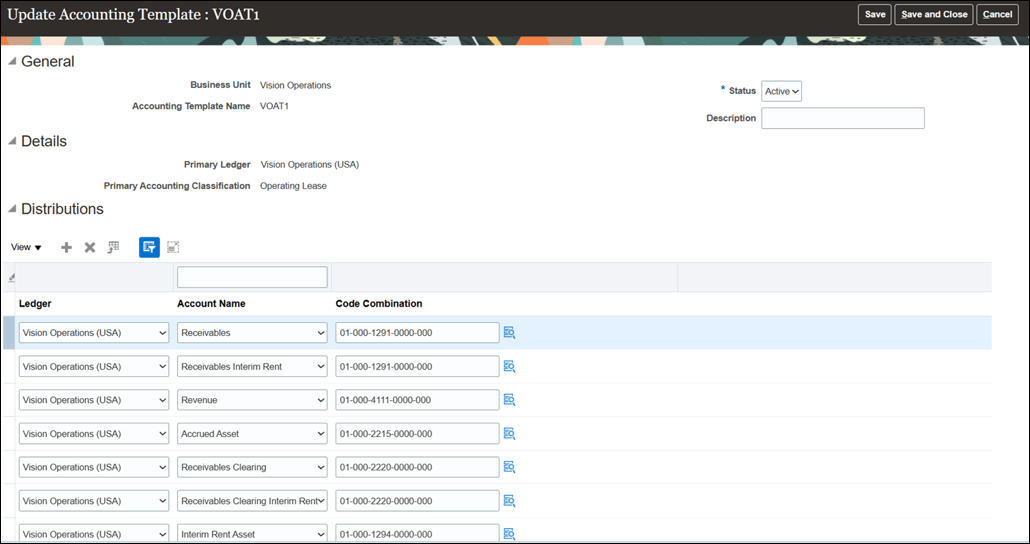
Update Accounting Template page
Create Payment Template for rent payments:
- Navigate to Search Revenue Lease Payment Templates under Manage Lease Accounting Configuration.
- Create Payment Template and enter Business Unit and Payment Template Name.
- Select the Asset Type as Equipment, Payment Category as Rent, and Payment Phase as Base Term.
- Enter payment and transaction tax details.
- Update the payment template status to Active.
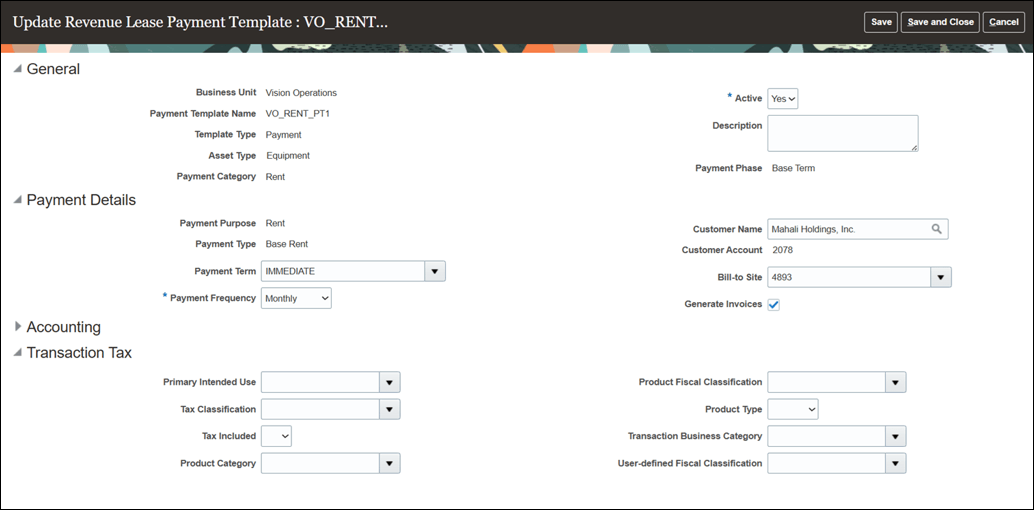
Update Revenue Lease Payment Template page - Rent
Create Payment Template for interim rent payments:
- Navigate to Search Revenue Lease Payment Templates under Manage Lease Accounting Configuration.
- Create Payment Template and enter Business Unit and Payment Template Name.
- Select the Asset Type as Equipment, Payment Category as Rent, and Payment Phase as Interim.
- Enter payment and transaction tax details.
- Update the payment template status to Active.
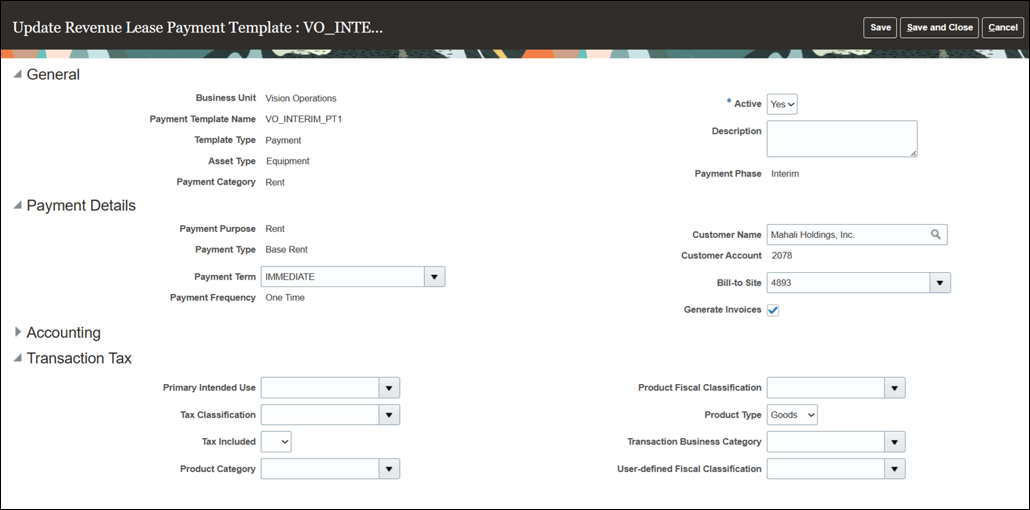
Update Revenue Lease Payment Template page - Interim Rent
Create Payment Template for subsidies:
- Navigate to Search Revenue Lease Payment Templates under Manage Lease Accounting Configuration.
- Create Payment Template and enter Business Unit and Payment Template Name.
- Select the Asset Type as Equipment and Payment Category as Subsidy.
- Enter payment and transaction tax details, and distributions for accounting the subsidy.
- Select the Accrual Type:
- Amortize – Spread the subsidy income over the asset term in proportion to the lease revenue accrual.
- Upfront – Recognize the subsidy income upfront in the first period of the asset term.
- None - Do not generate income amortization.
- Update the payment template status to Active.
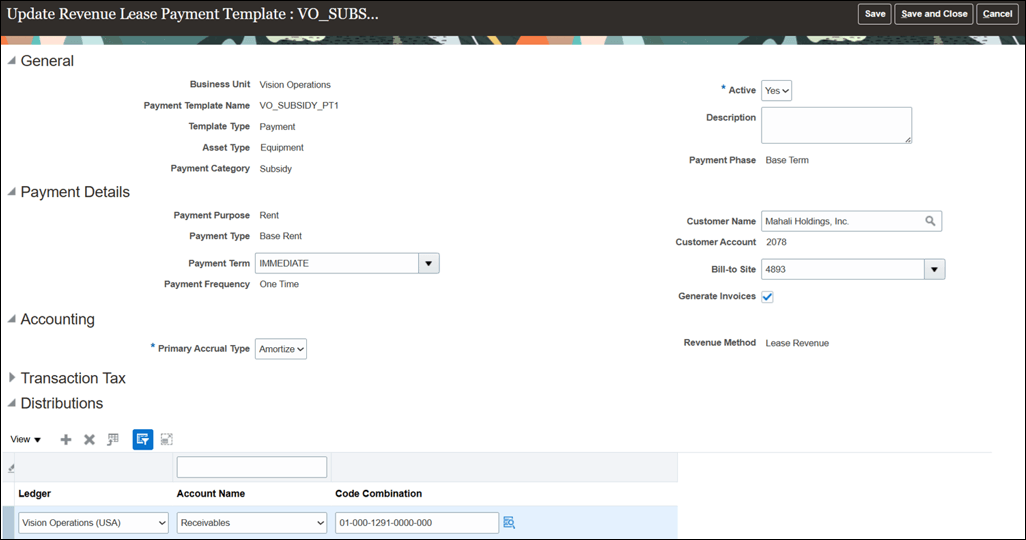
Update Revenue Lease Payment Template page - Subsidy
Create Payment Template for origination charges:
- Navigate to Search Revenue Lease Payment Templates under Manage Lease Accounting Configuration.
- Create Payment Template and enter Business Unit and Payment Template Name.
- Select the Asset Type as Equipment and Payment Category as Origination.
- Enter payment and transaction tax details, and distributions for accounting the origination charge.
- Select the Accrual Type:
- Amortize – Spread the origination income over the asset term in proportion to the lease revenue accrual.
- Upfront – Recognize the origination income upfront in the first period of the asset term.
- None - Do not generate income amortization.
- Update the payment template status to Active.
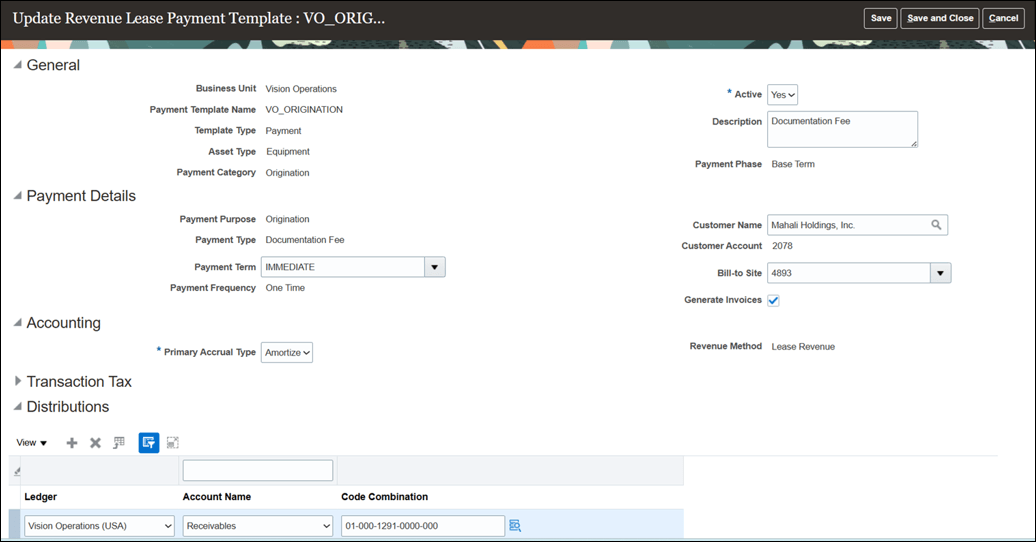
Update Revenue Lease Payment Template page - Origination
Key resources
Based on Idea 639735 from the Lease Accounting Idea Lab on Oracle Cloud Customer Connect.
Access requirements
No new access requirements.