New Dashboard for Reviewing Intra-Role Violations
This dashboard enables users to review intra-role access violations.
For the selected access algorithm(s), the Intra-Role Access Violations Dashboard includes:
- A summary section that shows count of roles with intra-role violations and number of users assigned to these roles.
- A detailed report that shows roles, entitlement names and incident paths.
- A listing of roles with intra-role violations, that can be drilled down to view incidents by algorithm.
- A listing of users with intra-role violations, that can be drilled down to view incidents by algorithm.
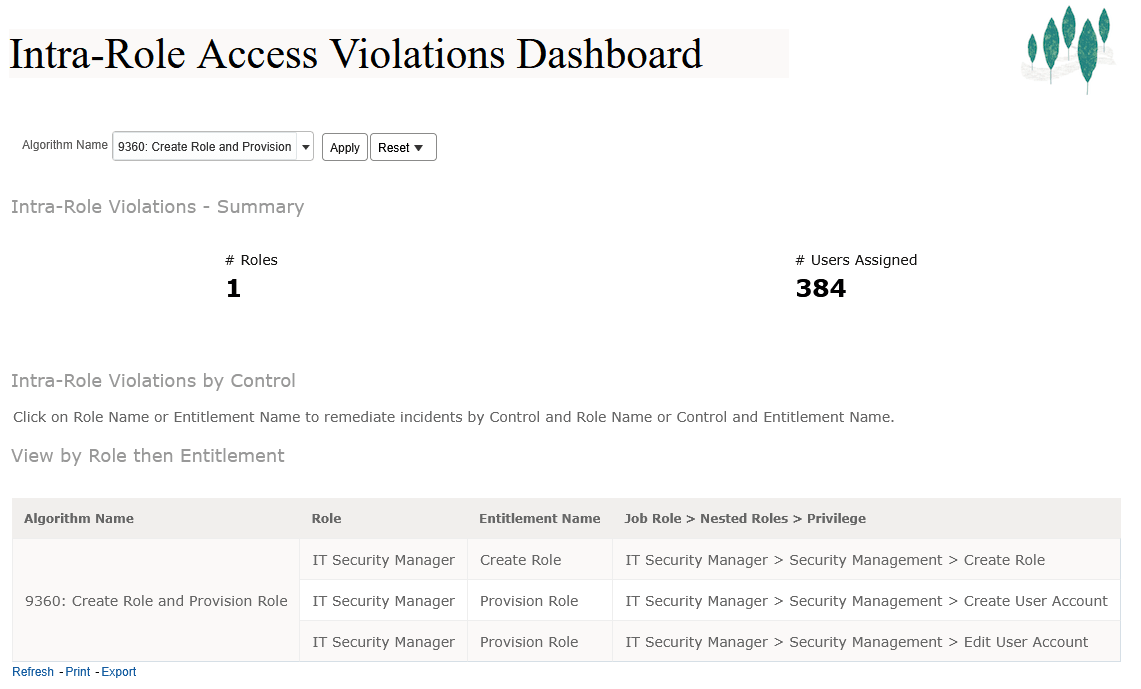
Intra-Role Access Violations Dashboard - Summary and Violations by Algorithm
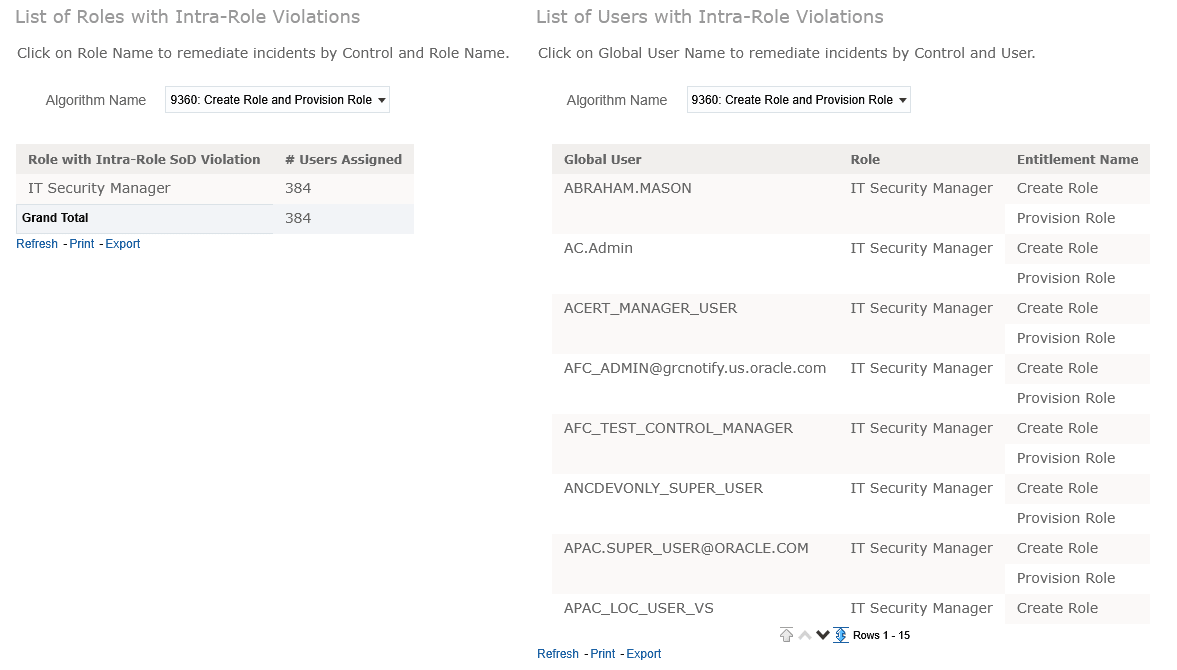
Intra-Role Access Violations Dashboard - Listing of Roles and Users
Business Benefit
This dashboard provides tools to improve oversight and identify remediation steps for high risk access incidents.
Steps to enable and configure
You don't need to do anything to enable this feature.
Tips and considerations
Access this dashboard page from the OTBI Catalog /Shared Folders/Risk Management/Dashboards.