Capture Citizenship Information Enhancements
If a job is set up to have the Citizenship block in the application flow, candidates will also see it when they use Direct Apply. If a candidate includes citizenship information in their resumes, it's now parsed and captured when they use it to apply for a job.
Additionally, recruiters can configure the ability to view and filter the candidate’s citizenship in the job application grid view, by adding a Citizenship column.
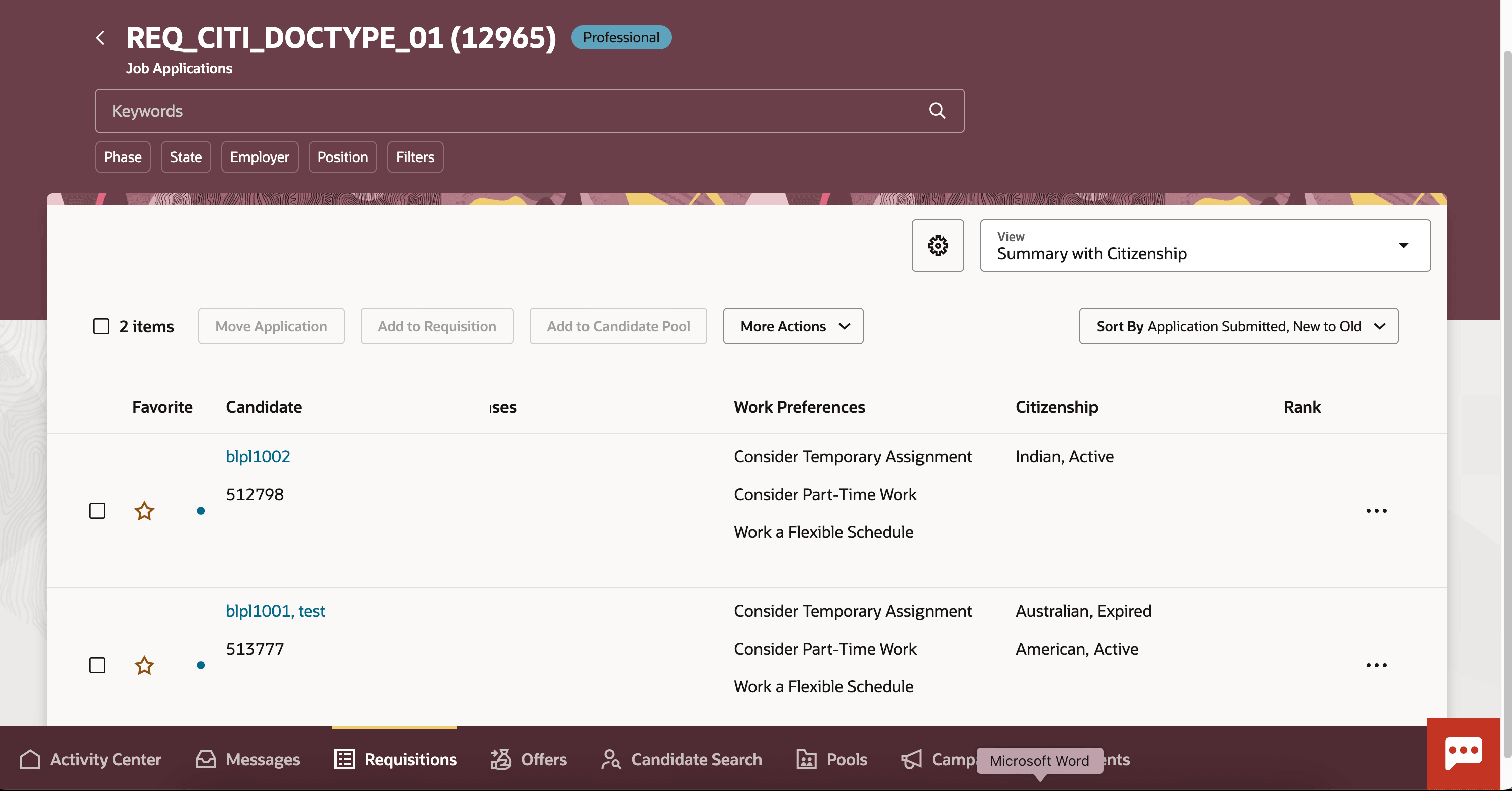
Use Grid View to View and Filter Candidate Citizenship
Citizenship is now available as a filter in the grid view drawer.
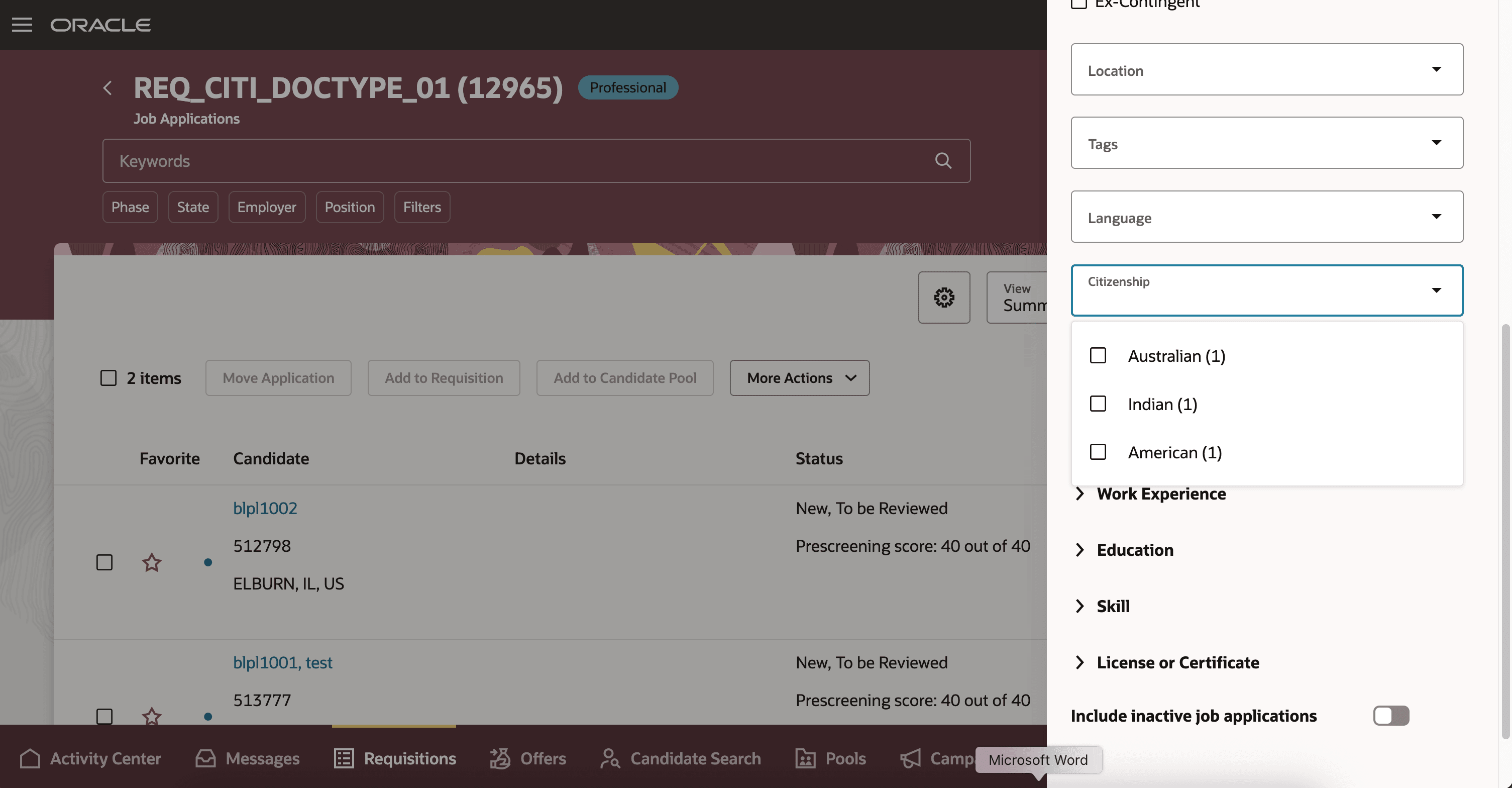
Citizenship Filter
As an administrator, you can configure the visibility of citizenship fields like From Date and To Date and indicate whether they're required using Transaction Design Studio. For details, see Steps to Enable.
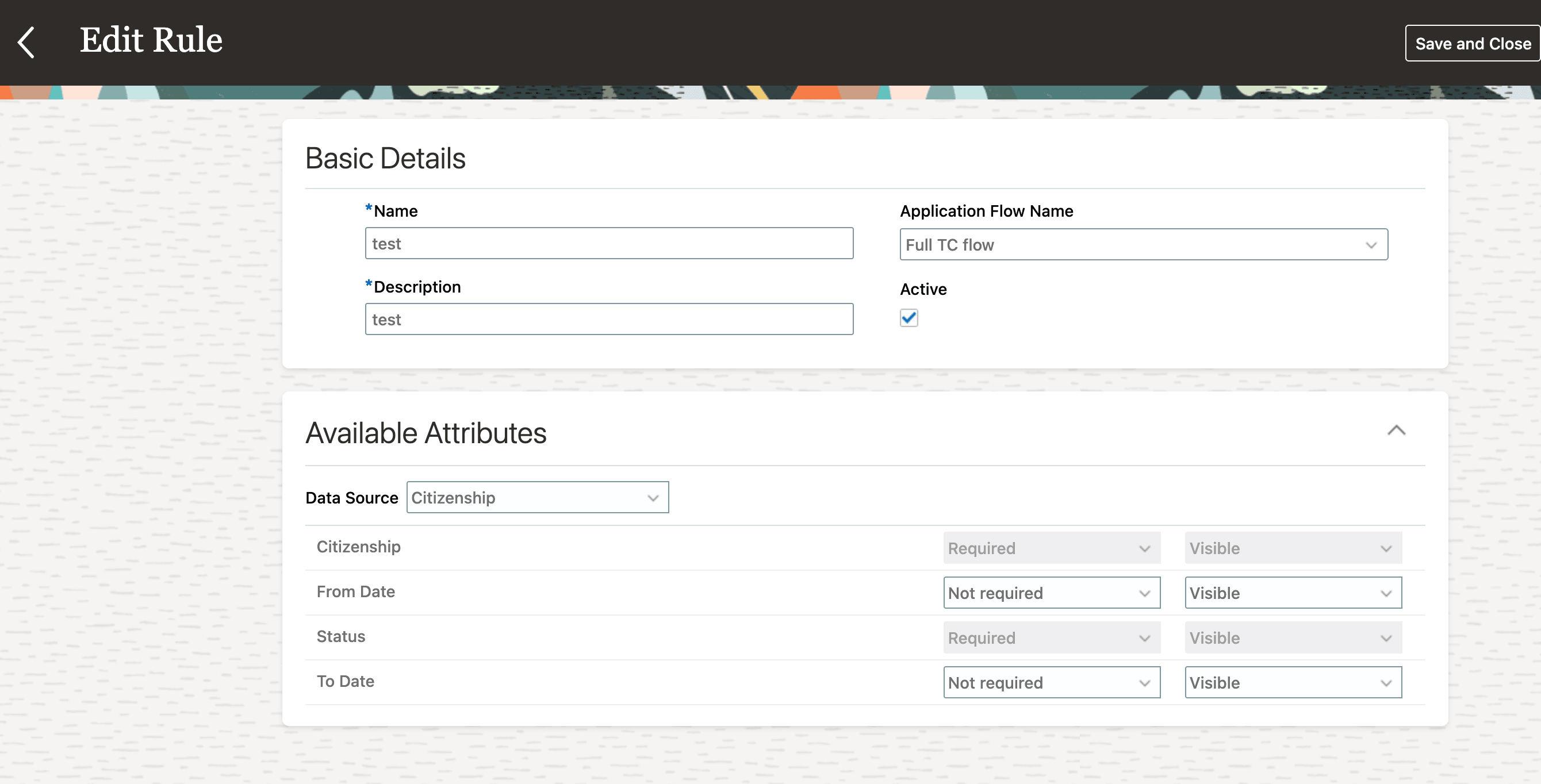
Image Showing the Edit Citizenship Rules in Transaction Design Studio
In addition, citizenship is now available in offer info, and offer rules. Citizenship can be available in the following offer pages: Create Offer Letter, Offer Letter, and Offer Approvals Rules.
Note that its not available as a standard field on these pages, but you can configure DFFs to default Citizenship.
This enhancement addresses certain job natures or local regulations that require to know candidate citizenship during the application process.
Steps to enable and configure
To configure the visibility of citizenship fields like From Date and To Date and indicate whether they're required, you create rules in Transaction Design Studio using the Define Application Flow Required Fields action, and you configure the Citizenship data source. For details, see How You Configure Recruiting Pages Using Transaction Design Studio.
Key resources
For additional information, see these topics on Oracle Help Center: