Redwood: Search for Candidates in Succession Plans
As succession plan owners, you can now use search filters to search candidates already added to the plan by their name, business title, and readiness.
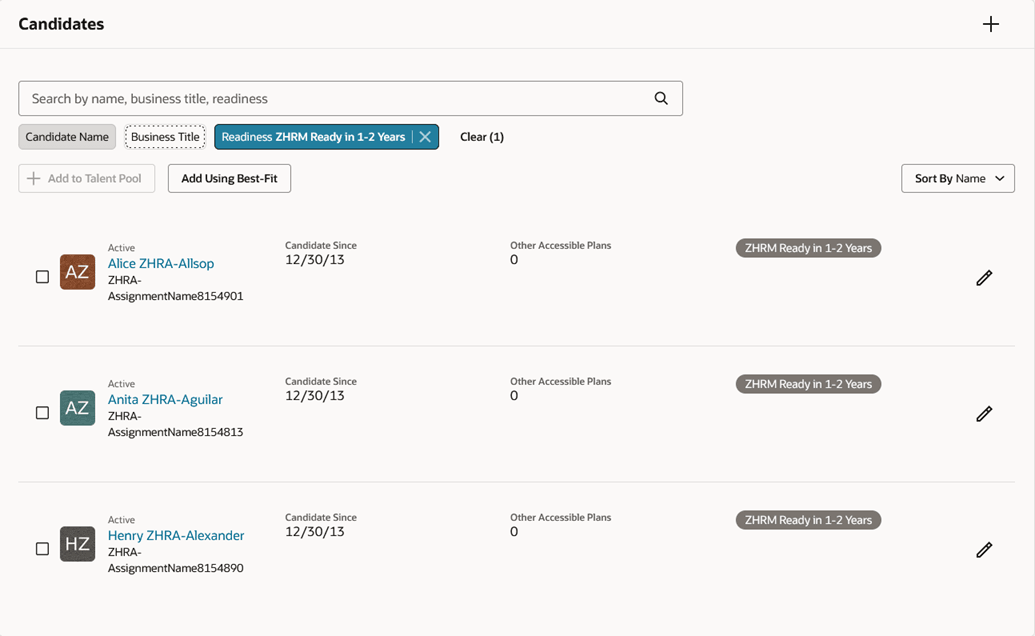
Candidate Search Filters
Business Benefit
Easily find candidates already added to a succession plan and manage your succession plans better.
Steps to enable and configure
To view the Redwood redesigned succession planning pages, you need to enable the profile options indicated in the table.
|
Profile Option Code |
Profile Option Display Name |
Value |
|---|---|---|
|
ORA_HCM_VBCS_PWA_ENABLED |
Enable VBCS Progressive Web Application User Interface |
Y |
| ORA_HRM_SUCC_PLANS_REDWOOD_ENABLED | Redwood Succession Plans Enabled | Yes |
For more information, see How do I enable a profile option?.