Translation Editor Support on Redwood Benefit Pages
Cloud Benefits now provides comprehensive multi-language capabilities to support global organizations with a diverse workforce. These features make it possible for users to interact with the application in their preferred languages, helping enhance usability and reduce errors. You can now use the Redwood Translation Editor to translate attributes directly on these pages, without switching languages or signing out from the application:
- Benefits Life Events
- Name
- Instruction Text
- Self-Assigned Event Rule Text
- Plan Type Groupings
- Self-Service Usage
- Plan Dependency Rules
- Mutually Exclusive Plan Rules
- Configure Enrollment Action Items
- Reporting Groups
- Regulations
The editor does not auto-translate. You must manually enter translated text for each language.
Here are the screenshots of the pages where you set up translated text for each language and how it reflects on the self-service or Benefits Activity Center pages:
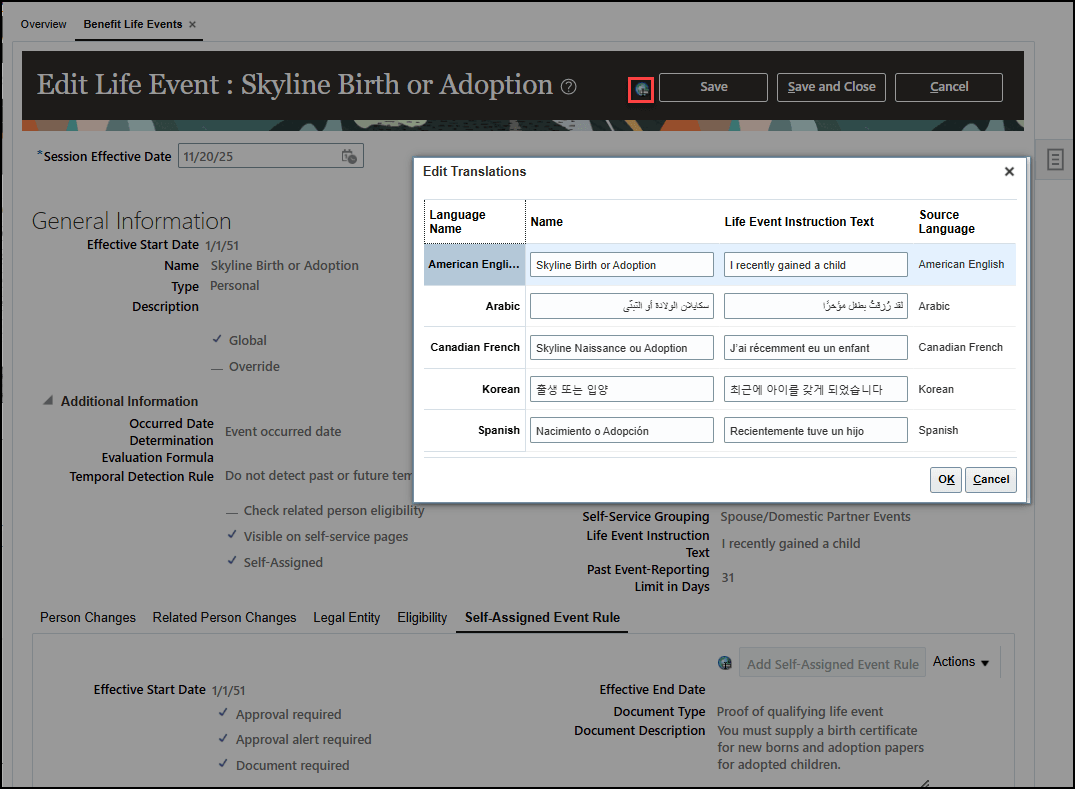
Benefit Life Events - Name and Instruction Text
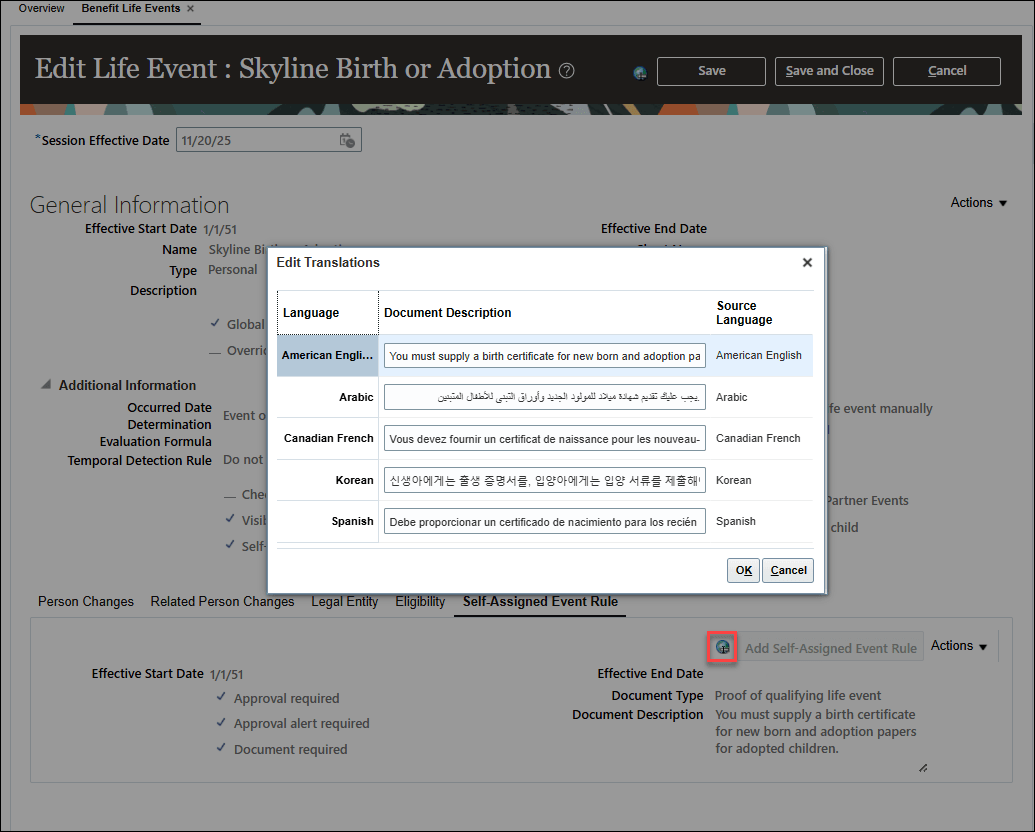
Benefits Life Event - Self-Assigned Event Rules Document Description
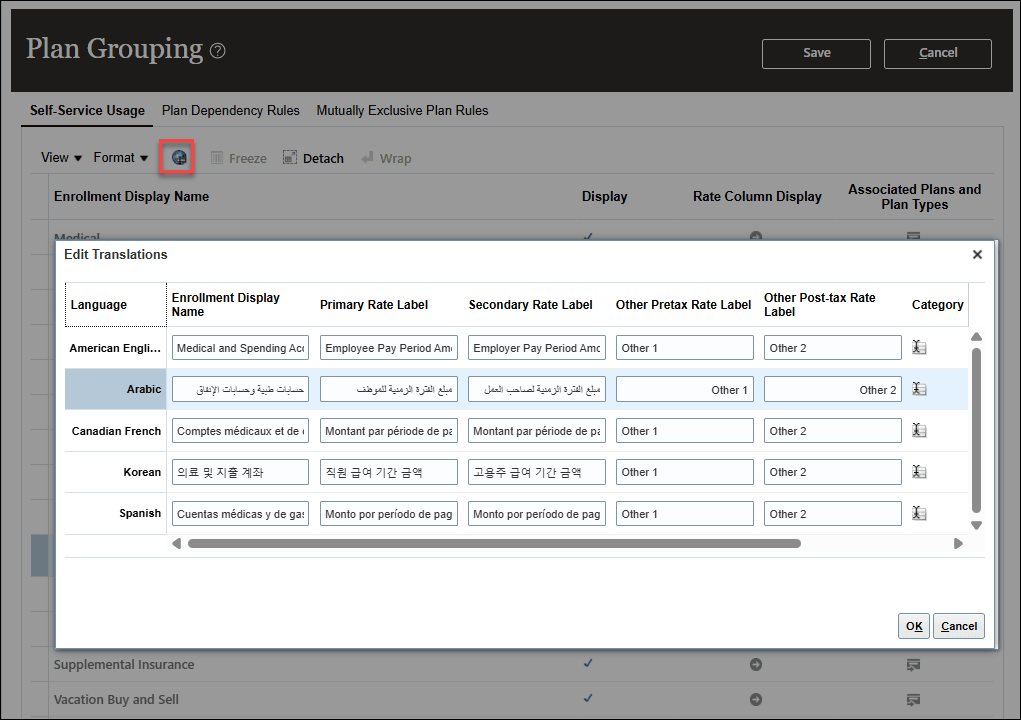
Plan Type Grouping - Self-Service Usage
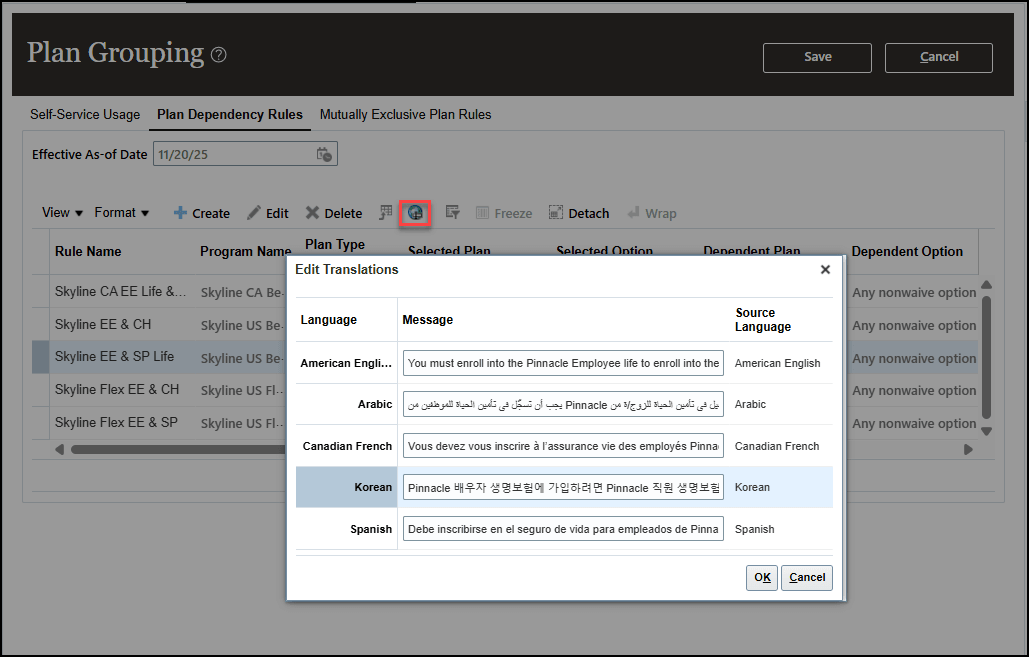
Plan Type Grouping - Plan Dependency Rules
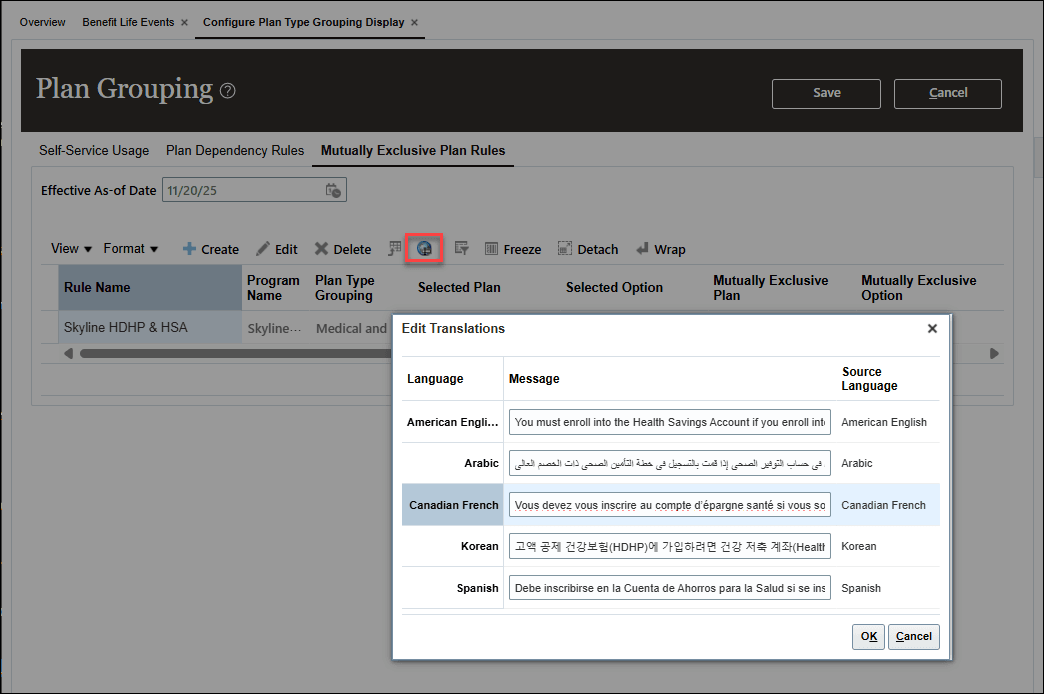
Plan Type Grouping - Mutually Exclusive Plan Rules
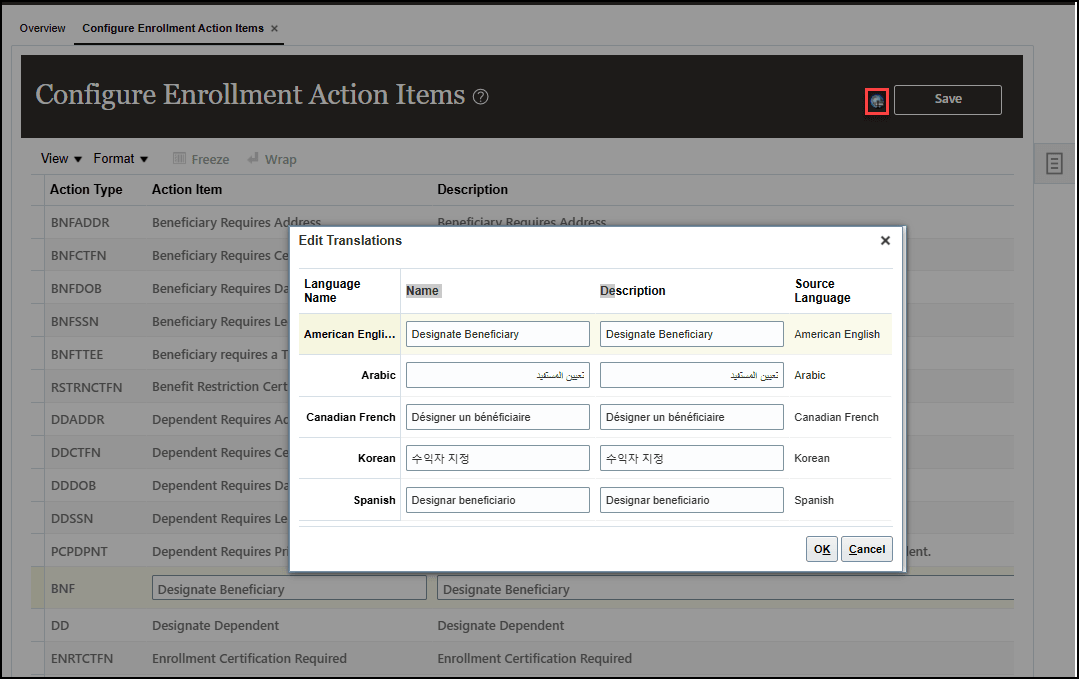
Enrollment Action Items
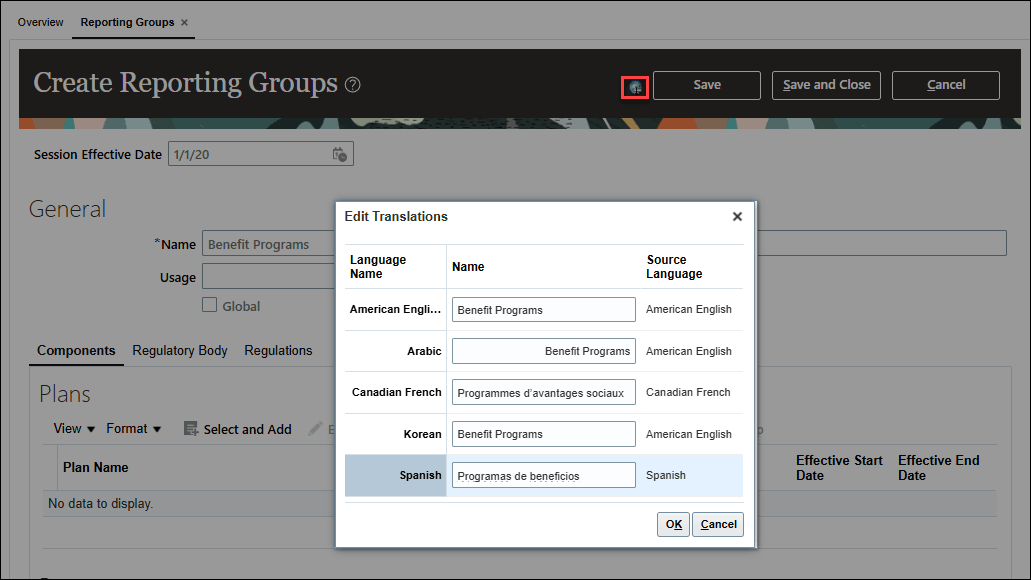
Reporting Groups
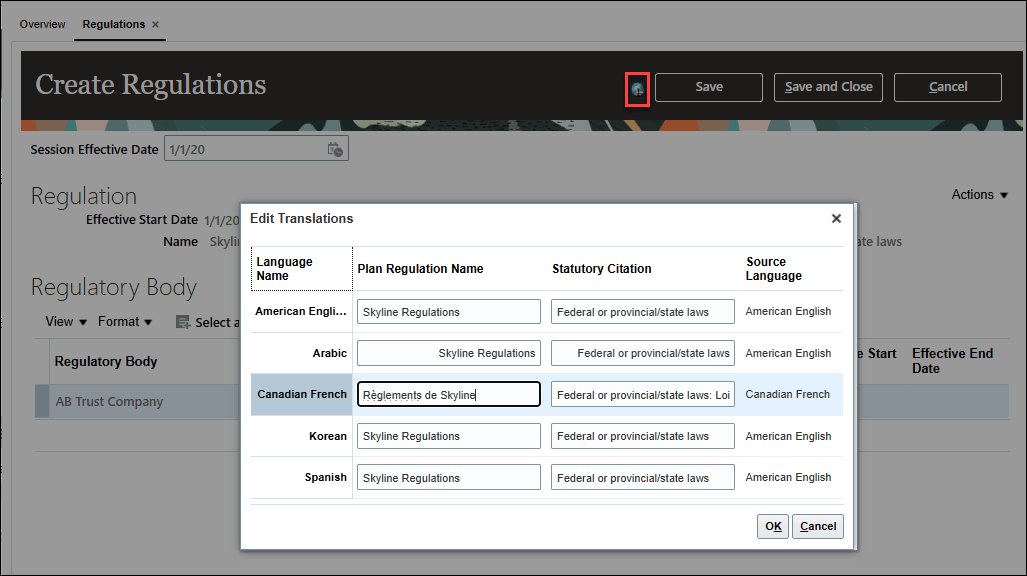
Regulations
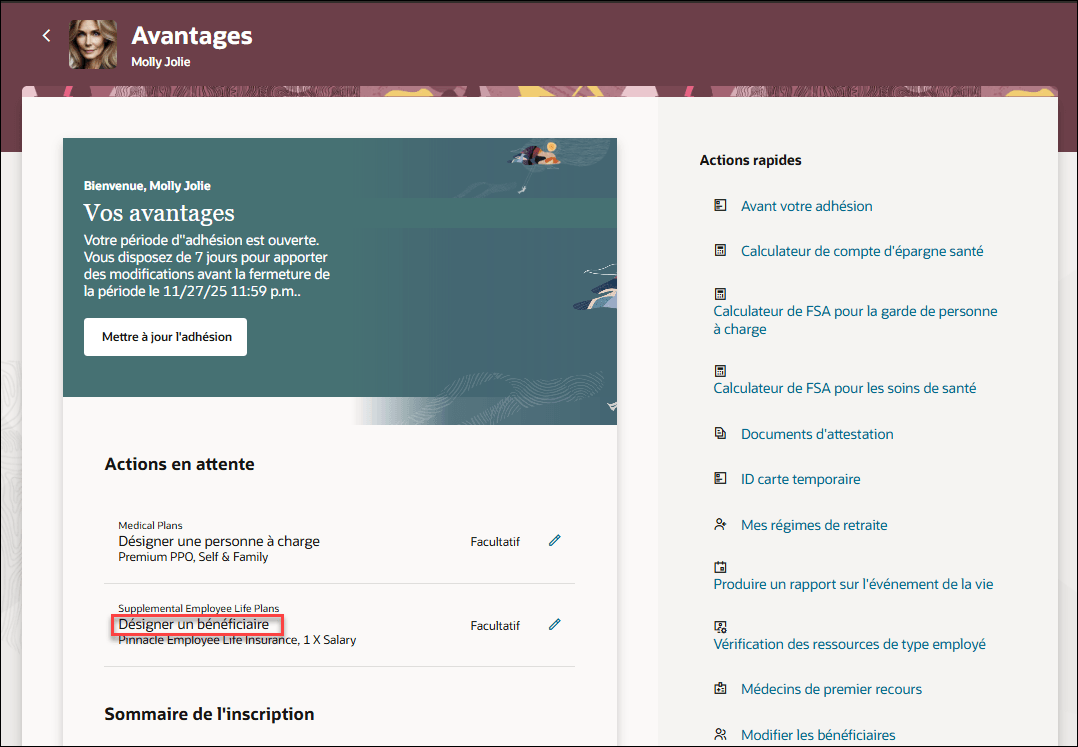
Self-Service Landing Page - Enrollment Action Items in French
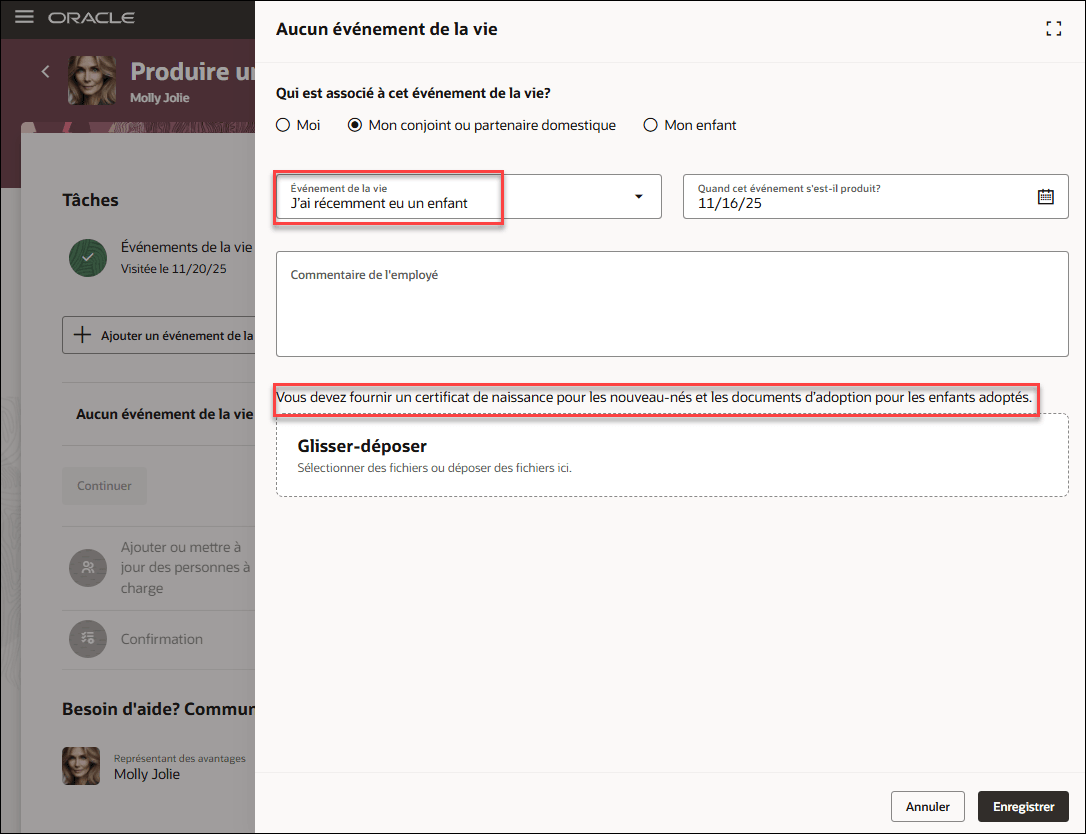
Self-Service Landing Page - Report a Life Event in French
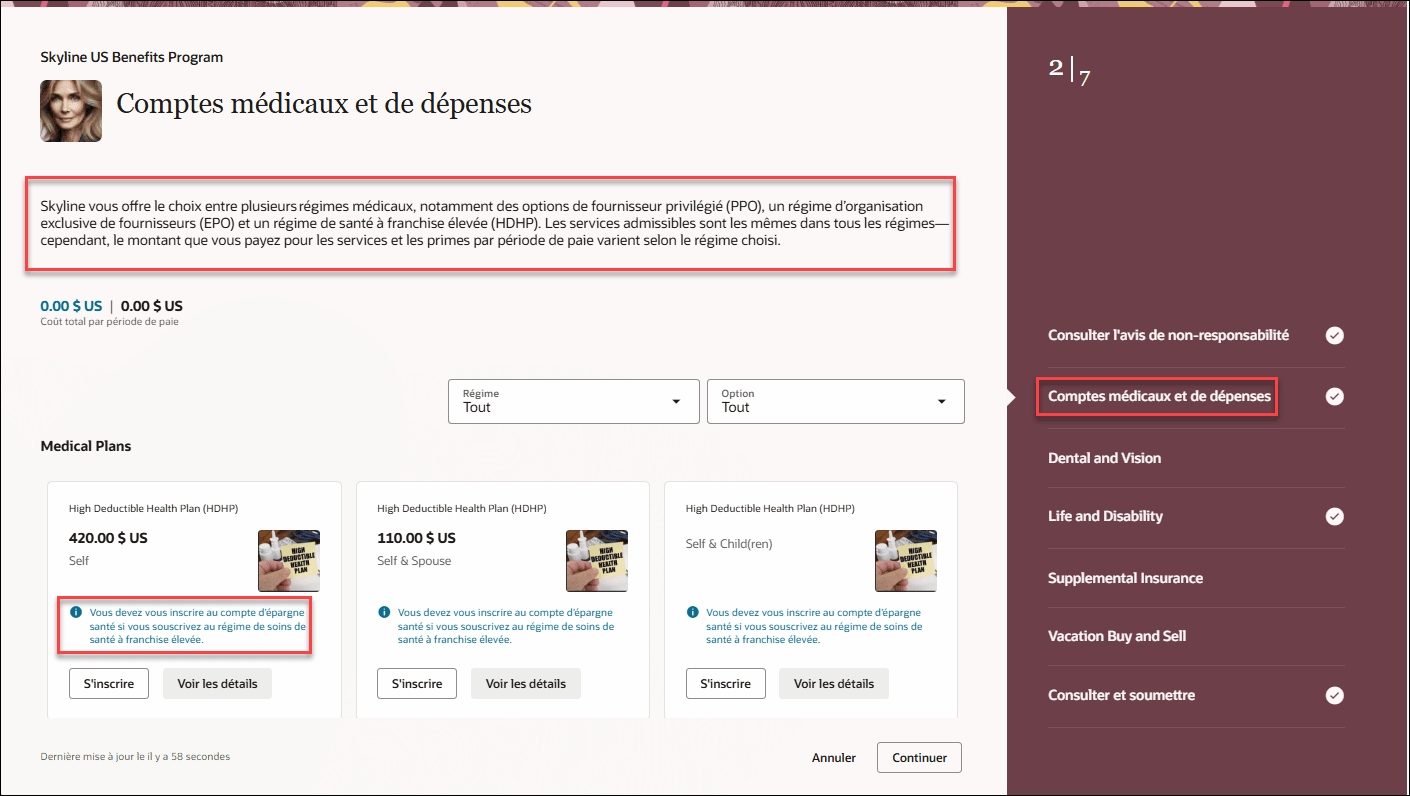
Self-Service Benefits - Enrollment in French
We’ll introduce the translation editor feature in other Benefits pages during the upcoming releases.
This feature provides holistic multilingual visibility by enabling employees and administrators to view key plan design entities across all relevant product dimensions, ensuring consistent understanding, reducing errors, and supporting a seamless global experience.
Here's the demo of these capabilities:
Steps to enable and configure
Prerequisite Steps:
Ensure that the required languages are enabled. You can view all available languages, whether they're already installed or available for installation and translation. In the Setup and Maintenance work area, use the Manage Languages task in the Application Extensions functional area. For more information, see Language Packs on Your Application.
Ensure that you submitted the batch process named Manage Benefits Translation Data with All entities as the entity parameter.
You need to enable these Redwood profile options. To learn how to enable a profile option, see How do I enable a profile option?
- ORA_HCM_VBCS_PWA_ENABLED
- ORA_BEN_SELF_SERVICE_ENROLLMENT_REDWOOD_ENABLED
- ORA_BEN_ADMINISTRATIVE_ENROLLMENT_REDWOOD_ENABLED
Here's an example of how you can translate the benefits life event name and life event instruction text.
- Got to Benefits Administration > Plan Configuration > Task List > Benefit Life Events.
- Search for and open the Life Event that you want to translate.
- On the Life Event page, click the Translation Editor icon located next to the Save button.
- Do these in the translation editor window. All fields shown within the translation editor window must be completed for each selected language.
- Enter the translated Life Event Name in the Name field for the selected language.
- Enter the translated Instruction Text in the Life Event Instruction Text field for the selected language.
- Click OK to confirm your entries.
- Click Save and Close.
Tips and considerations
- If translations are no longer needed, you may replace the translated text with the base language text to remove them.
- Translated values are retained and included during plan copy.
- The Translation Editor is disabled during update and correction modes.
- When multiple languages share the same source language, all applicable language entries are updated together.
- If an editable field is updated on the main page, the change is reflected in the translation editor window.
- Fast Formulas and DBI will continue to use and support English names only.
Key resources
Language Packs on Your Application