Redwood: Configurable Free-Form Entry for Nonlibrary Skills
Enhances all associated content items in different applications, such as jobs, to use settings from the Skill Settings page, allowing profile administrators to control how users can add skills.
Respective components can now be configured to allow or disallow adding nonlibrary skills by worker, manager, HR, or all.
The screenshot below shows the control option for each application based on the person type.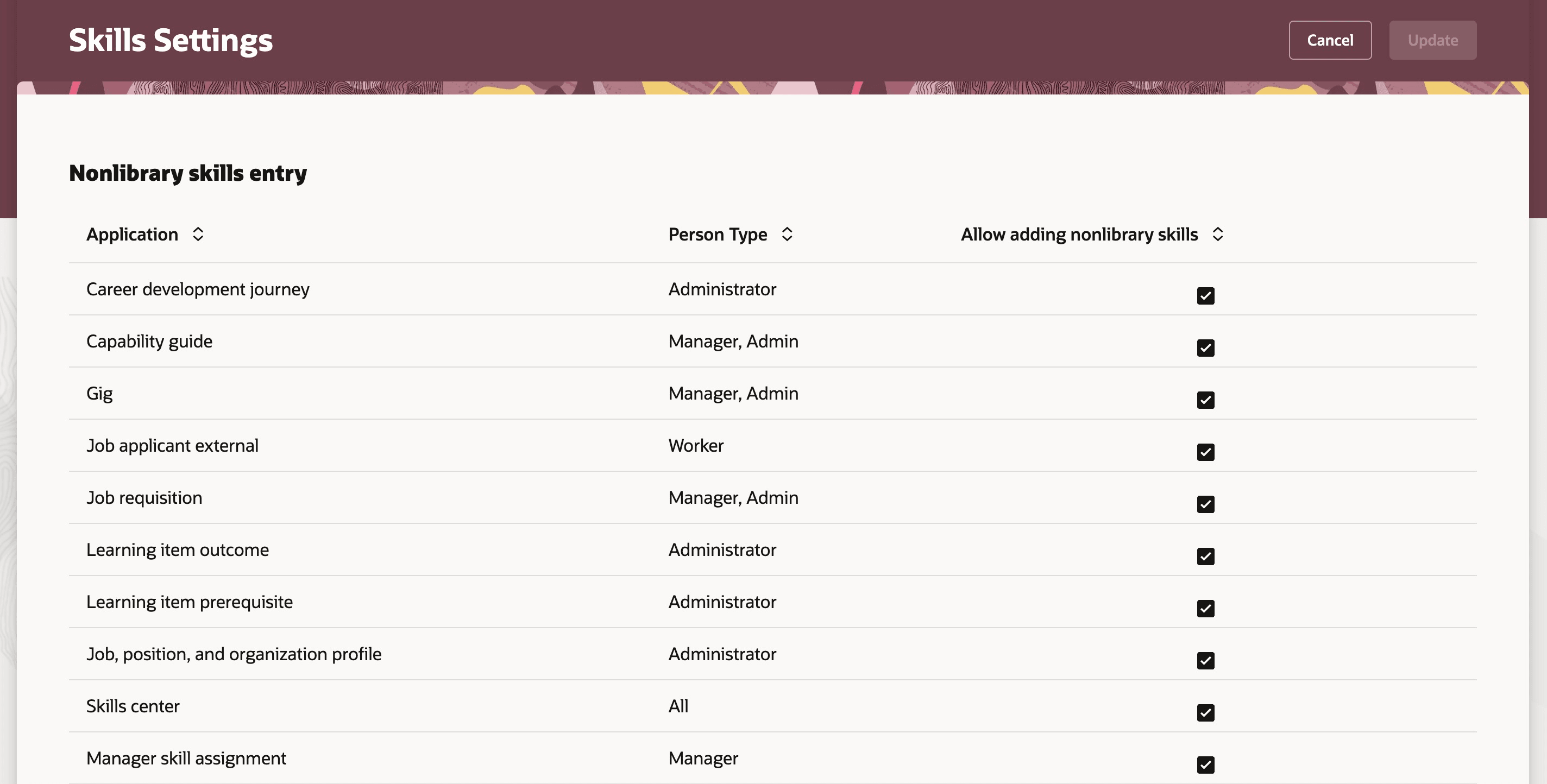
Control option for each application based on person type
The ability to add nonlibrary skills for Job applicant external is shown for illustrative purposes and will be available in a future release. This functionality is not included in the current release.
Business Benefit
- Gives administrators more control over how skills are added across the system.
- Helps maintain clean, consistent, and approved skill data.
- Supports different configurations for managers, employees, and administrators across different application areas.
Steps to enable and configure
You don't need to do anything to enable this feature.