Redwood Experience for HCM Extracts
Enrich the user experience with the new User Entity Details page developed using the Redwood toolset. Built from the ground up with Visual Builder Studio (VBS), this page delivers a distinctive and modern Oracle applications experience.
Easily search and filter user entity details to view the associated database items and attributes directly on the new User Entity Details page. This functionality also allows you to review the set context of the user entity in the extract.
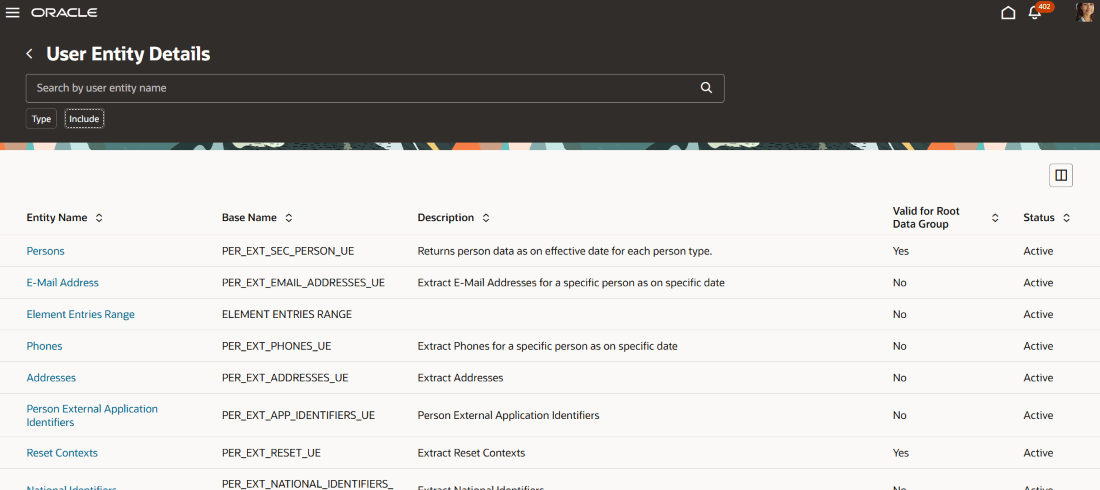
User Entity Details Page
The User Entity Details page displays entity names along with related information, including Base Name, Description, Status, and indicators such as Valid for Root Data Group, Restricted, Multirow, Historic, Secured, and Threading Entity.
You can search for a specific user entity by name in the list. Use the Type filter to select data range entities, root data group entities, secured entities, or threading entities. The Include filter allows you to display deprecated entities, restricted entities, or single row entities.
When you click a specific entity name, you can view its user entity name, base name, and description. You can also see whether it is restricted by data security, multi-row, historic, valid for the root data group, secured, or a threading entity. The page also includes eight tabs namely - Database Items, Database Item Groups, Parent User Entities, Dependent User Entities, Required Contexts, Contexts Set, User Entity Query, and Extracts Using User Entity.
Database Items: This tab displays the database items associated with the selected user entity. You can use the search function to quickly locate a specific item.
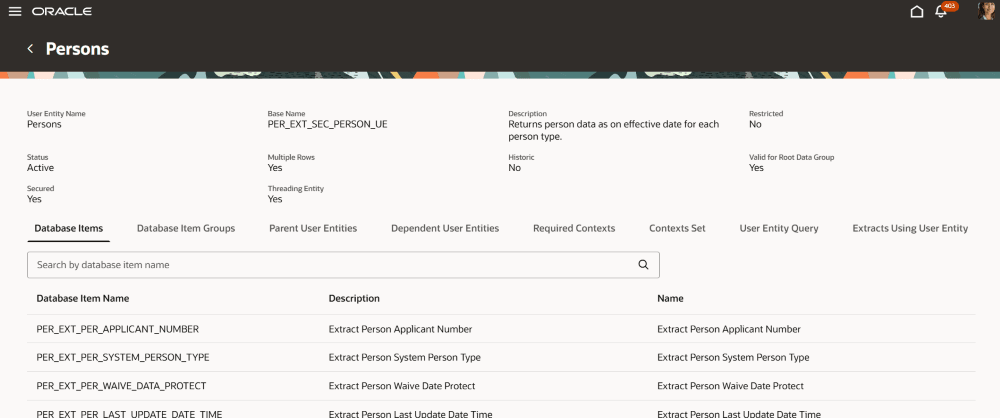
Specific User Entity page
Database Item Groups:This tab displays the various attributes grouped for the selected user entity. You can use the search function to quickly find a specific attribute.
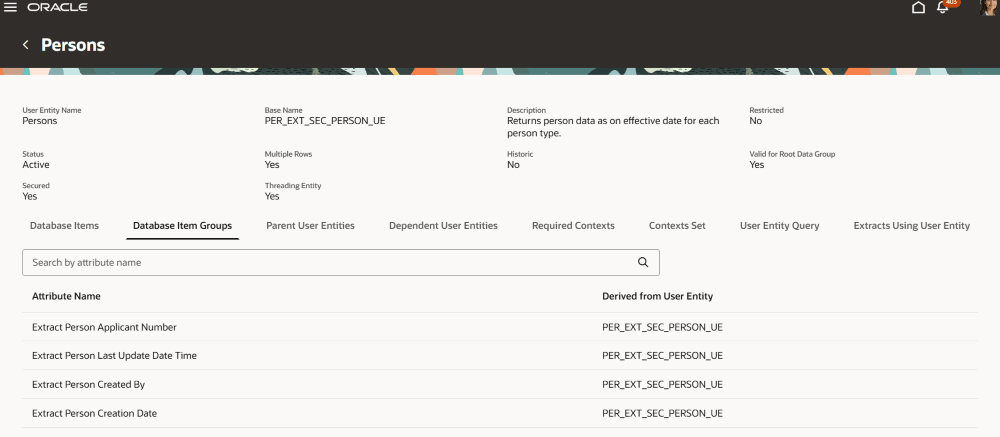
Database Item Group page
Parent User Entities: This tab displays all parent user entities for the current user entity, along with details such as name, description, and base name. You can also use the search function to find details for a specific parent user entity.
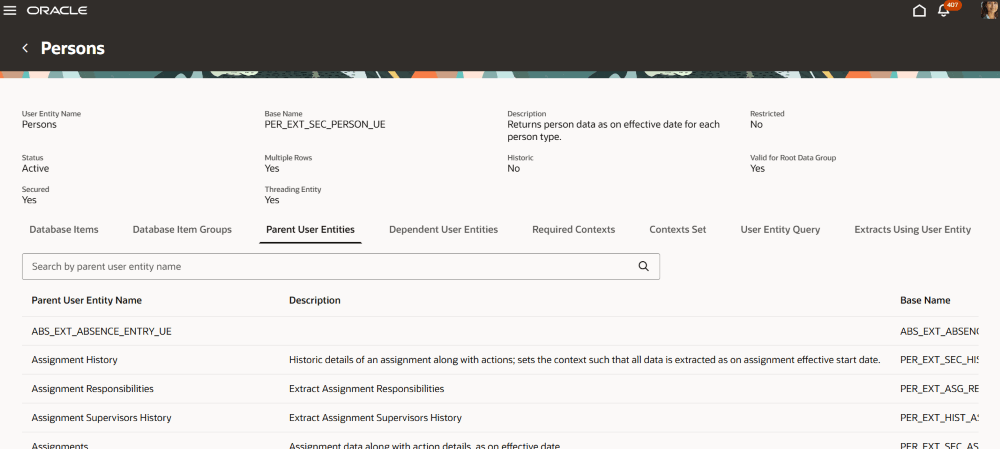
Parent User Entities page
Dependent User Entities: This tab lists all the dependent user entities and their details such as the name, description and the base name for the current user entity. You can also use the search function to find details for a specific dependent user entity.
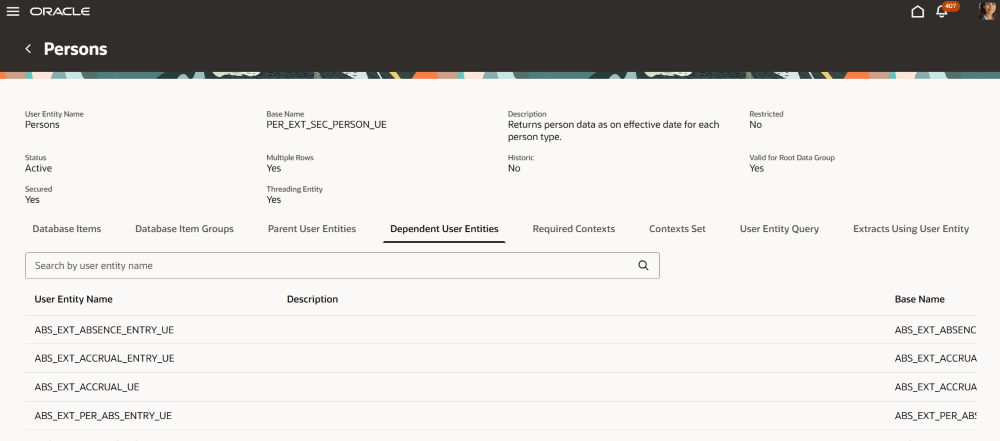
Dependent User Entities page
Required Contexts: This tab displays the required contexts for the user entity, including details such as the base user entity context name, data type, description, and sequence.
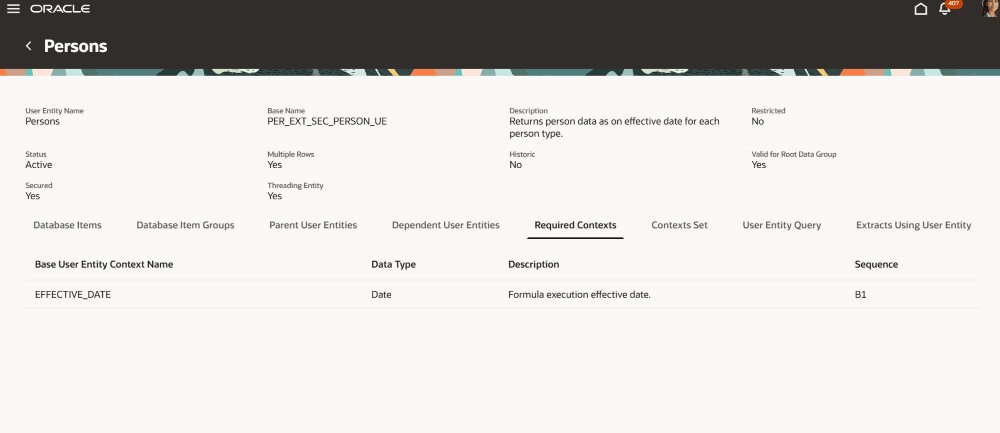
Required Contexts
Contexts Set: This tab displays the contexts set by the user entity, including details such as base user entity context name, data type, and description.
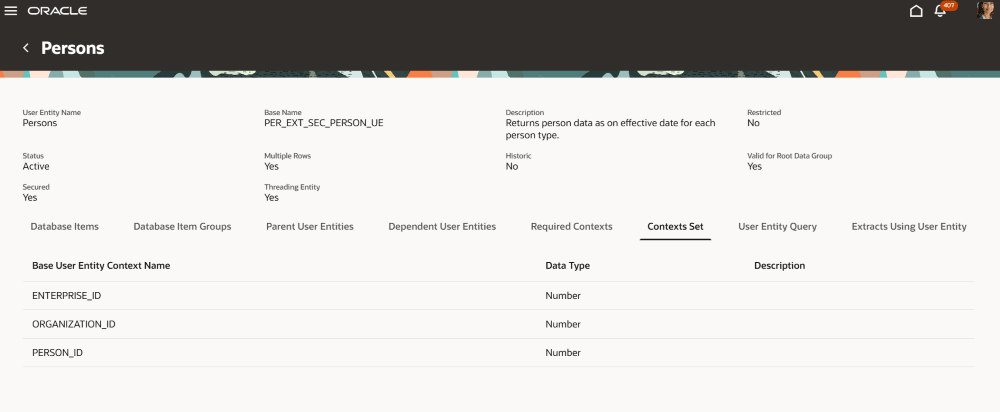
Contexts Set page
User Entity Query: This tab displays the system-generated user entity query in a read-only text area. It also provides a Calculate Rows button, which lets you evaluate the query and view the number of records it will return.
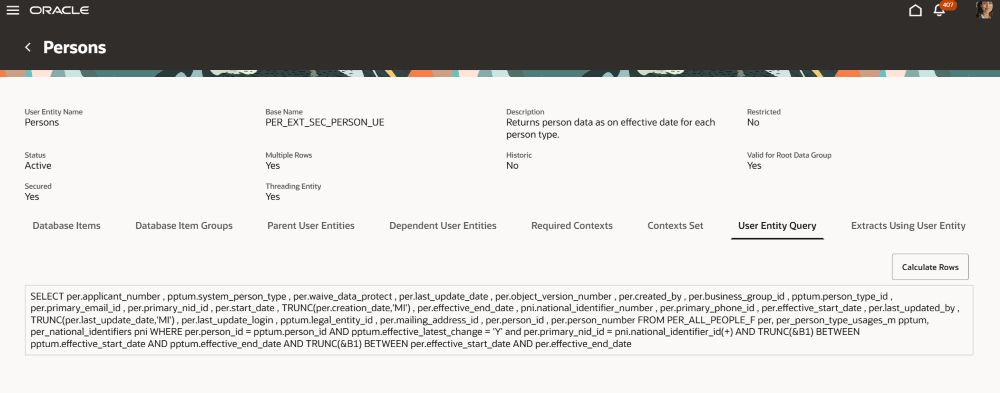
User Entity Query page
Extracts Using User Entity: This tab lists all extracts that use this user entity, including their extract type and description.
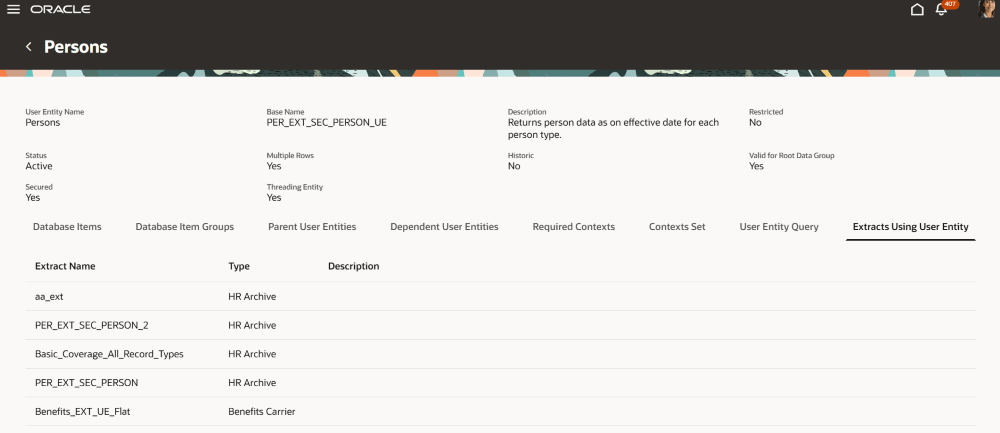
Extracts Using User Entity page
Business Benefit:
The new View User Entity Details page lets you experience Redwood’s high-fidelity interactions. It offers fewer clicks, better performance and increased cohesiveness.
Steps to enable and configure
In order to work with the new HCM Extracts pages, you must first enable the profile option. By default, the profile option is delivered as disabled. If you want to use the new HCM Extracts pages, you need to set the profile option to Yes.
|
Profile Option Code |
Profile Option Display Name |
Value |
|---|---|---|
| ORA_HCM_VIEW_USER_ENTITY_REDWOOD_ENABLED | Enable Redwood View User Entity |
Y |
Tips and considerations
For more information, see How do I enable a profile option?
Access requirements
The View User Entity Details page is secured with the function security privilege: PER_MANAGE_HCM_EXTRACT_DEFINITION_PRIV