Business Rule Supported for Redwood Eligible Jobs Page
The Eligible Jobs page now supports business rules on eligible jobs, offering greater flexibility and control over how fields are displayed and managed based on various conditions. This enhancement enables organizations to configure field visibility, required, and edit properties in alignment with business needs.
You can now control these aspects using business rules:
-
Field visibility - Show or hide individual fields using business rules.
-
Required - Make fields as required or optional.
-
Edit - Configure fields to be read-only or editable, depending on country or legal employer.
The eligible jobs page provides two separate rule regions—one that applies when the page is opened in Create/Edit mode and another that applies when the page is in View mode.
When configuring a business rule, ensure that you select the region corresponding to the page mode where the rule should be applied. This ensures the rule triggers correctly based on the user’s intended action.
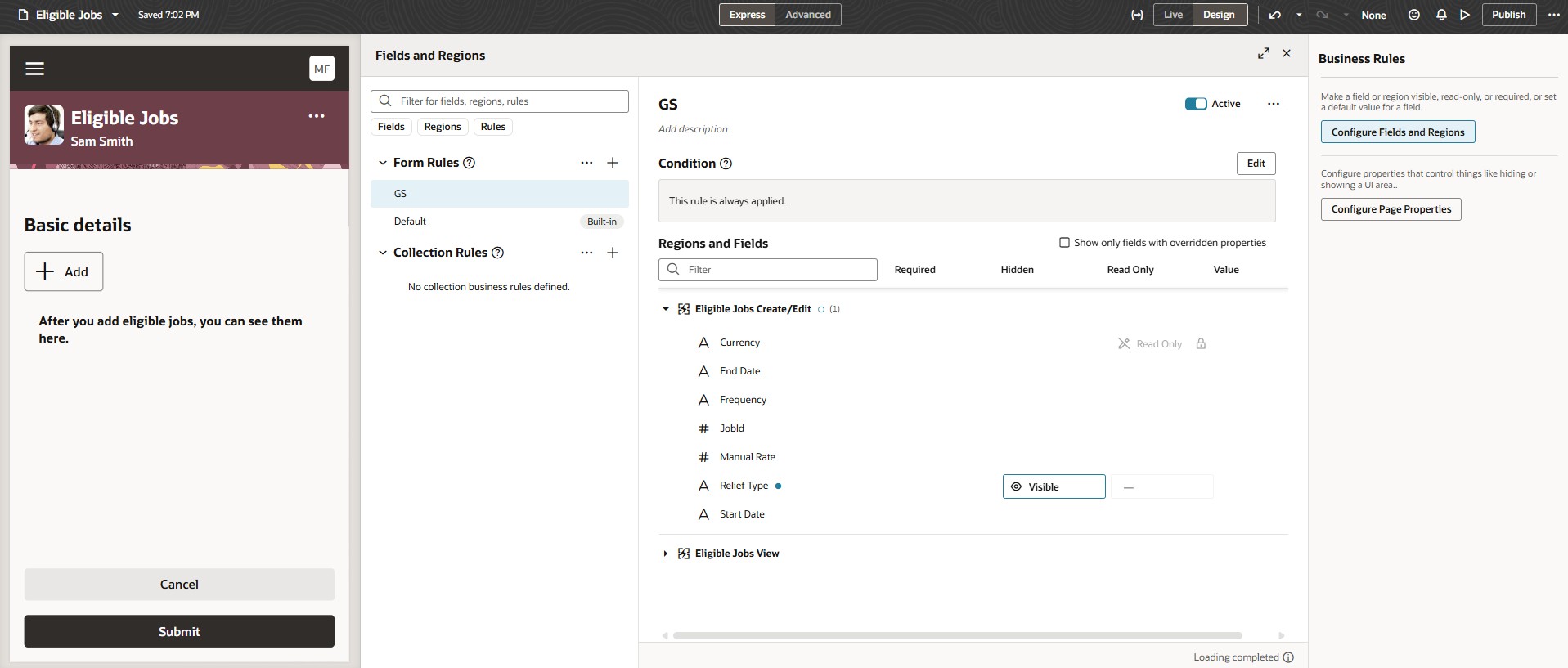
Business Rules for Eligible Jobs Page
You can now create business rules for the Redwood Eligible Jobs page.
Steps to enable and configure
You don't need to do anything to enable this feature.
Tips and considerations
- Autocomplete validations and defaulting aren't yet supported.
- ORA_PER_EMPL_ELIG_JOBS_RELIEF_TYPE_ENABLED profile option is no longer supported as this functionality can be achieved by using business rules..
Key resources
For more information, you can refer to these resources on the Oracle Help Center:
- Overview of Eligible Jobs in the Using Global Human Resources guide
For more information, refer to these resources:
- Express Mode in VBS for detailed instructions on using specific Express Mode features.
- Extending Redwood Applications for HCM and SCM Using VB Studio for details on what’s supported by HCM.
- You can refer to the VB Studio documentation "Configure an Oracle Cloud Application" to check the steps to access VB Studio from a Redwood page.
- Extending HCM Redwood Applications Using Visual Builder Studio
- Refer to the Customer Connect forum Visual Builder Studio for HCM