Control the Display of the Hiring Manager or Recruiter Details on the Job Details and View Offer Pages
You now have the ability to control the display of the Hiring Manager or Recruiter details cards on the View Offer and Job Details pages.
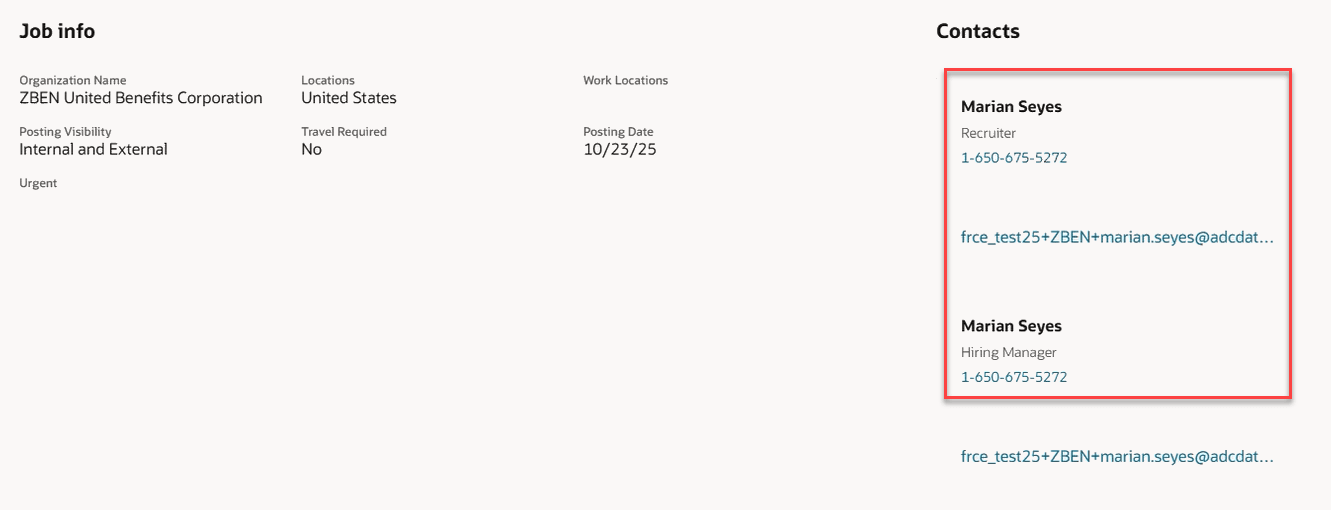
Contacts Section Showing Recruiter and Hiring Manager Details
Business benefit: This feature lets you customize the Contacts section in both Job Details and View Offer pages by hiding or displaying the Recruiter or Hiring Manager contact cards.
Steps to Enable and Configure
- You first need to make the Contacts section visible by creating business rules in Visual Builder Studio. The Contacts section is available on the View Details page, in the Opportunity Marketplace menu. For details, see How do I hide or show a section in Visual Builder Studio?
- Then, you configure these page properties which are located on the View Details page, under Opportunity Marketplace. For details, see How do i control the display of a UI element in visual builder studio?
- showHiringManagerContactCard
- showRecruiterContactCard
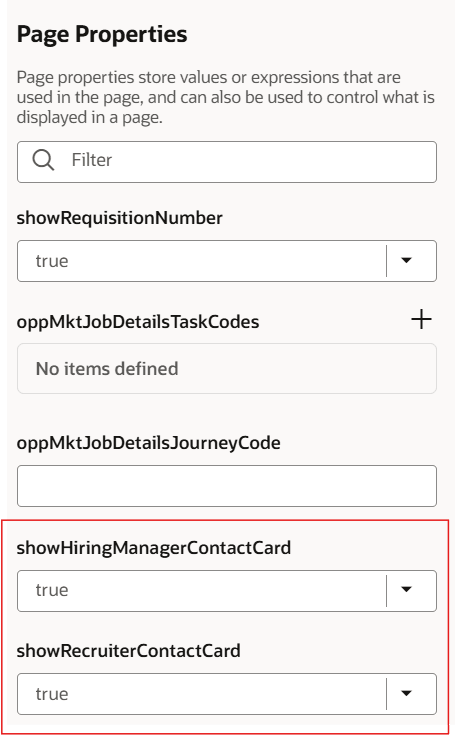
Page Properties
For details on enabling and customizing Redwood for HCM, see How do I adopt Redwood for HCM? and Extending Redwood Applications for HCM and SCM Using Visual Builder Studio.
Tips And Considerations
The configuration for the Job Details page and View Offer Pages are independent from each other. You'll need to configure each separately.