Resume Attachments Mandatory in Internal Apply Flow
You can now require that users attach at least one file categorized as a Resume when applying for jobs.
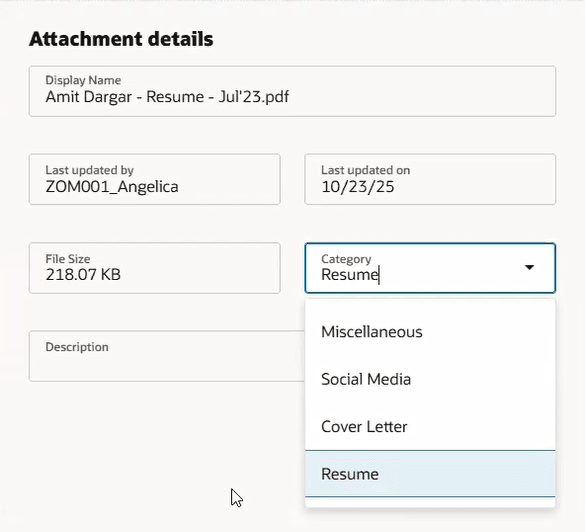
Resume Attachment
Business benefit: This feature ensures that employees apply for jobs in Opportunity Marketplace with their resumes attached.
Steps to Enable and Configure
- You first need to make the Attachments section visible by creating business rules in Visual Builder Studio. The Attachments section is available on Opportunity Marketplace > Apply Job page in Visual Builder Studio. For details, see How do I hide or show a section in Visual Builder Studio?
- Next, you need to set the IsResumeMandatory page property to true. It's located under the Opportunity Marketplace > Apply Job page in Visual Builder Studio. For details, see How do I control the display of a UI element in Visual Builder Studio?
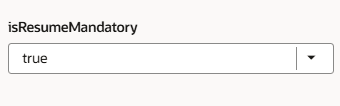
Page Property in Visual Builder Studio
For details on enabling and customizing Redwood for HCM, see How do I adopt Redwood for HCM? and Extending Redwood Applications for HCM and SCM Using Visual Builder Studio.