Redwood: Readiness-Based Succession Organization Chart
From this release, you can view these details on the succession card of person in a succession organization chart:
- A badge that indicates if the person’s succession plans has candidates who are ready now or not
- Names of the ready-now candidates
- Number of candidates in their succession plans
Note: If a person has multiple succession plans, then the details shown are collated from all these succession plans.
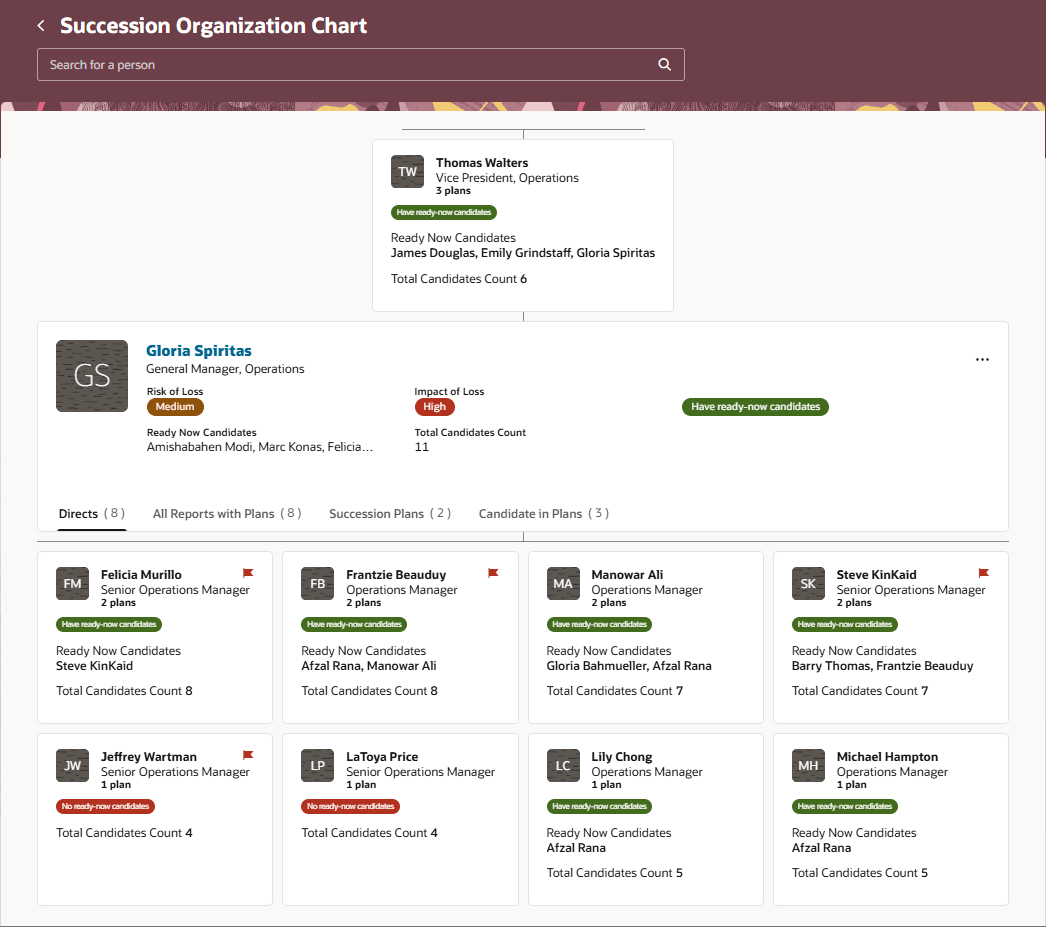
Succession Organization Chart With Readiness Information
On the Directs tab, you can see both direct reports who have succession plans and those who don’t have any. The direct reports are listed in the descending order of the count of their succession plans. The succession cards of the direct reports also indicates if the person’s succession plans has ready-now candidates or not.
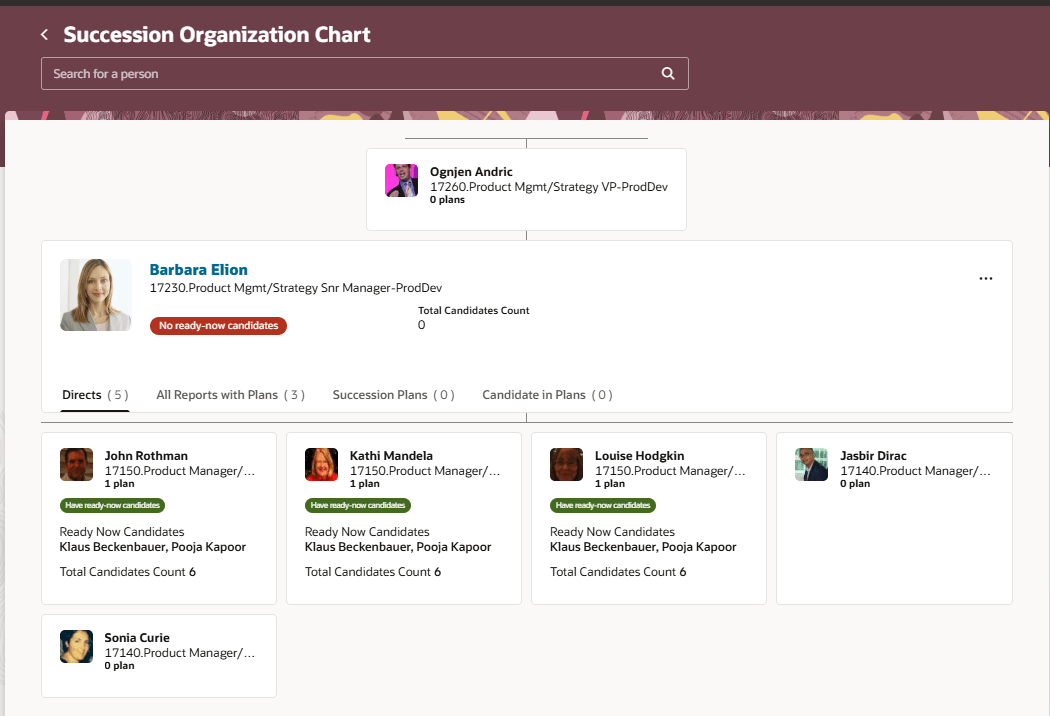
Directs Tab Showing Direct Reports with and Without Succession Plans
Business Benefit
Enhance your succession planning process by easily identifying the ready-now candidates of a person’s succession plans. Identify high-risk persons whose succession plans have no ready-now candidates and plan for the growth of such candidates.
Steps to enable and configure
To view the Redwood redesigned succession planning pages, you need to enable the profile options indicated in the table.
|
Profile Option Code |
Profile Option Display Name |
Value |
|---|---|---|
|
ORA_HCM_VBCS_PWA_ENABLED |
Enable VBCS Progressive Web Application User Interface |
Y |
| ORA_HRM_SUCC_PLANS_REDWOOD_ENABLED | Redwood Succession Plans Enabled | Yes |
To view succession organization charts, you need to enable this profile option.
|
Profile Option Code |
Profile Option Display Name |
Value |
|---|---|---|
| ORA_HRM_ENABLE_SUCCESSION_ORG_CHART | Succession Organization Chart Enabled | Y |
For more information, see How do I enable a profile option?.
Tips and considerations
As administrators, you can show direct reports with no succession plans on a separate tab of the succession organization chart. You need to edit the succession organization chart page in Visual Builder Studio and set the Show Directs Without Plans Tab property to true.
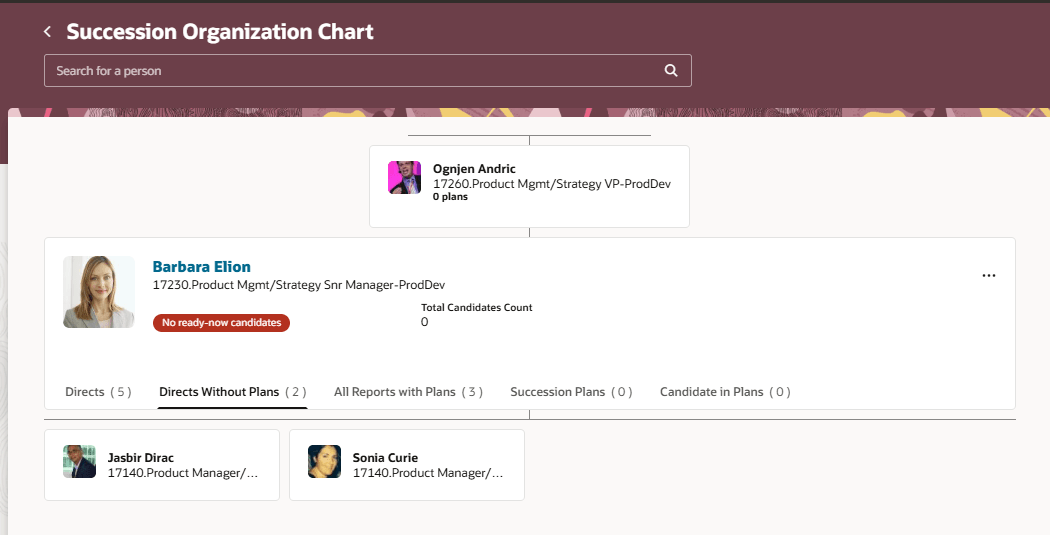
Directs Without Plans Tab
For more information, see How do I control the display of a UI element in Visual Builder Studio?.
Key resources
For more information on extending Redwood pages in HCM, refer to this guide on the Oracle Help Center: